
 Share
Share
 Print
Print
|
|
|
|
|


Database Password Change
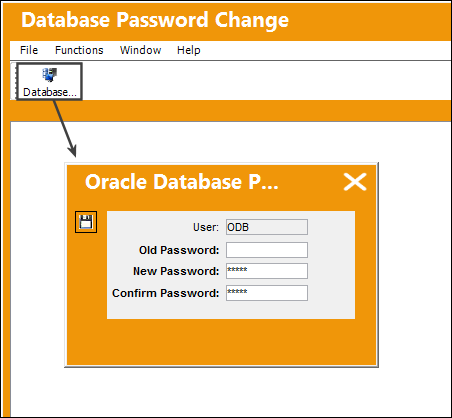
Select the Database Password Change button to change the password to the Oracle database.
When this change is made, the Oracle password will be updated along with the encrypted database password in the Trax.ini file. The Trax.ini file that's updated is the one on the system where the password change is made.
For Fat Client installations, this new password must be added to the Trax.ini file in every location where the TRAX application is installed. For Thin Client (Citrix client) installations, the one Trax.ini file that is automatically updated is the only Trax.ini file that needs to be updated with the new password.
 Utilize this functionality with extreme caution. This password change will affect all TRAX users system-wide. Consult your database administrator before using this functionality.
Share
Print
|
©1997-2026 Trax USA Corp. All rights reserved. This manual may not be copied, photocopied, reproduced, translated, or converted to any electronic or machine-readable form, in whole or in part, without prior written approval from Trax USA Corp. |
 |