
 Share
Share
 Print
Print
|
|
|
|
|


Transaction Lock Manager

From the Transaction Lock Manager, users can manage transactions that have been locked to prevent multiple users from accessing the same records, such as A/C Registration, E/C Authorization Steps, T/C Authorization Steps, GL Inventory Costing Reports, P/N Master records, W/O Actuals, and W/O Closing. The Reset  button can be utilized to refresh the window. Select the Unlock checkbox for the appropriate record(s) to unlock a record, then select the Save
  button. After unlocking the record, the record can be accessed, and will be removed from the Transaction Lock Manager.
Note: In addition to the transactions managed from this window, other transactions can be locked or unlocked through various methods. For more information, refer to the Lock/Unlock Functionality section in the training manual.
In the event of a system error during Work Order Closing or the Closing of a Work Order in Post Completion, the record(s) being closed are locked. These must be manually unlocked, thus giving the user the opportunity to review it after the error occurred, before being closed again. The Work Orders that are locked due to the system error appear in the Transaction Lock Manager, as seen below:
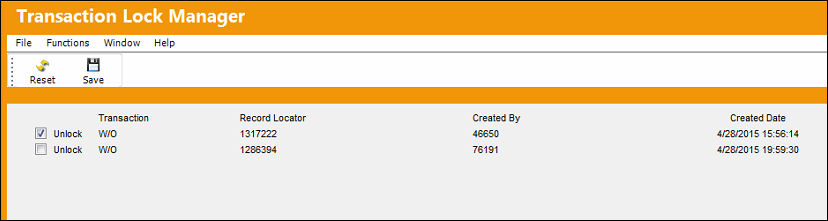

 Note: The option to Unlock E/C Authorizations from this window is security-controlled via System Administration/ Update/ Transaction Lock Manager/ ECauth - Unlock. For more information refer to the Security Explorer via the System Administration Training Manual.
Note: The option to Unlock P/N Master records from this window security-controlled via System Administration/ Update/ Transaction Lock Manager/ P/N Master - Unlock. For more information refer to the Security Explorer via the System Administration Training Manual.
Note: The option to Unlock T/C Authorizations from this window is security-controlled via System Administration/ Update/ Transaction Lock Manager/ Taskcardauth - Unlock. For more information refer to the Security Explorer via the System Administration Training Manual.
Note: The option to Unlock W/Os from this window is security-controlled via System Administration/ Update/ Transaction Lock Manager/ WO - Unlock. For more information refer to the Security Explorer via the System Administration Training Manual.
The Work Order Actuals of the locked record have the effect as if they were not yet closed.
Upon attempting to access the record while it is locked, the following prompt appears:
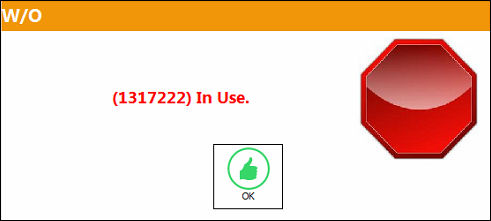
After unlocking the record, the Work Order can be accessed and closed, as desired, and is removed from the Transaction Lock Manager, as follows:
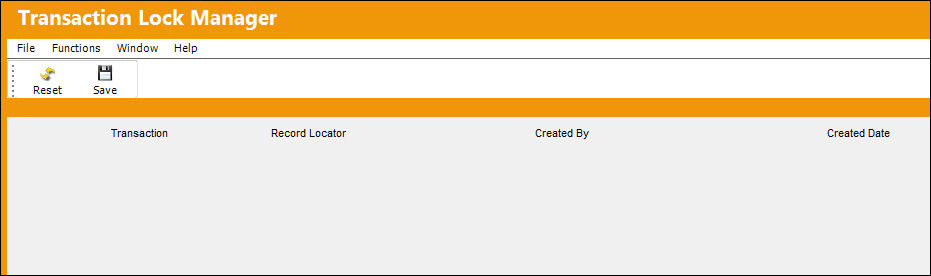
The Transaction Lock Manager is utilized for the Shop Work Order Closing and Closing of Shop Work Orders in Post Completion, as well as the Work Order Closings.
Share
Print
|
©1997-2026 Trax USA Corp. All rights reserved. This manual may not be copied, photocopied, reproduced, translated, or converted to any electronic or machine-readable form, in whole or in part, without prior written approval from Trax USA Corp. |
 |