
 Share
Share
 Print
Print
|
|
|
|
|


The Change P/N To Interchangeable  button allows you to change the current selected P/N so that it will no longer be it’s own P/N and it will become an interchangeable P/N of another P/N.
Select the Change P/N to Interchangeable button and the P/N pop-up window will appear. Select the P/N you wish to add this current P/N to by double clicking. The system will confirm by asking you to save. The P/N will then be transferred to the new P/N as an interchangeable.
Setup:
Go to Inventory/Update/Inventory Transaction.
P/N 95501-A and P/N 95501-B are both serialized parts using the Average Cost method. Both parts are currently separate Main P/Ns.
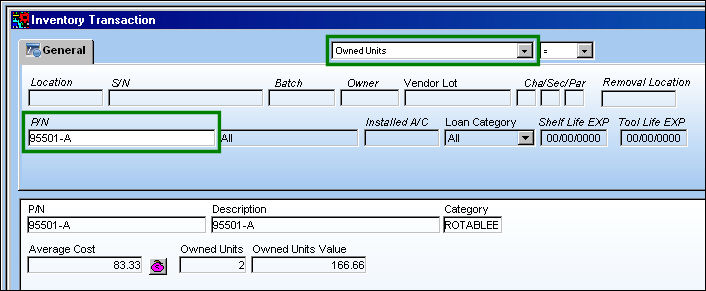
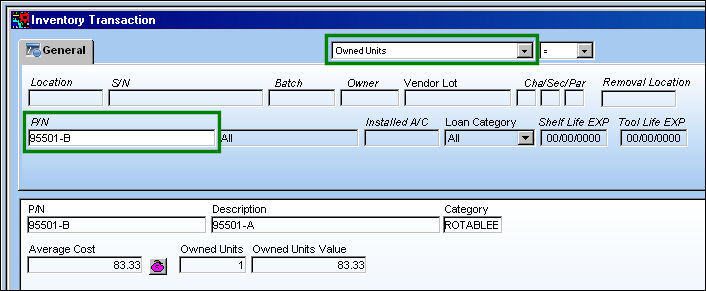
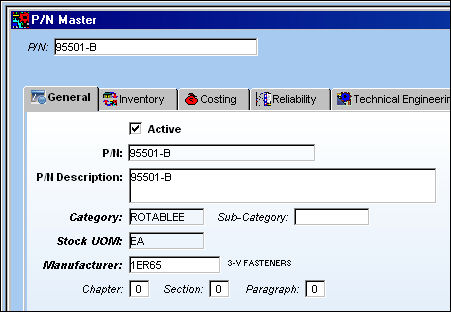
Go to Settings/Update/P/N Master.
Select the Change P/N To Interchangeable button.
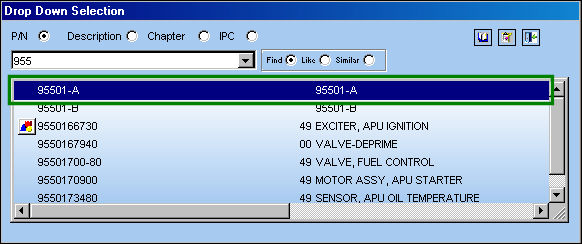
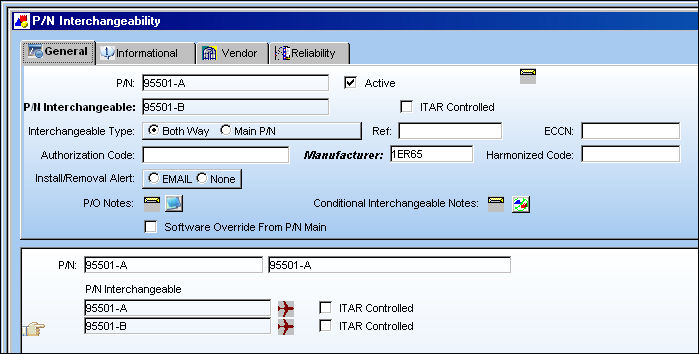
The following drop down menu appears. Select (double click) P/N 95501-A to make 95501-B an interchangeable of 95501-A. The Save prompt will appear. select 'Yes'.
"B" is now an interchangeable of "A".
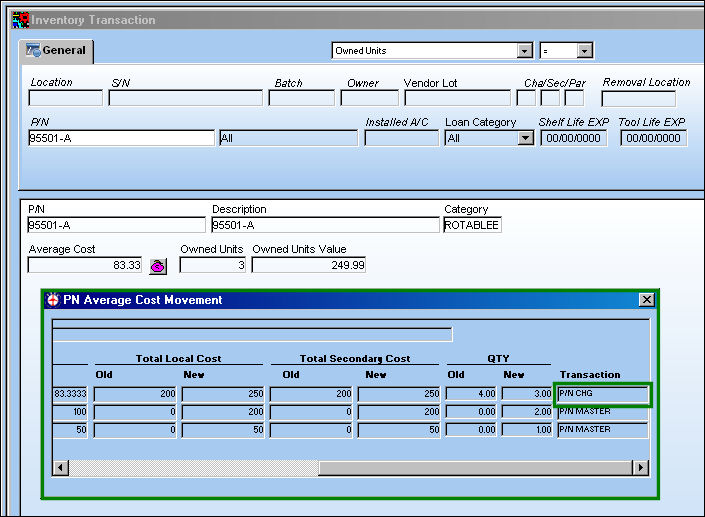
In the P/N Average Cost Movement window, a P/N CHG transfer has been created and the Average Cost of the main part has been recalculated:
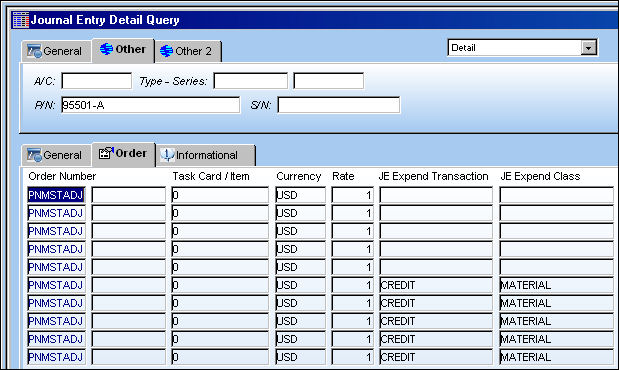
Go to G/L Interface/Query/Journal Entries Query.
The J/E appears as follows where a 'PNMSTADJ' order transaction has taken place:
Go to Trax Quick Print/Query/Quick Print Creation.
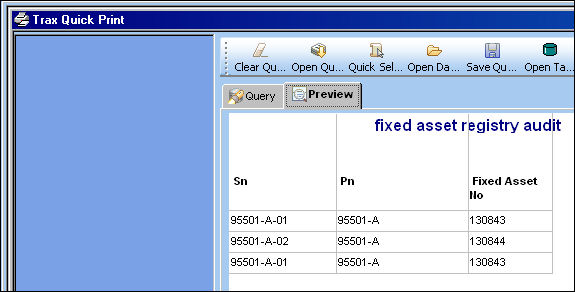
Run a Quick Print for the Fixed Asset Registry audit table:
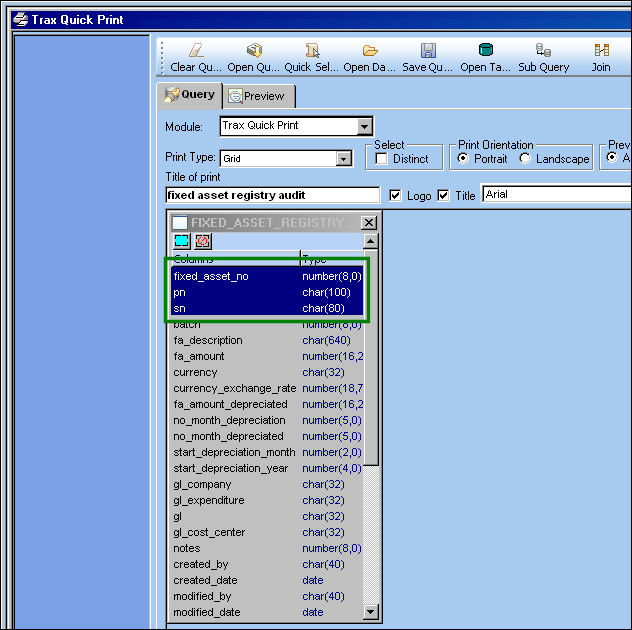
The entry appears to indicate that an update was made to the fixed asset:
Share
Print
|
©1997-2026 Trax USA Corp. All rights reserved. This manual may not be copied, photocopied, reproduced, translated, or converted to any electronic or machine-readable form, in whole or in part, without prior written approval from Trax USA Corp. |
 |