|
TRAX MANUALS > Settings > Settings Module > Settings, Update Menu > P/N (Part Number) > P/N Master Buttons > Engineering Button, via P/N Master
Engineering Button, via P/N Master
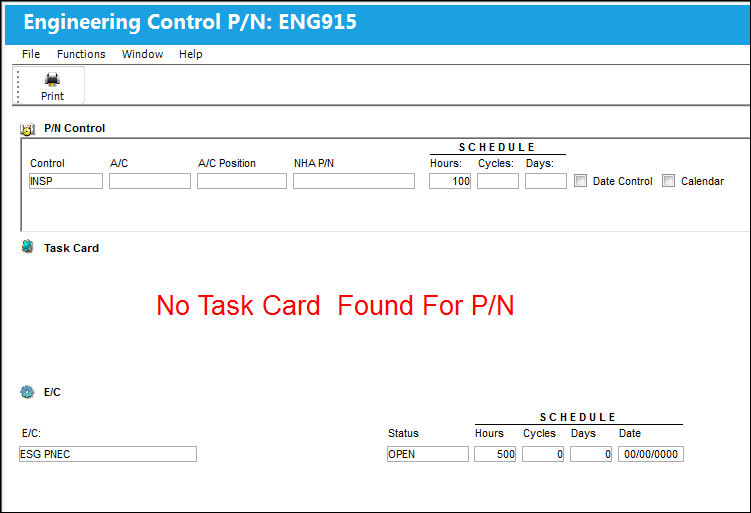
Select the Engineering Control  button to view the engineering information to include part number and shop engineering controls as well as part number control information. This also will show any task cards that have a part number requirement that matches this part number. button to view the engineering information to include part number and shop engineering controls as well as part number control information. This also will show any task cards that have a part number requirement that matches this part number.
|
See Also P/N Master Buttons Notes Button, via P/N Master Interchangeable Button, via P/N Master P/N Control Button, via P/N Master Inventory Levels Button, via P/N Master N/L/A Button, via P/N Master Software Button, via P/N Master Kit Button, via P/N Master P/N Break-Down Button, via P/N Master Effectivity Button, via P/N Master Bin Control Button, via P/N Master Positions Button, via P/N Master P/N Category Change Button, via P/N Master P/N UOM (Unit of Measure) Change Button, via P/N Master Change P/N To Interchangeable Button, via P/N Master P/N Shop Control Button, via P/N Master Cost Button, via P/N Master Sell Button, via P/N Master R/O Capability Button, via P/N Master Issue With Button, via P/N Master NLA Explorer Button, via P/N Master Image Button, via P/N Master Document Control Button, via P/N Master History Button, via P/N Master IPC Reference Button, via P/N Master Audit Button, via P/N Master |
|

 Share
Share
 Print
Print


