
 Share
Share
 Print
Print
|
|
|
|
|


Preview Button
The Preview  button allows the user to Preview a query in a desired Print Type Display.
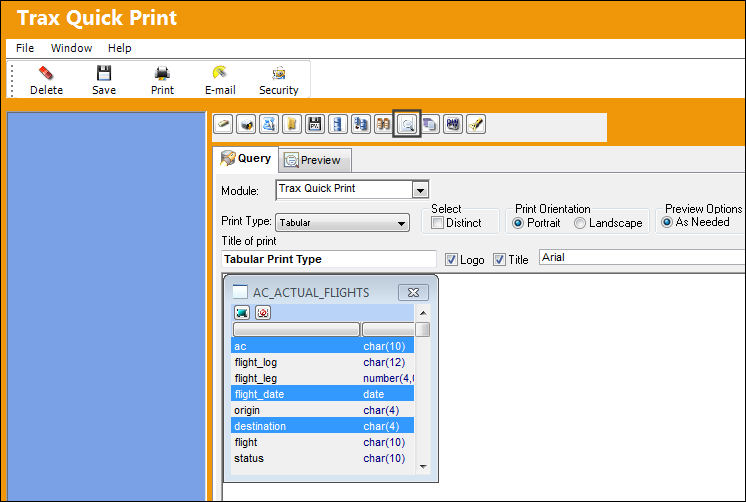
Select desired fields by clicking on them and select the Print Type. Create a title in the Title of Print field and click on the Preview button as illustrated below:
Selecting this  button simply takes the user back and forth from the query mode to the preview mode. The user must select the Preview button to update the information.
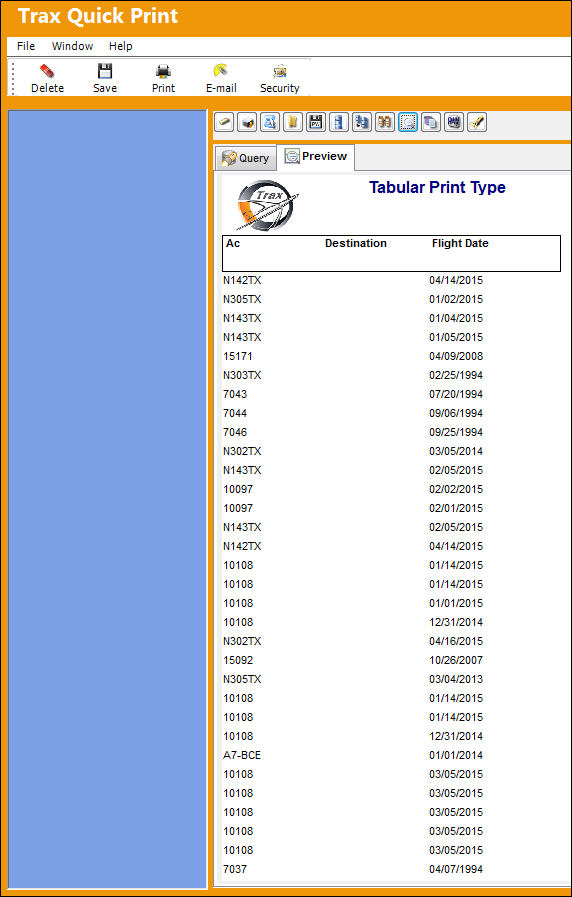
The fields selected above are displayed in a Tabular Print Type as shown below:
Share
Print
|
©1997-2026 Trax USA Corp. All rights reserved. This manual may not be copied, photocopied, reproduced, translated, or converted to any electronic or machine-readable form, in whole or in part, without prior written approval from Trax USA Corp. |
 |