
 Share
Share
 Print
Print
|
|
|
|
|


Open PSR Report Button
The Open PSR Report  button allows users to import Infomaker reports into TRAX Quick Print. To do so, first select the Open PSR Report button then find the needed report and press 'Open.'
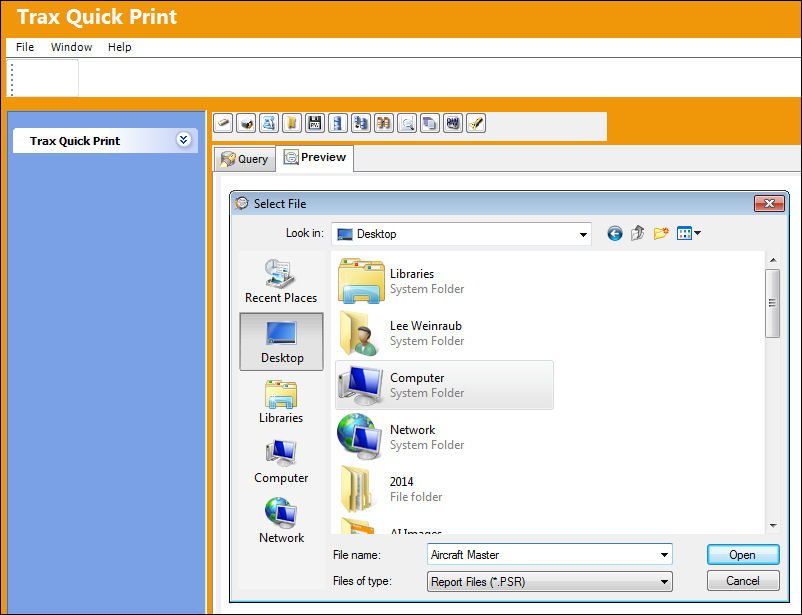
The folder will appear as follows in the Preview tab:
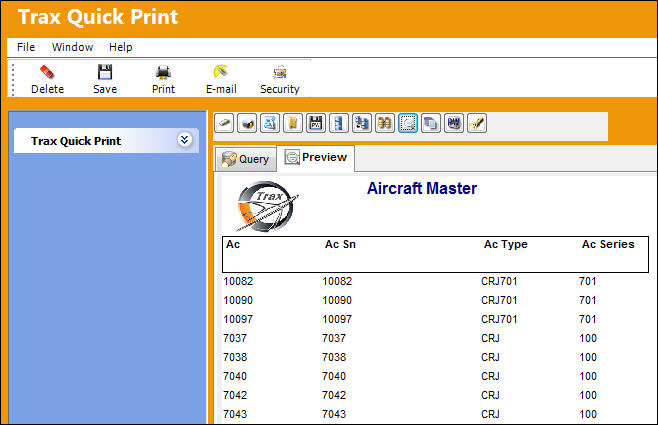
To save, enter the Title of the Print via the Query tab then select the Save  button.
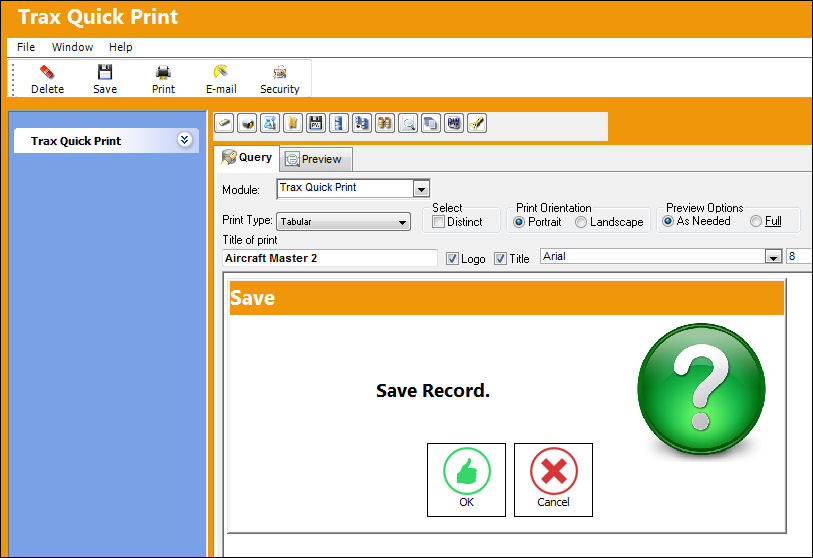
The title of the new print will appear as follows:
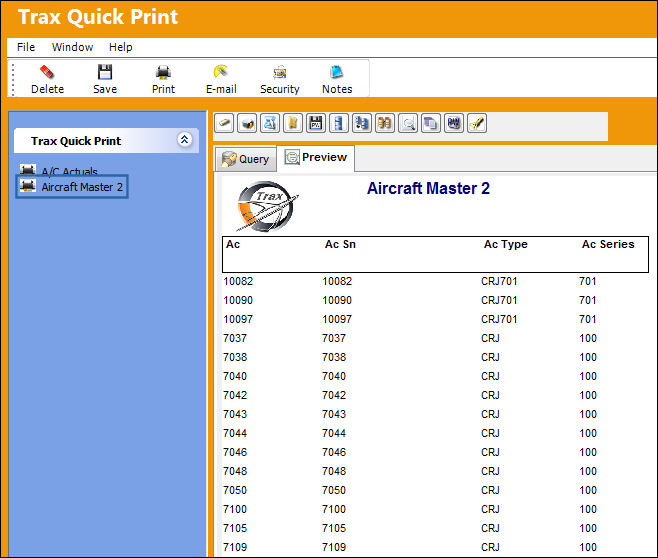
Users can then import the PSR file Arguments. To do so, again, select the Open PSR Report button then find the Arguments then press 'Open.'
Share
Print
|
©1997-2026 Trax USA Corp. All rights reserved. This manual may not be copied, photocopied, reproduced, translated, or converted to any electronic or machine-readable form, in whole or in part, without prior written approval from Trax USA Corp. |
 |