
 Share
Share
 Print
Print
|
|
|
|
|


From the Task Card Window, select the P/N Control Relation  button.
The system displays the Task Card P/N Control Relation Window:
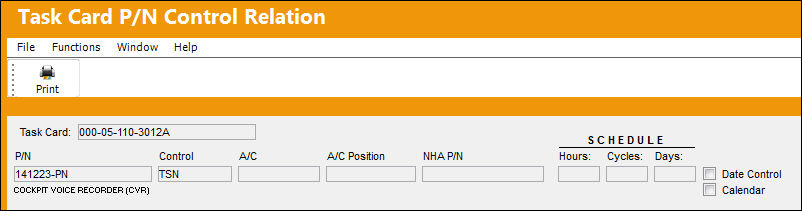
The following information/options are available in this window:
_____________________________________________________________________________________
P/N
The Part Number reference for the aircraft part. This is the Part Number with the time control.
Control
The time control related to the part (e.g., TSN, TSO, etc.) used to define its limits.
A/C
Aircraft that this Time Control applies to. Leave blank for all aircraft. If one aircraft has a specific limit and the others are the same, then you must have two entries for that control, one with the aircraft Tail Number and one with a blank in the aircraft field. A/C Tail Numbers can later be specified if a particular Time Control will only apply to that Tail Number when this P/N is fitted.
A/C Position
The Position for the Time Control (if applicable). All P/N Control schedules are action based. In other words, P/N Schedules will not change seamlessly just because schedule criteria is met. There must be some transaction to generate the change in the P/N Control Schedule. Examples of such actions are when a P/N is received, an A/C Position is changed, an N/L/A Installation is changed, or when there is an A/C Installation to trigger the schedule change against the part.
NHA P/N
The part's Next Higher Assembly P/N (if applicable). If an N/H/A P/N is specified, the control will be applicable to the N/H/A P/N. All P/N Control schedules are action based. In other words, P/N schedules will not change seamlessly just because schedule criteria is met. There must be some transaction to generate the change in the P/N Control schedule. Examples of such actions are when a P/N is received, an A/C Position is changed, or when there is an A/C installation to trigger the schedule change against the part.
Schedule Hours/Cycles/Days
The control's hours/cycles/days schedule, as applicable.
Date Control checkbox
The Date Control checkbox is selected for items controlled by a specific date. When an item arrives into stock the system will prompt for a specific expiration date to be entered for this control.
Calendar checkbox
This is selected to activate Calendar Control on this part. Calendar selected items are “Days by the calendar,” regardless of whether installed on aircraft or not. If calendar control is selected, the system will block the other time parameters for that entry by graying out the appropriate fields.
_____________________________________________________________________________________
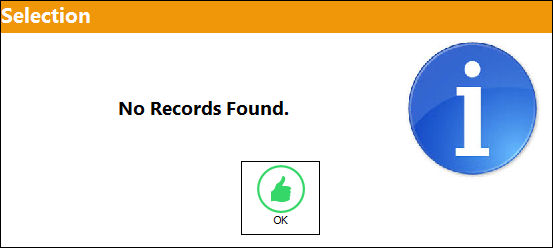
If no records are found, the following message will appear:
Share
Print
|
©1997-2026 Trax USA Corp. All rights reserved. This manual may not be copied, photocopied, reproduced, translated, or converted to any electronic or machine-readable form, in whole or in part, without prior written approval from Trax USA Corp. |
 |