
 Share
Share
 Print
Print
|
|
|
|
|


Microsoft® Word can be used to edit Task Cards if desired, however the Switch  TCEDITOR must be set appropriately to do so.
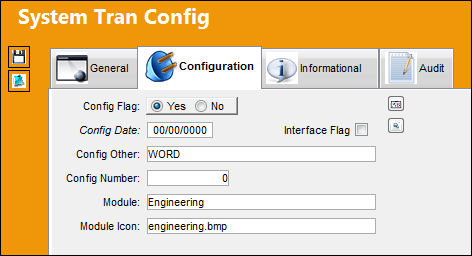
Go to System Transaction Configuration/engineering/TCEDITOR/Update Record/Configuration Tab. In the Config Other field insert the word "WORD" (no quotations, all capital letters).
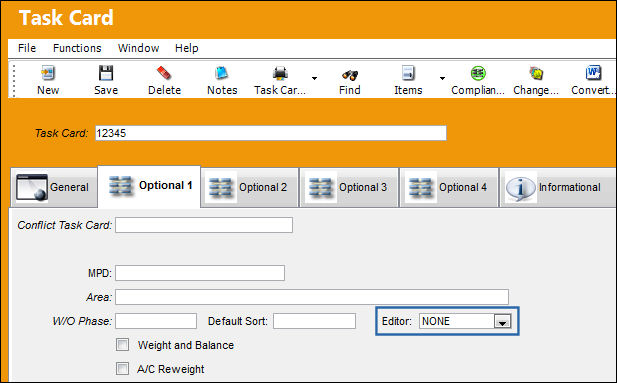
Go to an already existing Editor = NONE Task Card. Select the Convert to Word  button.
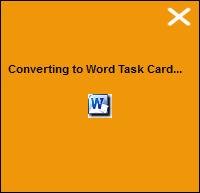
The following message appears letting the user know that the conversion from the NONE Editor format to the WORD format is in progress.
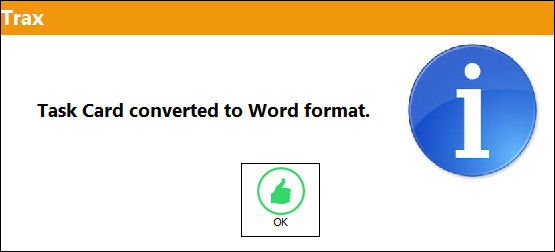
Once the conversion is complete, the following information box will appear. Select OK. The Save Prompt will appear. Select OK.
The Task Card Editor is converted and changes from the Editor = NONE to the Editor = WORD as shown below:
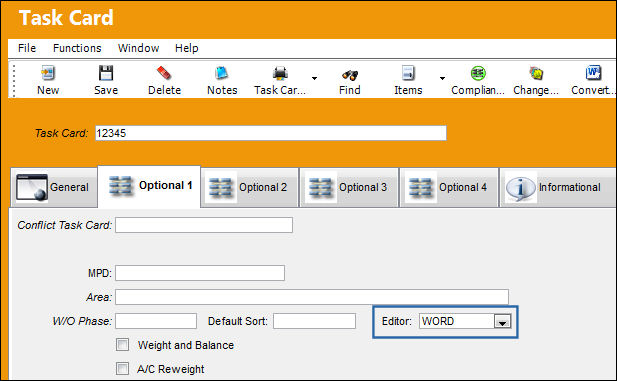
Once the conversion process is completed, the Task Card can only be opened with Microsoft® Word. Be certain of the decision to convert before proceeding.
Select the Print  button to view and print the Task Card in MS Word format.
This functionality is only supported when using Oracle® version 8i and up. Also, this functionality is compatible with Microsoft® Word 2000 version and up.
This Convert to Word functionality is for selected Task Cards and not a mass conversion of Task Cards.
Share
Print
|
©1997-2026 Trax USA Corp. All rights reserved. This manual may not be copied, photocopied, reproduced, translated, or converted to any electronic or machine-readable form, in whole or in part, without prior written approval from Trax USA Corp. |
 |