
 Share
Share
 Print
Print
|
|
|
|
|


The Display By Control Area offers a graphical overview and detailed information about all Work Orders by location, aircraft, and calendar dates.
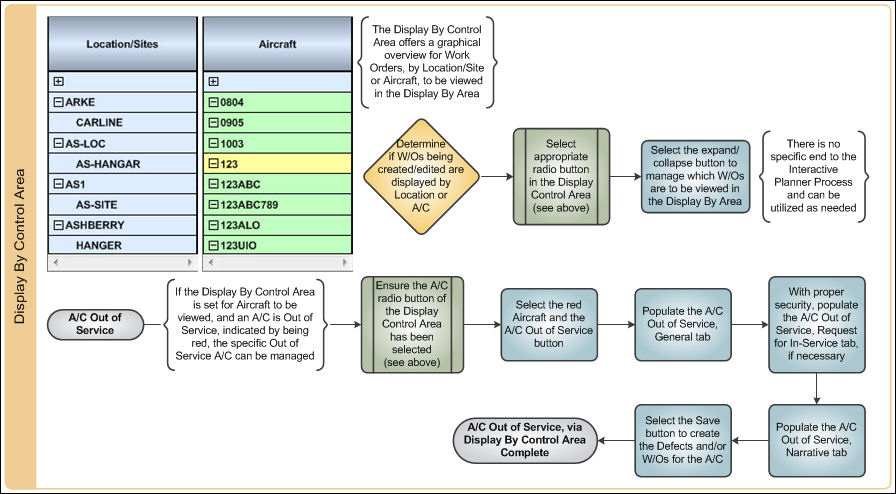

Please refer to the Interactive Planner View of this manual to see where the Display By Control Area is located on the Interactive Planner View.
The view in this area is determined by the selected Location or A/C radio button located in the Display By Control Area. The view changes depending on which of the three radio buttons are selected.

For more information regarding the three view types, please refer to the Display Control Area.
Share
Print
|
©1997-2026 Trax USA Corp. All rights reserved. This manual may not be copied, photocopied, reproduced, translated, or converted to any electronic or machine-readable form, in whole or in part, without prior written approval from Trax USA Corp. |
 |