
 Share
Share
 Print
Print
|
|
|
|
|


The Resource Area appears in the Interactive Planner when the Resource checkbox is selected in the Display Control Area.
This option shows all skills that are available, pending and reserved for the Work Order selected.
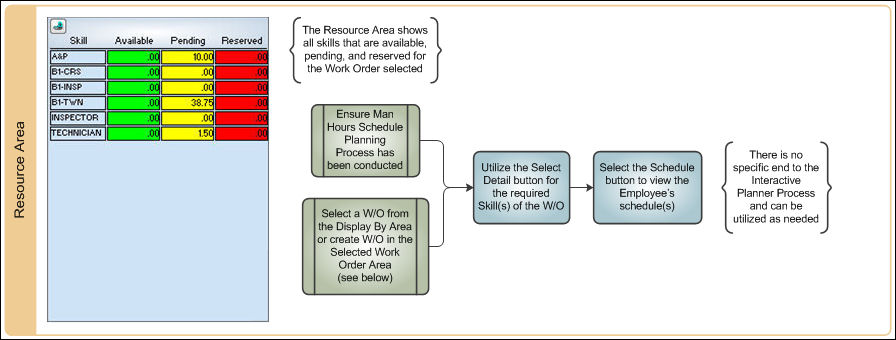

The following information/options are available in this window:
_____________________________________________________________________________________
Skill
The Skill required for the planning event (i.e. A&P, B1-CRS, B1-INSP etc.)
Available 
This column displays all available Skills in hours.
Pending 
This column displays all pending Skills in hours.
Reserved 
This column displays all reserved Skills in hours.
_____________________________________________________________________________________
Once the date is entered in the Work Order header, the status for each skill needed is shown in the Resource Area:
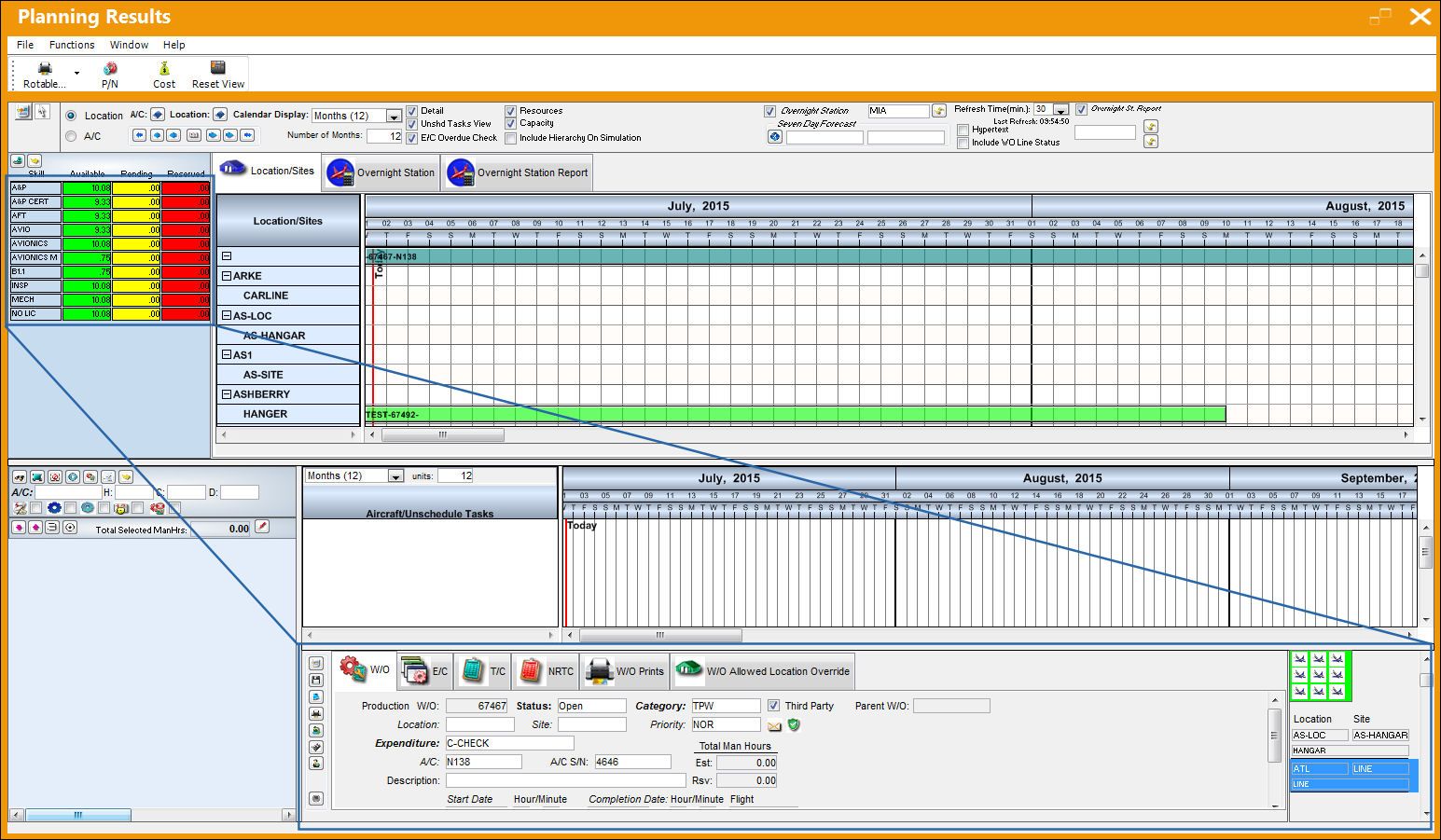
The Resource Area functionality of the Interactive Planner only works with the Man Hours Schedule functionality, not the Man Hours Schedule by Head Count functionality. The Head Count functionality allows users to assign available labor man hours by Skill type per Location and Site on a daily basis. This information is used to show available man hours against planned work. However, this is different from the other Man Hours Schedule labor generation method where man hours are comprised from the individual employee records and shifts. The Head Count method is in effect only when Planning Switch  LBRBYHCNT is set to Yes.
Additionally within this area, the Multi Sites  and Select Detail
  buttons are available for more functionality.
Share
Print
|
©1997-2026 Trax USA Corp. All rights reserved. This manual may not be copied, photocopied, reproduced, translated, or converted to any electronic or machine-readable form, in whole or in part, without prior written approval from Trax USA Corp. |
 |