 Download Online Help
 Print
|
|
|
|
|


AUTOREORDERFORMULA - Formula Specific To Reorder Levels That Calculates The Requisition or PO Order Quantity
Formula Specific To Reorder Levels That Calculates The Requisition or PO Order Quantity
Affected Windows: w_inventory_transaction_sel
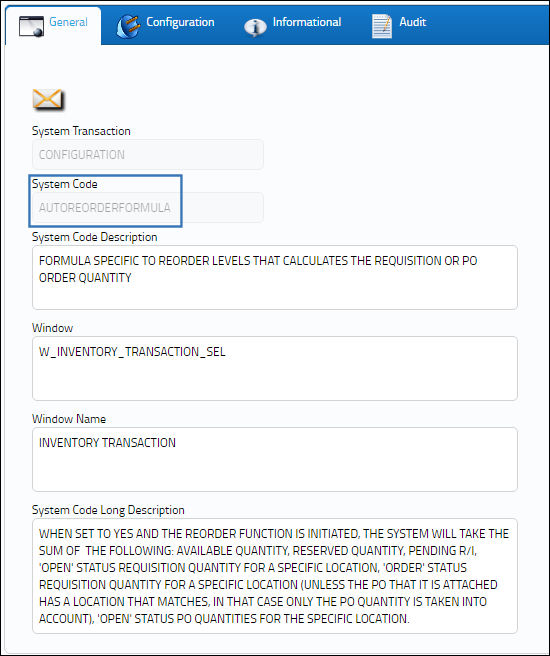
Switch Set to Yes:
When set to Yes and the Reorder function is initiated, the system will take the sum of the following: Available Quantity, Reserved Quantity, Pending R/I, "Open" status Requisition Quantity for a specific location, "Order" status Requisition Quantity for a specific location (unless the PO that it is attached has a location that matches, in that case only the PO quantity is taken into account), "Open" status PO quantities for the specific location. After the system adds these specific quantities then the system will subtract it from the P/N Inventory Level "Max" stock quantity entered and use the end result as the Required Quantity on the Requisition.
Note: Requisition Switches  REORLOC and REORLOPO must be set to No in order for Switch AUTOREORDERFORMULA to function properly.
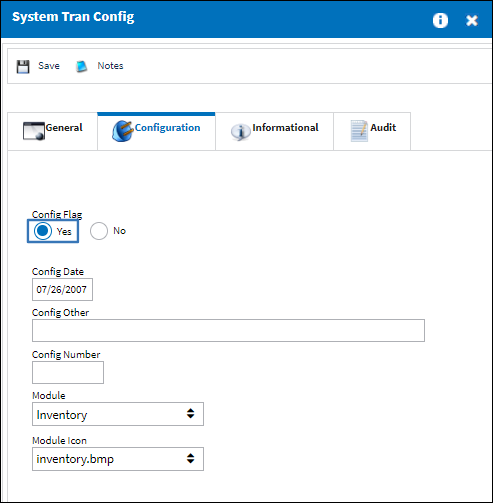
Note: The concluding value must be a positive number and less than or equal to the P/N Reorder Level.
In the P/N Inventory Level window, enter the specified location in the Location field and enter the Stock and Order part quantities for a P/N. The Stock Maximum is set along with the Reorder Level.
For the following Location, the P/N has no parts available, but a specified amount of parts in Reserve.
Note that the P/N also has two open requisitions, one with a status of 'OPEN' and the other with a status of 'ORDER.'
Return to the Inventory Transaction window and perform an adjustment to part quantities for the inventory location. Notice the Required Quantity of the Requisition that the system issues.
This is due to the formula that is triggered when Switch AUTOREORDERFORMULA is set to Yes and switch requirements have been met.
Calculation Breakdown:
The Available Quantity was '0'
The Reserved Quantity was '4'
The 'Open' status Requisition Quantity was '1'
The 'Order' status Requisition Quantity was '1'
0 + 4 + 1 + 1 = 6 this is the sum of the aforementioned quantities.
The sum is then compared to the Reorder Level. The following scenarios are in effect:
If the sum quantity is greater than the Reorder Level, no action is taken by the system.
If the sum quantity is less than or equal to the Reorder Level, a reorder Requisition is created for the Max Quantity minus the sum quantity.
In this example, because the sum quantity is '6,' and is therefore less than or equal to the Reorder Level of '6,' the sum is subtracted from the Maximum Stock Quantity of '10':
10 - 6 = 4
Therefore, in the Requisition print, the Required Quantity is 4 and not the specified Reorder Level.
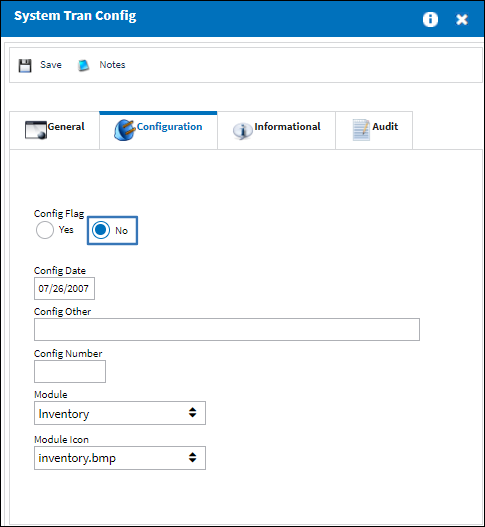
Switch Set to No:
When set to No and the Reorder function is initiated, the system will use the Reorder Level quantity from the P/N Inventory Level window as the Required Quantity on the reorder Requisition (or the Reorder Level quantity +1 depending on Settings Switch REOREQ_1). The system will not validate the sum of the following: Available Quantity, Reserved Quantity, Pending R/I, "Open" status Requisition Quantity for a specific location, "Order" Requisition Quantity for a specific location, and "Open" PO quantities for a specific location.
In the P/N Inventory Level window, enter the specified location in the Location field and enter the Stock and Order part quantities for a P/N. The Stock Maximum is set along with the Reorder Level.
For the following location, the P/N has '0' parts available and a specified amount of parts in Reserve.
Note that the P/N also has one open requisition with a status of 'OPEN.'
Return to the Inventory Transaction window and perform an adjustment to part quantities for the inventory location. Notice the Required Quantity of the Requisition the system issues.
The P/N Inventory Reorder Level is set; therefore, when the adjustment was performed and the inventory levels fell below the specified Minimum Stock quantity, the system triggered a requisition for the particular quantity since that is the reorder level.
Download Online Help
Print
|
©1997-2018 Trax USA Corp. All rights reserved. This manual may not be copied, photocopied, reproduced, translated, or converted to any electronic or machine-readable form, in whole or in part, without prior written approval from Trax USA Corp. |
 |