Download Online Help Print

Previous Topic

Next Topic

Book Contents

Book Index

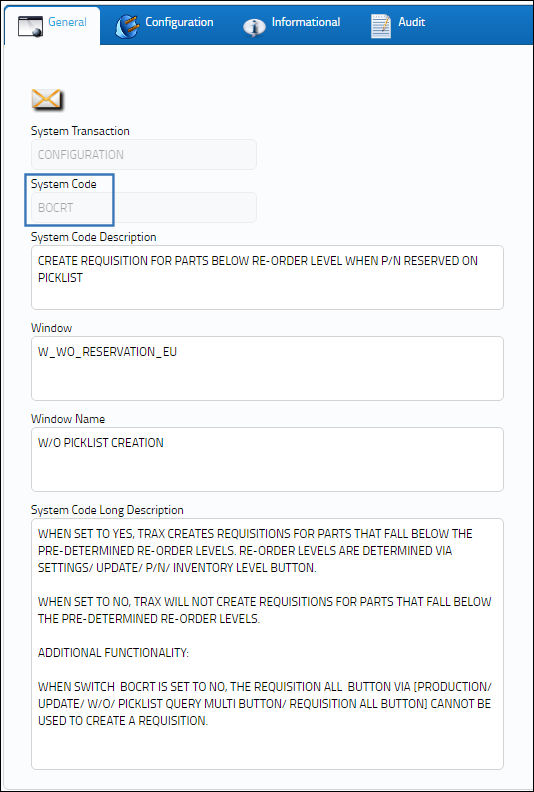
BOCRT - Create Requisition For Parts Below Re-Order Level When P/N Reserved on Picklist

Create Requisition For Parts Below Re-Order Level When P/N Reserved on Picklist

Affected Windows: w_customer_orders_reservation_eu, w_wo_reservation_eu, w_customer_orders_reservation_eu

BOCRT1

Note: In order for Switch BOCRT to function correctly, Inventory Switch REOEAUTO must be set to Yes. If Switch REOEAUTO is set to No, Requisitions will not be automatically created regardless of switch BOCRT's setting.


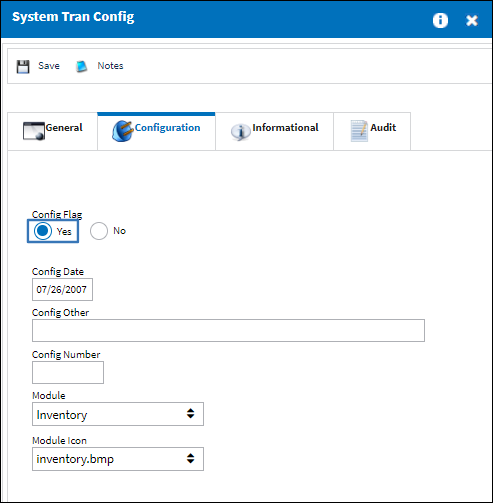
Switch Set to Yes:

When set to Yes, Requisitions are automatically created for parts that fall below the pre-determined re-order levels as soon as the part is reserved on a Picklist. (The Requisition is auto-created prior to the part being issued to the Picklist.)

eMRO_Inventory_Yes

Note: This Switch is functional only when the Picklist is created from the Customer Orders window, W/O Reservation Control window, and the Repair Following button.

From the P/N Master, select the Inventory Levels but_inventory_levels_small button to define the part's re-order levels for individual Locations. Once a Re-order Level is met, a Requisition may be created automatically (refer to Switch REOEAUTO).

Notice the example part's Reorder Level for a Location.

Notice the Location contains 1 available part.

The following Work Order is created for the Location.

The part is then linked to the W/O's Non-Routine Task Card.

A Picklist is then prompted for the part requirement.

Once saved, the part is reserved via a Picklist for the Location.

As soon as the part is reserved, a Requisition is automatically created because the part's re-order level is reached.

From the Inventory Transaction window, notice that part has been reserved, not yet issued. The Requisition is created before the part is issued.


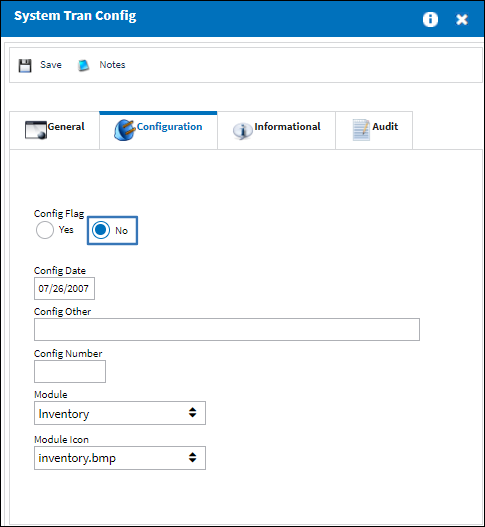
Switch Set to No:

When set to No, Requisitions are not automatically created for parts that fall below the pre-determined re-order levels once the part is reserved on a Picklist. (The requisition will not be automatically created until the part is actually issued to the Picklist.)

eMRO_Inventory_No

Notice the example part's Reorder Level for a Location.

Notice the Location contains 1 available part.

The following Work Order is created for the Location.

The part is then linked to the W/O's Non-Routine Task Card.

A Picklist is then prompted for the part requirement.

Once saved, the part is reserved via a Picklist for the Location.

The Picklist print appears. A Requisition has not yet been created.

From the Inventory Transaction window, notice that the part has been reserved, but not yet issued.

Because the part has not yet been issued, a Requisition has not yet been created.

The part is then issued to the Picklist.

Once the part is issued, a Requisition is automatically created.


Additional Functionality:

When Switch BOCRT is set to No, the Requisition All but_requisition_all_small button via [Production/ Update/ W/O/ Picklist Query Multi Button/ Requisition All Button] cannot be used to create a Requisition.

See Also

Inventory Switches

APJAAF01 - JAA Unique Tracking Number

AUTBINTRANS - RFID Scanning a Bin Transfer Will be Processed Automatically

AUTISSUE - RFID Scanning a Issue Transfer Will be Processed Automatically

AUTOREORDERFORMULA - Formula Specific To Reorder Levels That Calculates The Requisition or PO Order Quantity

AUTOREORDFORMNOTAC - Ignoring Existing Requisitions, Formula Specific To Reorder Levels That Calculates The Requisition or PO Order Quantity

AUTOTRANSFROMMAINLOC - Create Auto Transfer From Main Location

AUTOWMS - Automated Warehouse Management System

AUTRCVING - RFID Scanning a Receiving Transfer Will be Processed Automatically

AVAILCNT - RFID Scanning a Receiving Transfer Will be Processed Automatically

AVOIDRPPICA - Avoid Requisition Print Window When A Physical Inventory Count Adjustment Runs

BYPASROU - Bypass Location Routing on Picklist Creation

CERTIFREF - Certificate Reference Number

CNCTPNHST - Link History and Compliance of matching P/N S/N in Receiving Inspection

CNCTPNHSTNORI - Link History and Compliance of Matching P/N S/N That Will Not Be Going Through R/I via Interface

CONSINED - Consignment Inventory Auto Purchase

CONSINEX - Consignment Inventory Auto Purchase / By Unit Used Only

CONSTRCNT - Generated Quantity Remains Constant in Recount After P/N Movements

CONTACT - Contact Next Sequence Number

CTRLAUTH - P/N Control Authorization Default

CTRLAUTHPNNLA - P/N Control Authorization Defaulted through P/N N/L/A Creation

DEFDESRTS - Update Defect Description In Return To Stock Window

DEFRIFG - Default R/I at RTS and PN Initial Load

DFCNLCBN - Default Condition, Location, and Bin for Tool Check In

DFLTRIFG - Receiving Inspection (RI) checkbox Selected by Default for P/N Initial Load and Return to Stock

DIFFACISSU - Soft warning to appear during manual issue when requisition exists against the issued P/N

DISABLERTV - Prevent Return To Vendor Transaction if Order is Invoiced

DSBL_ISSTLTOM - Disable Mandatory Entry Of Issue To Field For Tool Check In

ETOPS - ETOPS Allow Warning at Manual Issue

EXPSHLQL - Allow Shelf Life Expired P/N to be Received Only in Quarantine Location

GREYOUTBINPREF - Grey Out The Bin Field If Part Is Setup With Preferred Bins

INVCNT0B - Delete Batches With Zero (0) Quantity On Physical Inventory Count Adjustment

INVCOUNTALL - Inventory Physical Count With Multiple Locations

INVOICESOPRT - Customer Order Invoice Print not available at S/O Picklist Issue

INVOWNICON - Override Consigned Parts Icon

INVTRCHOUT - General Tab Selected by Default in Inventory Transaction Tool Check Out Window

ISSPRTDF - Default Number of Prints For Issues

ISSTCMAND - Make Task Card Mandatory in Picklist Creation / Manual Issue / Express Issue

ISSUETOC - Issued To – Use Employee Code Only

ISSUETOM - Issued To (field) Mandatory

LABELPRNTOPEN - Issued To (field) Mandatory

LHTUNSTMEMO - Get TRX Unsent MEMOS

MANUALIP - Show Manual Issue Print

MANUALTIP - Show Manual Tool Issue Print After Tool Check Out Transaction

MKTOWOMD - Make W/O (field) Mandatory for Tool Check Out

MSGMDEC - Do Not Show the Message About the Mandatory E/C

MSGMDECQ - Show the Message about the Mandatory E/C as a Question

MSGPLANDUE - Show the message if the P/N Control or P/N E/C has reached or surpassed the percentage of their schedule

NLACTRLS - Prevent Manual Issue of Parts which have NLAs with Overrun P/N Controls

NLAWARRANTY - Apply Warranty to NLA Units Associated with an Assembly

NO1STPRI - Do Not Allow One-Step Transfer If Batch Has Quantity Pending R/I

NOEMPTYIFNONLA - Do Not Display Missing NLA If Component Does Not Have An NLA

NOTBOGUSPART - Blocks BOGUS Parts From Importing Into Inventory

OWNCHGALL - Assign/Remove Owner For P/N In Inventory

PCKLISTCAN - Display Canceled Picklist for Manual Review

PCKLISTPSLOCATION - Create Packing & Shipping Record if Picklist Delivery Location and Picklist Issue Location Do Not Match

PIBLIND - Display Available Quantity On Physical Inventory Count Print

PICKLIST - Picklist Next Sequence Number

PICKSELORDEROVR - Override Picklist Batch Reservation Logic

PKLSTMRVW - Picklist Issue Manual Review

PKQTYOWNER - Picklist Reservation of Owned Parts First for 3rd Party W/Os

PLCMDLS - Make Delivery Location and Site fields Mandatory in Picklist Creation

PLCMP - Make Priority Mandatory in Picklist Creation

PLPOLOC - Print Picklist In Original Location

PNBINCHG - P/N Identification Tag Bin Change to Receiving Bin

PNCLNOTF - Notify User When PN Control is Created, Modified, or Deleted

PNEXPMVJOB - Create Job For Expired Inventory

PNINVHIS - P/N Inventory History Next Sequence Number

PNROBYLOC - Repair Order Prefer Vendor By Location

PNSNCHG/EFFECTIVITY - Remove Engineering Effectivity on the old P/N S/N after P/N S/N Change Transaction

POOLSEQ - Next Sequential Number for a P/N Pool

RCVPRTDF - Set Default Number of Prints for P/N Identification Tag

REFNUMORDESCRIP - Map Bin Label Print All Header to P/N Reference

REOEAUTO - Reorder Level Automatic Calculation After Issues

REOPNODR - Re-Open Order checkbox to be Selected by Default

RIACCEPTPEND - P/N Controls default to 'Pending' on Acceptance of Receiving Inspection

RMVRTS - Return To Stock Not Allowed If Part Is Installed On Aircraft

RTSAURO - Return to Stock R/O Creation

RTSCHKEX - Return to Stock Check Existing Exchange Order

RTSCOST - Use Value Of Zero Instead Of Average For RTS

RTSCOSTA - Inventory Adjustment Use Average Cost Instead Of Zero

RTSNOTES - RTS Notes Not Applied to Subsequent Inventory Transaction Records

RTSOWNER - Make Owner (field) Mandatory

RTSUNKINVMSG - Soft Warning for Return to Stock of Unknown Parts

RTSUNKINVNO - Prevent Return to Stock of Unknown Parts

RTV/JE - RTV Select G/L Account From P/N

SCRAP/AUTHORIZATION - Scrap Authorization

SCRAP4RO - RO/RECEIVING Transaction Created when an R/O Batch is Scrapped

SHOWEXPEC - Show all expired E/Cs during Manual Issue

SHOWLOANCAT

SLIFEXPEXC - Exchange Order Issue Not Allowed for Parts with Shelf Life Expired

SOS - SOS Condition for All Parts in Return to Stock

SOSCTLHR - Show SOS Control Hours

STOREHZDSPN - Enables Hazardous Parts to be Stored in ASRS BINs

TAGTOOLCHKIN - Suppress Tag Reprint at Tool Check In Window

TOOLCALCONTROL - Enables Tool Calibration Control Securities in Several Windows

TOOLCHKINLOCPROTECT - Protect Location in Tool Check-In Window for Unprotected Users

TOOLCKINMAN - Tool Check In W/O or Issue To Employee fields Mandatory

TOOLCKOUTMAN - Tool Check Out W/O and Task Card fields Mandatory

WOPCPRINT - Automatically Cancel Picklist Print When Picklist Reservation is Canceled

WORTSMAN - W/O (field) RTS Mandatory

WOTCISSSTA - Allow Issue of a P/N to a Closed Task Card

Top of Page Download Online Help Print