 Download Online Help
 Print
|
|
|
|
|


INVOICESOPRT - Customer Order Invoice Print not available at S/O Picklist Issue
Customer Order Invoice Print not available at S/O Picklist Issue
Available Window: w_inventory_transaction_picklist_issue
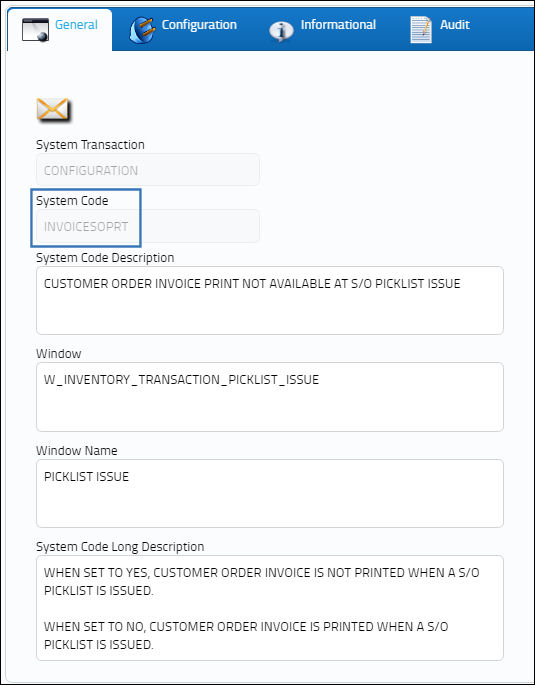
Switch Set to Yes:
When set to Yes, Customer Order Invoice is not printed when a S/O Picklist is issued.
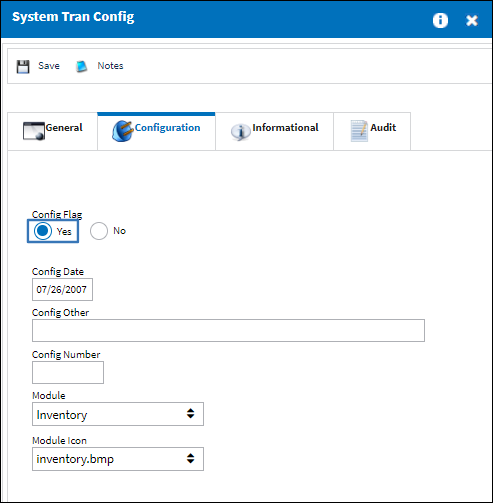
From the Picklist Issue Selection window, select an S/O then select the Issue  button.
From the Picklist Issue window select the Save  button to issue the Picklist.
Enter the user to Issue the Picklist to.
Once issued, the Picklist Print pop-up window appears.
The Picklist Issue Selection window appears automatically instead of the Customer Order Invoice Print window.
Switch Set to No:
When set to No, Customer Order Invoice is printed when a S/O Picklist is issued.
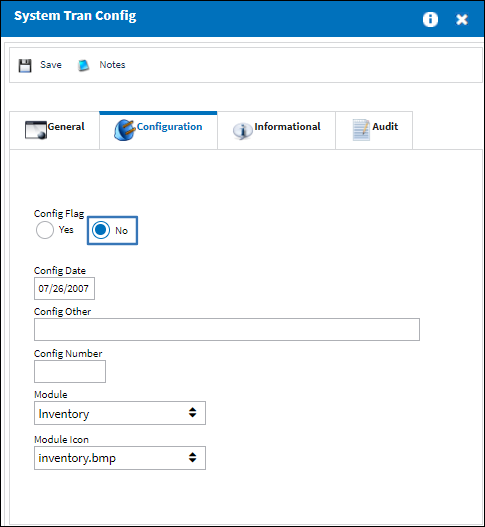
From the Picklist Issue Selection window, select an S/O then select the Issue button.
From the Picklist Issue window select the Save button to issue the Picklist.
Enter the user to Issue the Picklist to.
Once issued, the Picklist Print pop-up window appears.
The Customer Order Invoice Print window then automatically appears where users can have the invoice printed.
Download Online Help
Print
|
©1997-2018 Trax USA Corp. All rights reserved. This manual may not be copied, photocopied, reproduced, translated, or converted to any electronic or machine-readable form, in whole or in part, without prior written approval from Trax USA Corp. |
 |