Download Online Help Print

Previous Topic

Next Topic

Book Contents

Book Index

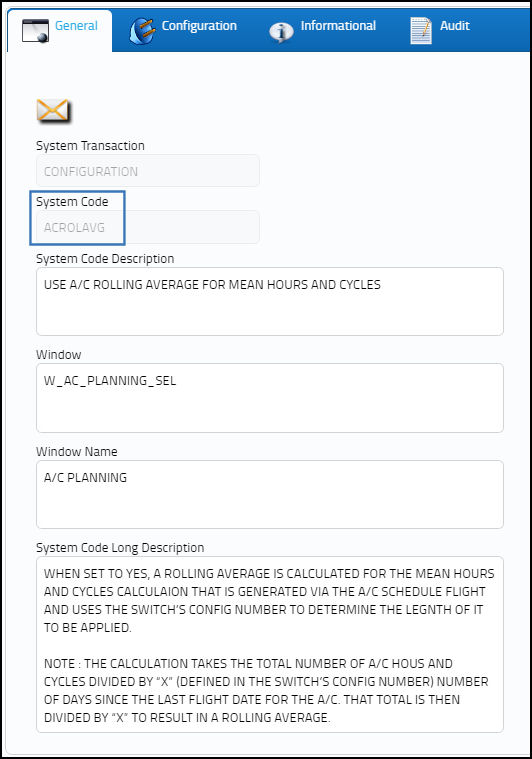
ACROLAVG - Use A/C Rolling Average for Mean Hours and Cycles

Use A/C Rolling Average for Mean Hours and Cycles

Affected Window: w_ac_planning_sel

ACROLAVG1

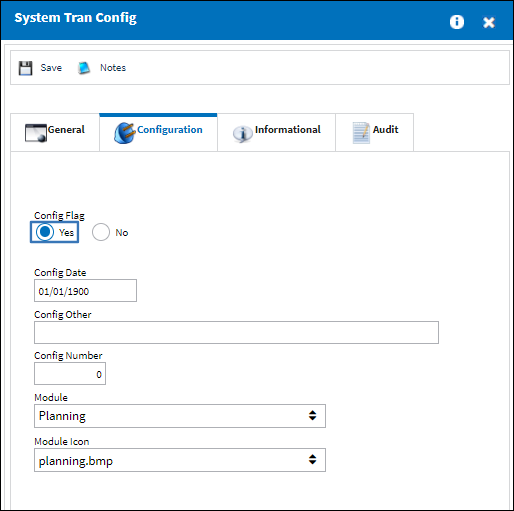
Switch Set to Yes:

When set to Yes, a Rolling Average is calculated for the mean hours and cycles calculation that is generated via the A/C Schedule Flight and uses the switch’s Config Number to determine the length of it to be applied.

eMRO_Planning_Yes

Note: The calculation takes the total number of A/C hous and cycles divided by "X" (defined in the switch’s Config Number) number of days since the last flight date for the A/C. That total is then divided by "X" to result in a rolling average. This allows the customer to manage planning due dates in real time based on actual flight log entries. If the Rolling Average in the A/C Schedule Flight is not a whole number, then the Mean Hours and Cycles must be entered using whole numbers and the Override Rolling Average checkbox must be selected for that aircraft.

Notice in the A/C Schedule Flight window, the Rolling Average is applied for the amount of days specified to the switch’s Config Number.

Note: If the user flags the Override Rolling Average, it takes the original input mean hours and cycles.


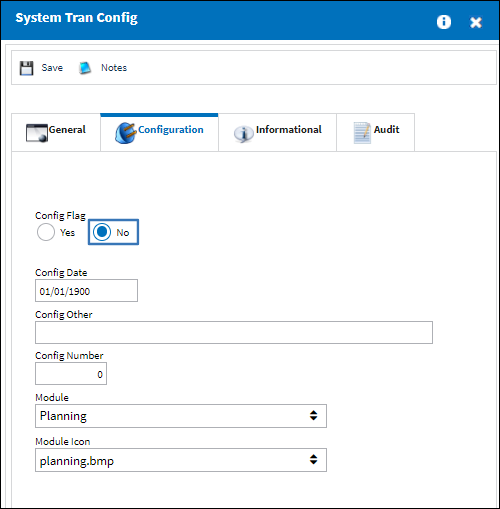
Switch Set to No:

When set to No, a Rolling Average is not calculated for the mean hours and cycles calculation that is generated via the A/C Schedule Flight.

eMRO_Planning_No

Notice in the A/C Schedule Flight window, the Rolling Average is not applied.

See Also

Planning Switches

ALWMULTTSK - Prevent Element From Being Added to a Work Order

APUMEAN - Mean APU Calculation

CPYSCHFROMTRANS - Use Planning Transaction Schedule for T/Cs on Work Orders with a Line Status

DUEATPRJCT - Project the Due At Hours and Cycles Using the Mean Hours and Cycles

EMPATTSEQ - Employee Attendance Sign-On / Sign-Off Next Sequence

INTERACTPLANMANHOURS - Interactive Planner Displays Man Hours per Location/Site

LBRBYHCNT - System Labor by Head Count

LivePlan - Enables the Live Planning Functionality

MANHOURSAUTOCOMP - Auto Complete Certain Fields in Man Hours Schedule Override

MANPLNFLF - Default Man Hour Schedule Planner to Location/Site of the Employee

MELDEFLOC - Deferred Defect Convert Reported/Deferred Day to Local Time Zone

OVNDATADAYS - Define Number of Days to Display in Overnight Station Report Tab

OVNTACMS - Overnight Station Default

PASTASCH - Create Past Absence Record

PLANBY - Allows You to Set Planning to Weekly or Monthly

PLANDEPT - Planning Department and Planning Sub Department Fields Mandatory

PLANDUE% - Planning Warning When Percent Due

PLANPNSEQ - Planning P/N Next Sequence Number

PLNAUTO7D - Activate Seven Day Forecast Automatically at Set Interval

PLNHISTML - Determine Planning History Time Limit

PLNJOBACNO - Activate Planning Job

PLNTRNNO - Planning Transactions Sequence Number Can Only Be Changed By The Application

PN_EC_INSTDAYS - Count P/N E/Cs by E/C's Calendar Days or Part's Installed Days

SCHEDULEWORKG - Allow Work Group Selection Filter

SELFSCHLM - Self Assignment Schedule Date Range Limit

SHOPCAPNOT - Do Not Validate Against Shop Capability in the Shop Resource/Tasks Planner

SHPPLNDLF - Default Shops Resource/Tasks Planner to the Location/Site in Employee Master

TOEXITMS - Turn Off Exit Pop Up Message in Planning Query

TOOLWARN - Issues Warning If Tool Expires During W/O Scheduled Date Range

Top of Page Download Online Help Print