Download Online Help Print

Previous Topic

Next Topic

Book Contents

Book Index

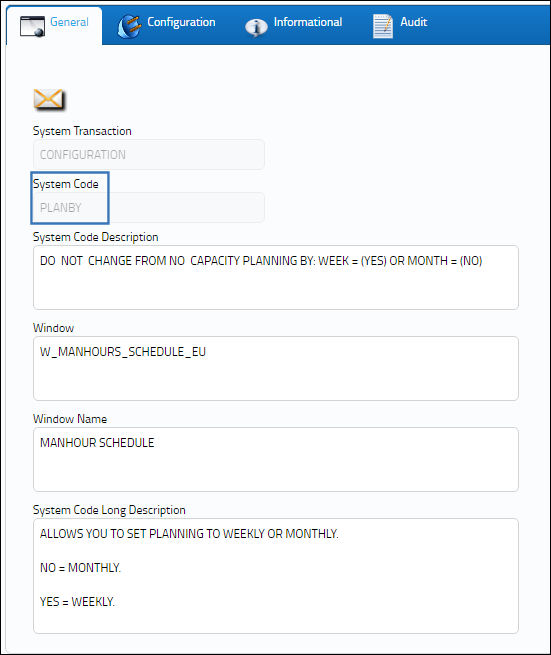
PLANBY - Allows You to Set Planning to Weekly or Monthly

DO NOT CHANGE FROM NO

Capacity Planning By: Week = (YES) or Month = (NO).

Affected windows: w_manhours_schedule_eu

PLANBY1

Allows you to set planning to weekly or monthly.

NO = Monthly.

YES = Weekly.

See Also

Planning Switches

ACROLAVG - Use A/C Rolling Average for Mean Hours and Cycles

ALWMULTTSK - Prevent Element From Being Added to a Work Order

APUMEAN - Mean APU Calculation

CPYSCHFROMTRANS - Use Planning Transaction Schedule for T/Cs on Work Orders with a Line Status

DUEATPRJCT - Project the Due At Hours and Cycles Using the Mean Hours and Cycles

EMPATTSEQ - Employee Attendance Sign-On / Sign-Off Next Sequence

INTERACTPLANMANHOURS - Interactive Planner Displays Man Hours per Location/Site

LBRBYHCNT - System Labor by Head Count

LivePlan - Enables the Live Planning Functionality

MANHOURSAUTOCOMP - Auto Complete Certain Fields in Man Hours Schedule Override

MANPLNFLF - Default Man Hour Schedule Planner to Location/Site of the Employee

MELDEFLOC - Deferred Defect Convert Reported/Deferred Day to Local Time Zone

OVNDATADAYS - Define Number of Days to Display in Overnight Station Report Tab

OVNTACMS - Overnight Station Default

PASTASCH - Create Past Absence Record

PLANDEPT - Planning Department and Planning Sub Department Fields Mandatory

PLANDUE% - Planning Warning When Percent Due

PLANPNSEQ - Planning P/N Next Sequence Number

PLNAUTO7D - Activate Seven Day Forecast Automatically at Set Interval

PLNHISTML - Determine Planning History Time Limit

PLNJOBACNO - Activate Planning Job

PLNTRNNO - Planning Transactions Sequence Number Can Only Be Changed By The Application

PN_EC_INSTDAYS - Count P/N E/Cs by E/C's Calendar Days or Part's Installed Days

SCHEDULEWORKG - Allow Work Group Selection Filter

SELFSCHLM - Self Assignment Schedule Date Range Limit

SHOPCAPNOT - Do Not Validate Against Shop Capability in the Shop Resource/Tasks Planner

SHPPLNDLF - Default Shops Resource/Tasks Planner to the Location/Site in Employee Master

TOEXITMS - Turn Off Exit Pop Up Message in Planning Query

TOOLWARN - Issues Warning If Tool Expires During W/O Scheduled Date Range

Top of Page Download Online Help Print