
 Share
Share
 Print
Print
|
|
|
|
|


The Import File  button is used to import additional files, primarily PDF documents, into a TraxDoc.
From the TraxDoc Explorer tab, select the New > Import File button.
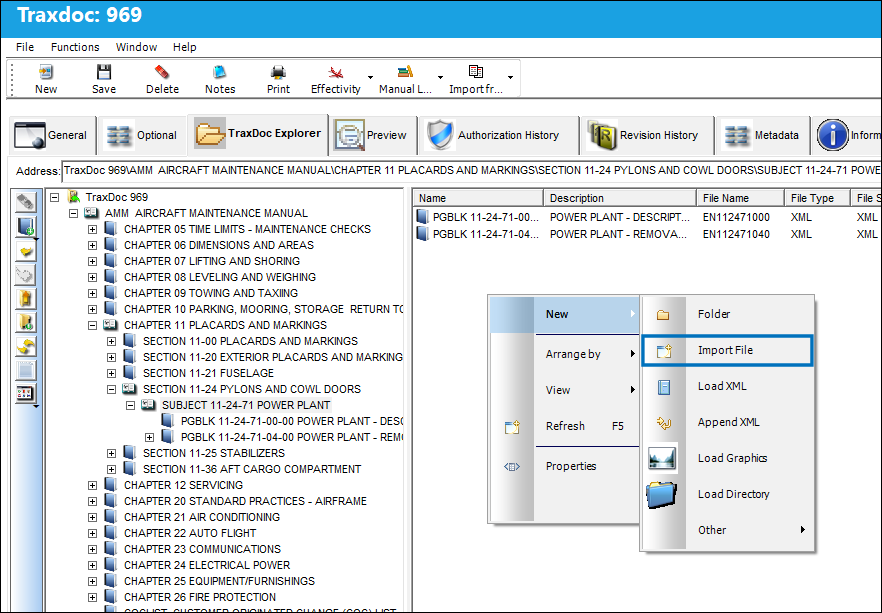
TRAX displays the TraxDoc File Import window and the Select File To Import window. Select the PDF from the drop down menu and select 'Open.'
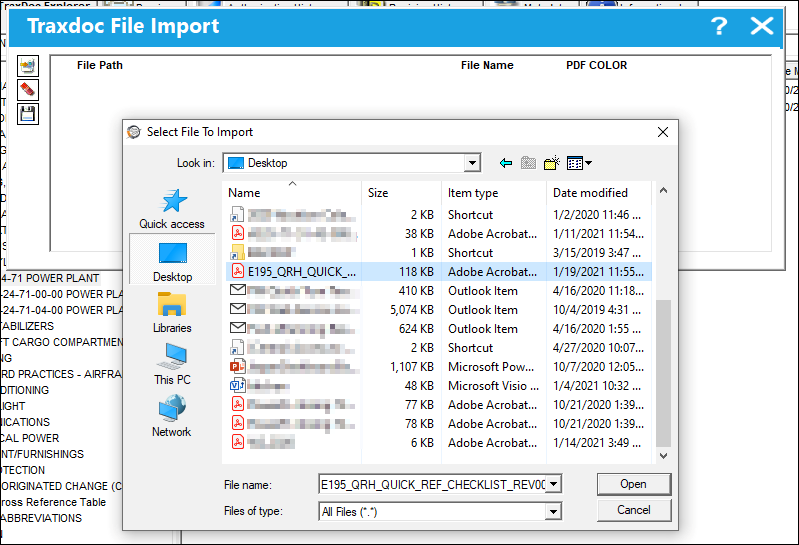
The file is listed in the File Path and File Name fields.
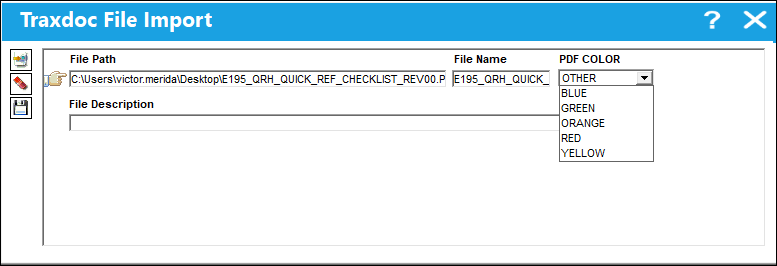
 In TRAX Version 15, a color can be assigned to the PDF. This can help differentiate the types of PDFs attached to the TraxDoc. Additionally, a File Description can be entered to further explain the purpose of the attachment. These fields are optional.
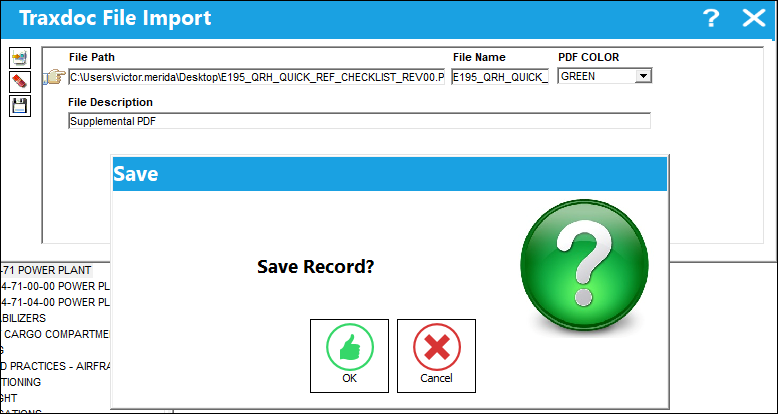
Select the Save  button when ready.
The PDF is listed in the contents of the TraxDoc. The PDF can be viewed in the Preview tab when selected.
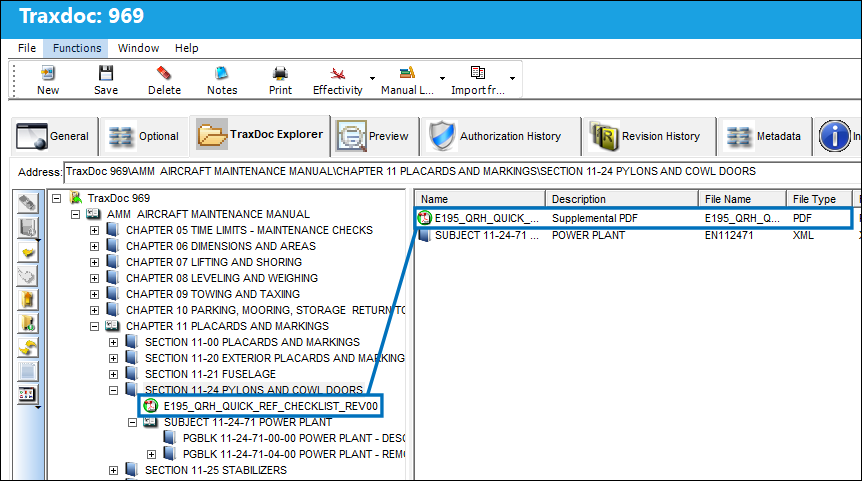
Note: When a PDF in a TraxDoc contains a hyperlink to another PDF in that same TraxDoc, the target PDF in that same TraxDoc will open up automatically when selected.
Note: When one TraxDoc is linked to another TraxDoc, hyperlinks in one TraxDoc PDF linking to another TraxDoc PDF will open up the target PDF in the other TraxDoc.
For example, this PDF in TraxDoc 184 has a hyperlink to a PDF in another TraxDoc.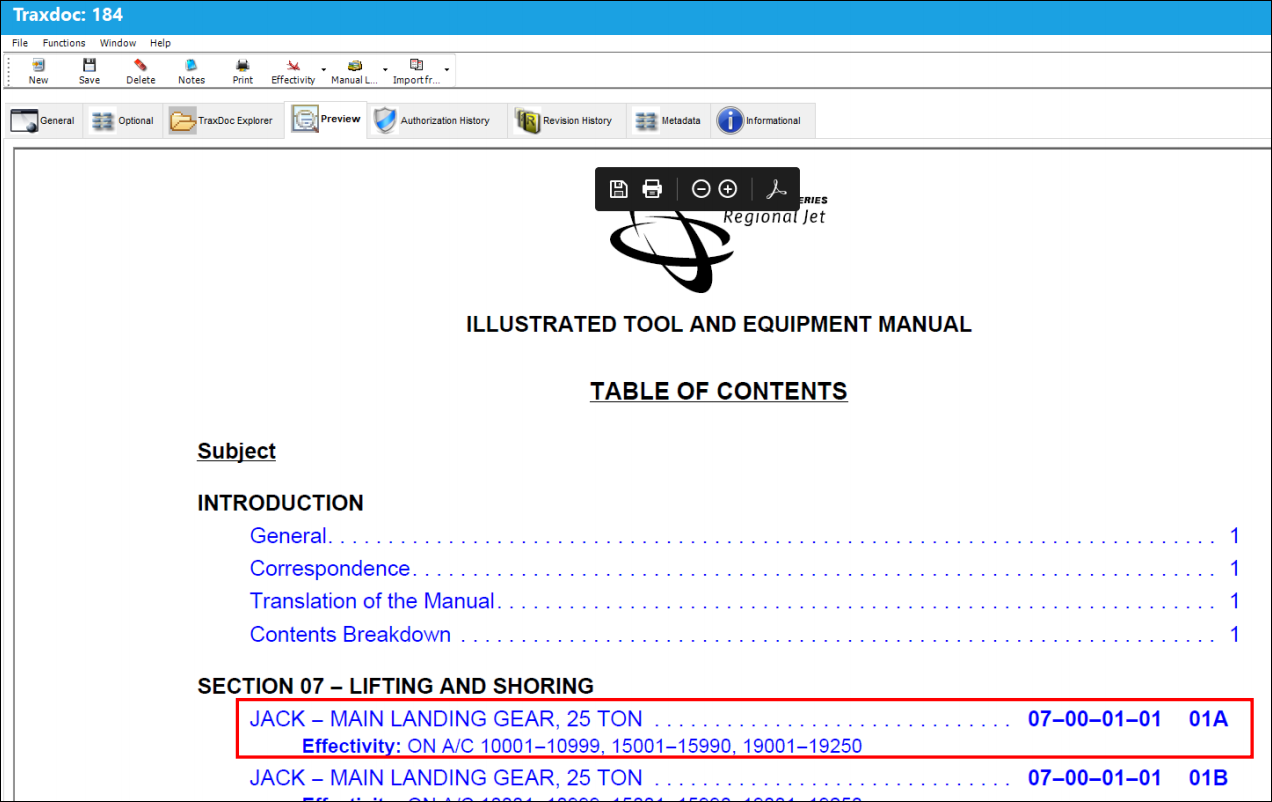
When selected, the target PDF in the other TraxDoc is opened. These two TraxDocs are linked to one another through the Manual Links Button, via TraxDoc Document Detail.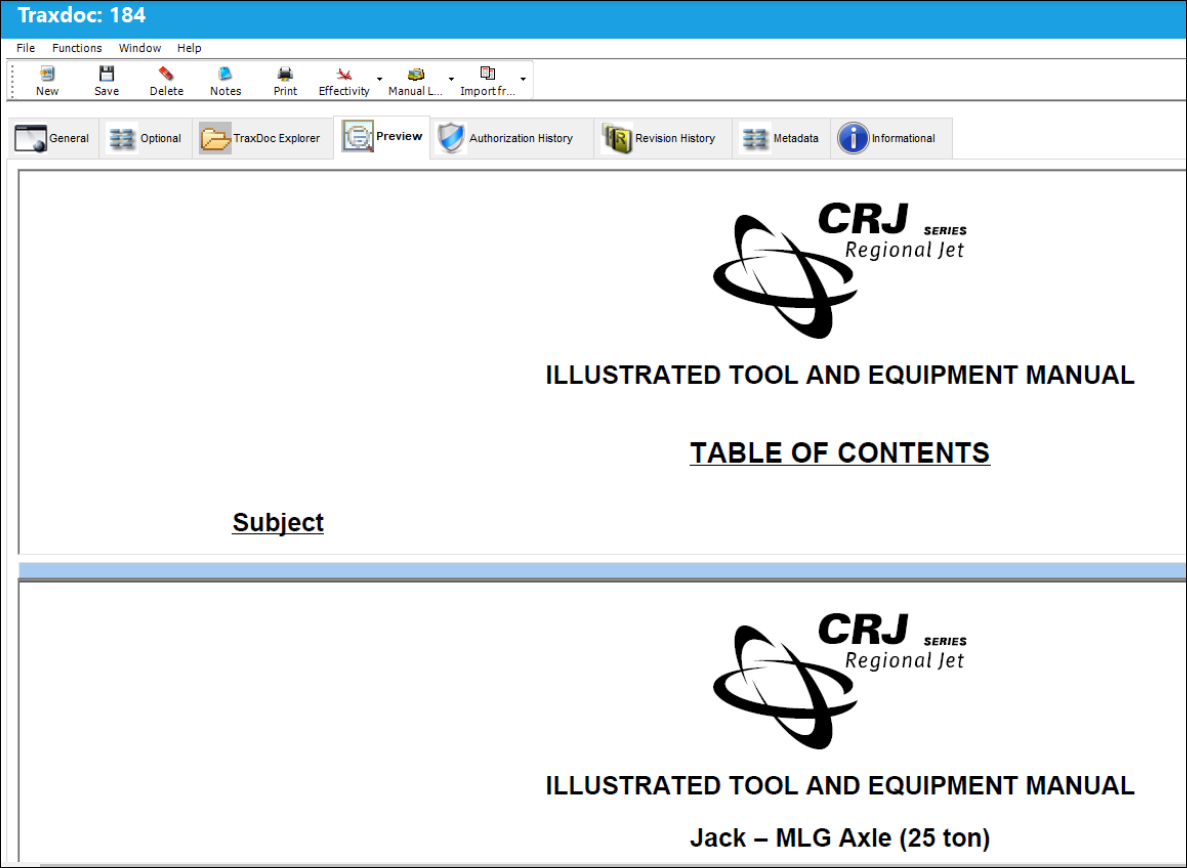
Share
Print
|
©1997-2026 Trax USA Corp. All rights reserved. This manual may not be copied, photocopied, reproduced, translated, or converted to any electronic or machine-readable form, in whole or in part, without prior written approval from Trax USA Corp. |
 |