|
TRAX MANUALS > Settings > Settings Module > Settings, Update Menu > Company Profile > Company Profile Buttons > Config Receiving by Batch Button, via Company Profile
Config Receiving by Batch Button, via Company Profile
Select the Config Receiving by Batch  button to set up default values for TRAX to use in order to automatically create a purchase or service order whenever a barcode on a batch of goods is scanned in receiving. button to set up default values for TRAX to use in order to automatically create a purchase or service order whenever a barcode on a batch of goods is scanned in receiving.
From the Company Profile window, select the Config Receiving by Batch button.
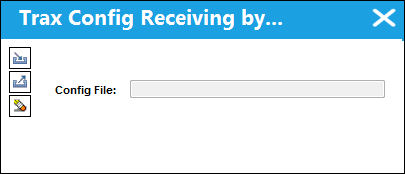
TRAX displays the Trax Config Receiving by Batch window:
|
See Also Company Profile Buttons New Button, via Company Profile Notes Button, via Company Profile InvoiceWorks Button, via Company Profile SPEC 2000 Button, via Company Profile SMS Text Messages Button, via Company Profile SMTP Email Button, via Company Profile Stylesheet Button, via Company Profile Boeing IMM Button, via Company Profile Trax E/C and T/C Configuration Button, via Company Profile DRTS System Configuration Button, via Company Profile RTF Template Button, via Company Profile Email Signature Button, via Company Profile LDAP Configuration File, via Company Profile ROS Button, via Company Profile Material Request Button, via Company Profile TRX Configuration Button, via Company Profile FUR Configuration Button, via Company Profile PDSC Configuration Button, via Company Profile EOS Button, via Company Profile XOS Button, via Company Profile Bank Button, via Company Profile WPL Purchase Button, via Company Profile WPL Sales Button, via Company Profile Order Status Query Button, via Company Profile |
|

 Share
Share
 Print
Print


