
 Share
Share
 Print
Print
|
|
|
|
|



The Order Status Query  button allows Trax operators to configure the URL to a webpage to be shared with Third Party P/N Pool customers. This webpage is customizable and acts as a portal where information can be shared between the Vendor and the Customer regarding an order.
The Order Status Query button is available in the following windows:
- Purchase Order Detail, General tab
- Repair Order Detail, General tab
- Exchange Order Detail, General tab
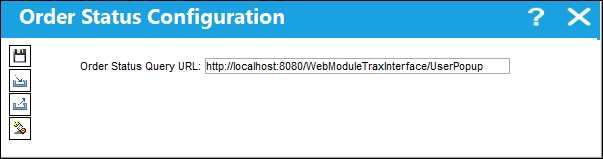
From this window, the URL can be Imported  , Exported
  , Saved
  or Deleted
  .
.
Share
Print
|
©1997-2026 Trax USA Corp. All rights reserved. This manual may not be copied, photocopied, reproduced, translated, or converted to any electronic or machine-readable form, in whole or in part, without prior written approval from Trax USA Corp. |
 |