
 Share
Share
 Print
Print
|
|
|
|
|


From the N/R Express window, the Save Draft  button of the N/R Express window is the first step in the authorization process. It sends the N/R T/C to the W/O Non-Routine Release for Authorization window. Notice the following N/R T/C is in Draft status.
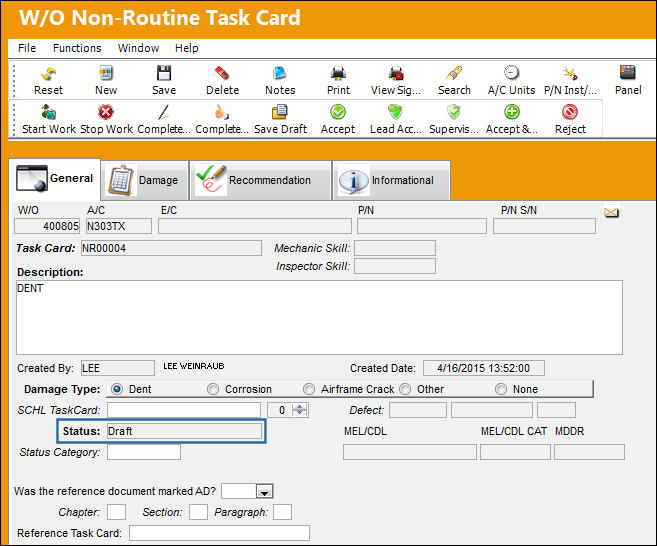
 This button is security-controlled via Production/ Update/ W/O/ W/O Non Routine Express Save Draft Button. For more information refer to the Security Explorer via the System Administration Training Manual.
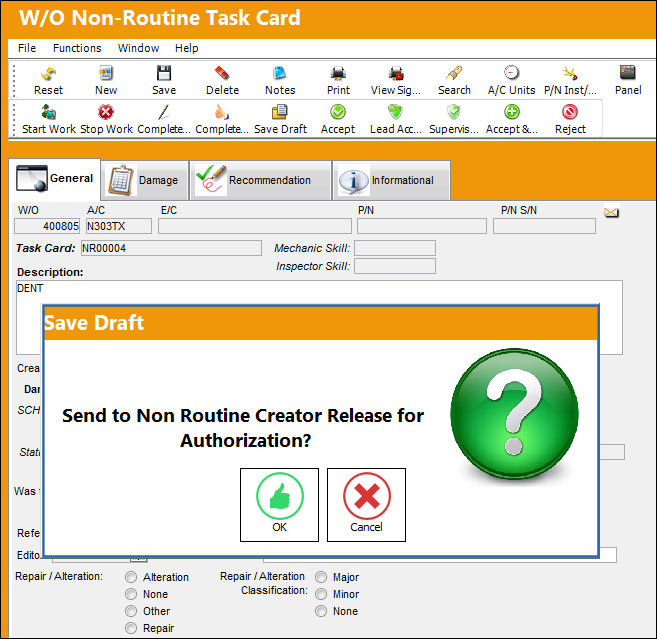
The Save Draft button is selected. The following prompt appears. Select OK to send the N/R T/C for Authorization.
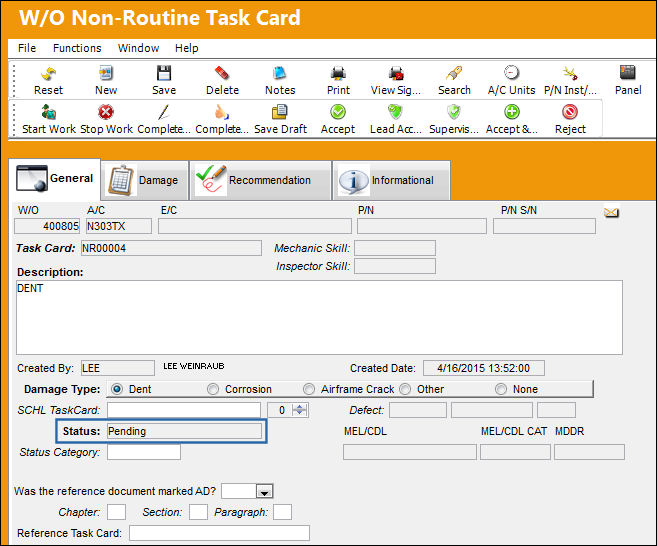
Once sent, the N/R T/C is set to Pending status.
From the Non-Routine Creator Release for Authorization window, notice that the N/R T/C is awaiting authorization.
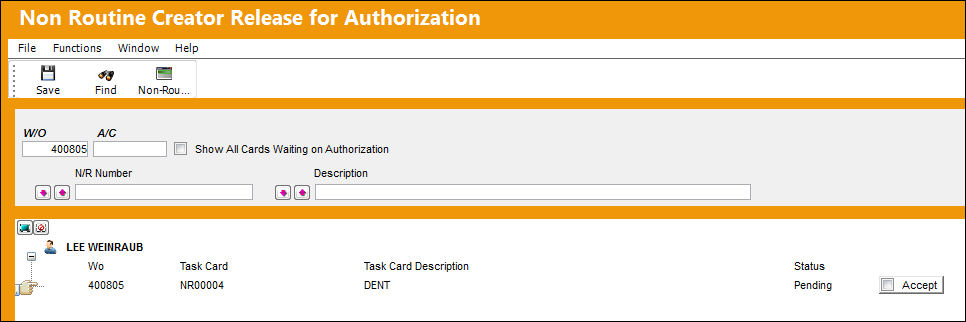
For more information, refer to the W/O Non-Routine Release for Authorization via the Production Training Manual.
Share
Print
|
©1997-2026 Trax USA Corp. All rights reserved. This manual may not be copied, photocopied, reproduced, translated, or converted to any electronic or machine-readable form, in whole or in part, without prior written approval from Trax USA Corp. |
 |