
 Share
Share
 Print
Print
|
|
|
|
|


Once the Contract is ready to be authorized, click the Release  button. Doing so will release the contract for authorization. Once authorized and in open status, the Customer Contract cannot be edited unless a new revision is opened.
The following Customer Contract is in 'Under Revision' status. Select into the detail of the contract.
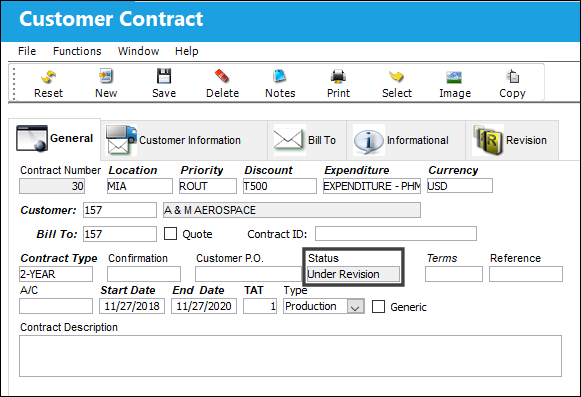
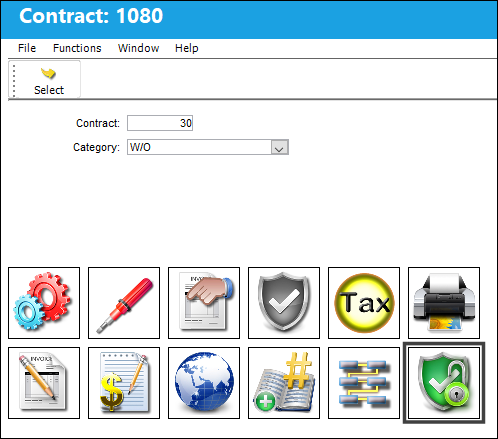
From the Customer Contract Detail, select the Authorization  button.
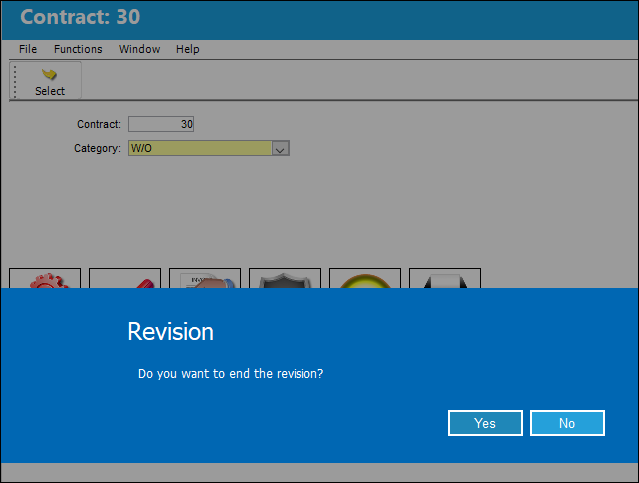
The following prompt appears asking the user if they would like to end the revision. Select 'Yes' to end the revision.
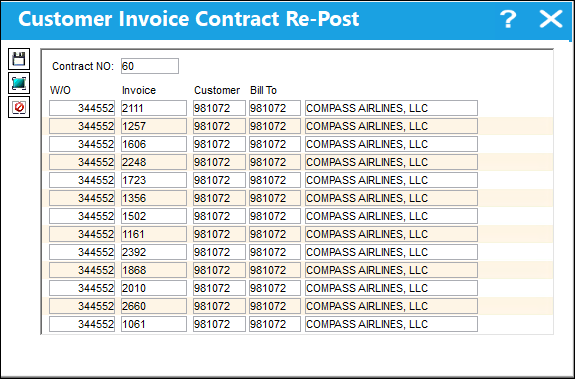
The Customer Invoice Contract Re-Post window appears displaying any Work Orders associated to the current contract. To apply this revision of the contract to one of more of the Work Orders listed, select them then click the Save  button. If not, exit the window.
For more information about Re-Posting a contract, refer the the Customer Invoice Contract Re-Post topic.
In this example, the user is going to exit the window and return to the Customer Contract Header.
From the Customer Contract Header, select the Reset  button.
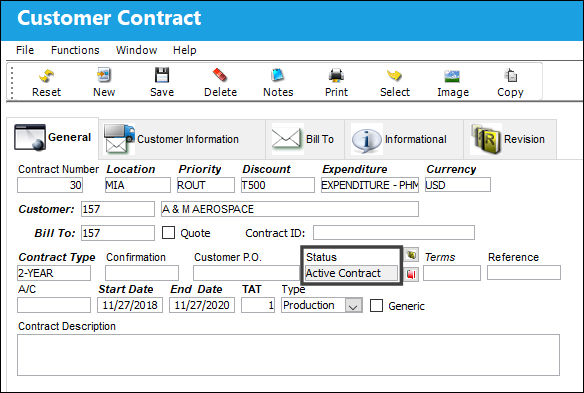
The status of the contract is updated to 'Active Contract' and it can now be linked to a Third Party Work Order.
Share
Print
|
©1997-2026 Trax USA Corp. All rights reserved. This manual may not be copied, photocopied, reproduced, translated, or converted to any electronic or machine-readable form, in whole or in part, without prior written approval from Trax USA Corp. |
 |