
 Share
Share
 Print
Print
|
|
|
|
|



The W/O Scope Analysis provides a visual of the scope of work to be completed by a contractor (vendor). This window allows the customer to see the difference between the Task Cards against the Work Order and the Task Cards against the Vendor Contract. The W/O Scope Analysis works in conjunction with the Vendor Contract functionality. The scope of work outlined below is defined in the Vendor Contract via the Contract Task Cards Button via the Vendor Master of the Settings Training Manual. This window is informational only and cannot be edited or updated.
This window is affected by switch  WOSCOPEDAYS.

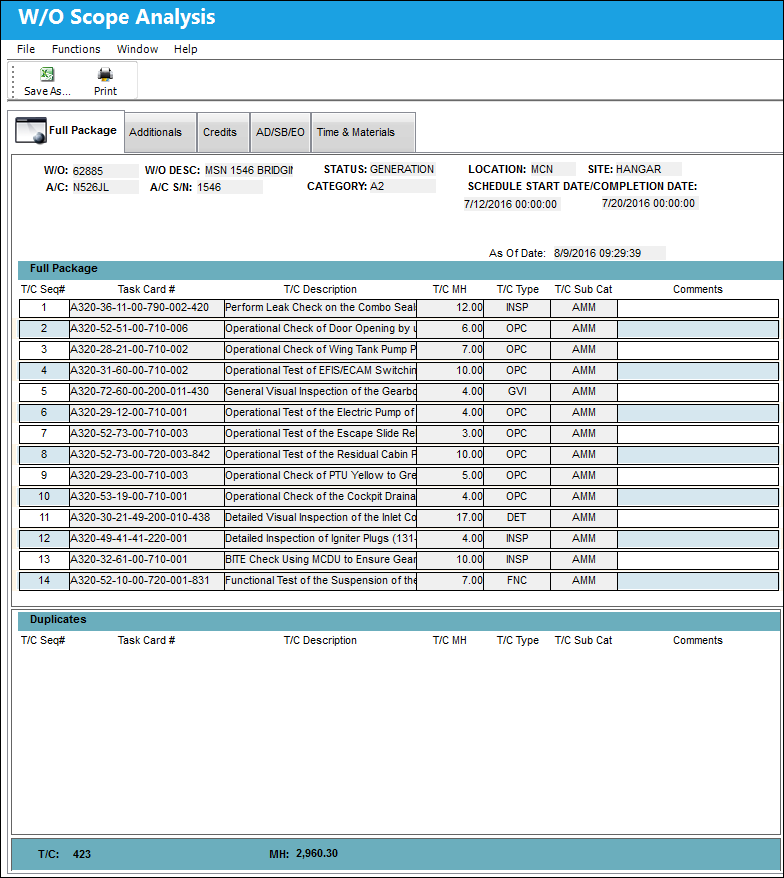
W/O Scope Analysis, Full Package tab:
The W/O Scope Analysis, Full Package tab displays all requested information such as the Task Card associated to the Work Order, duplicate Task Cards and total number of Task Cards and Man Hours.
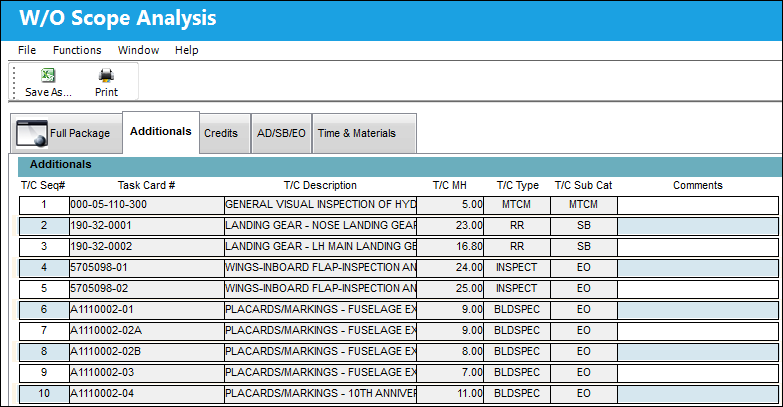
W/O Scope Analysis, Additionals tab:
The W/O Scope Analysis, Additionals tab displays Task Cards saved to the actual Work Order that don't exist on the Vendor Contract.
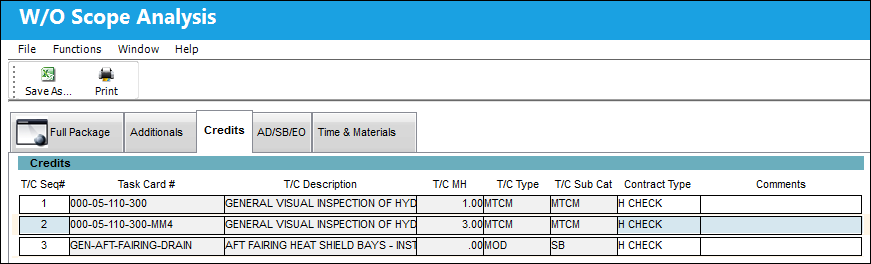
W/O Scope Analysis, Credits tab:
The W/O Scope Analysis, Credits tab displays Task Cards that are saved to the Vendor Contract, but don't exist on the actual Work Order.
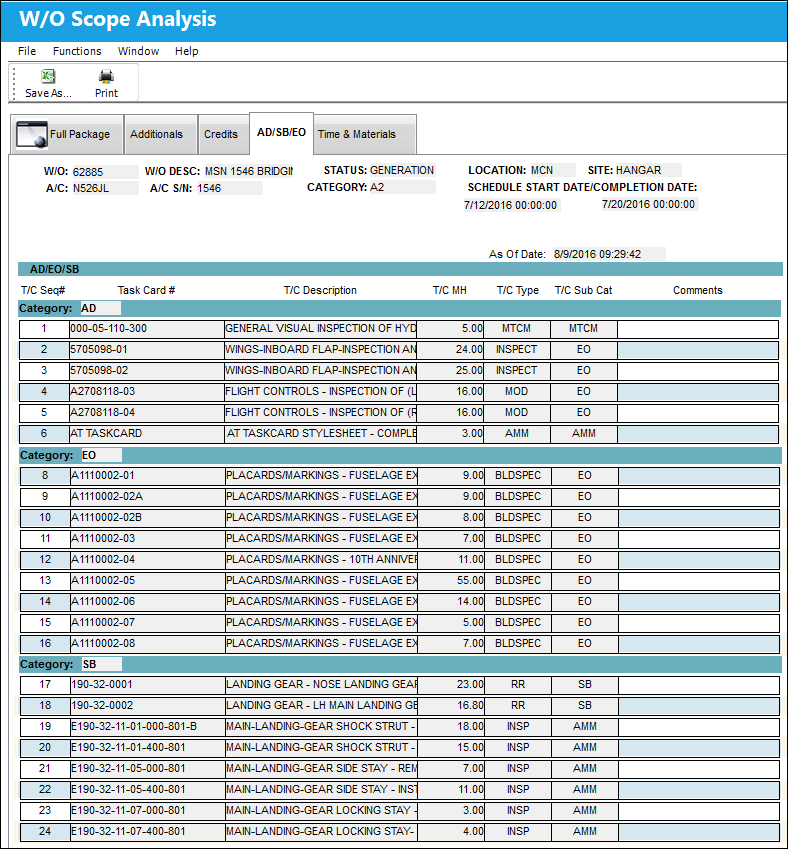
W/O Scope Analysis, AD/SB/EO tab:
The W/O Scope Analysis, AD/SB/EO tab displays the Task Cards grouped by Category.
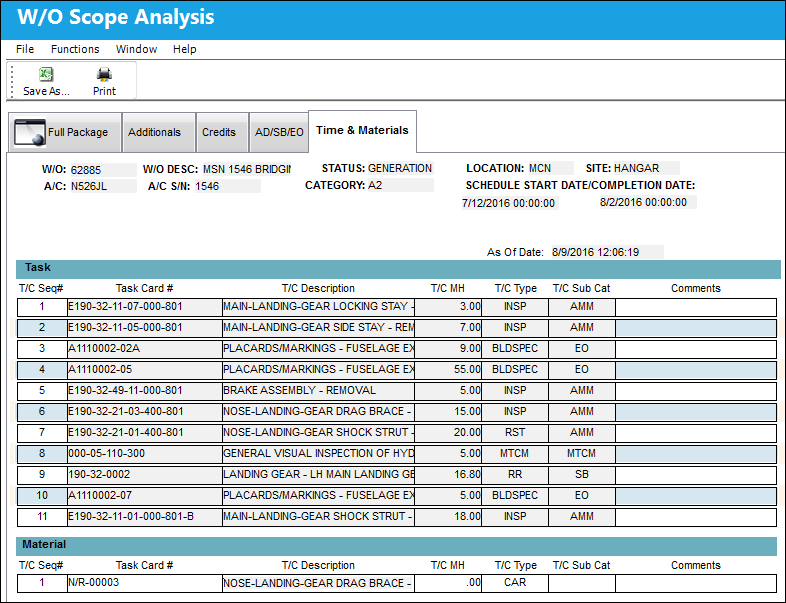
W/O Scope Analysis, Time & Materials tab:
The W/O Scope Analysis, Time & Materials tab contains two sections. The Task section displays Task Cards that were added added to the current Work Order seven or more days before W/O Schedule Start Date. The second section displays all Work Order related CAR Non-Routines in the W/O table (only approved N/Rs will be displayed.)
Share
Print
|
©1997-2026 Trax USA Corp. All rights reserved. This manual may not be copied, photocopied, reproduced, translated, or converted to any electronic or machine-readable form, in whole or in part, without prior written approval from Trax USA Corp. |
 |