
 Share
Share
 Print
Print
|
|
|
|
|


A notification can be sent when a new part or NLA is received into Inventory that is associated to an 'Open' or 'Pending' Engineering Control with the specified ATA Chapter. The message is sent once the P/N enters inventory via Order Receiving, Receiving Inspection, or P/N Initial Load.
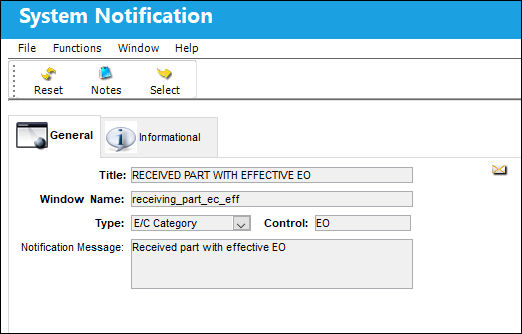
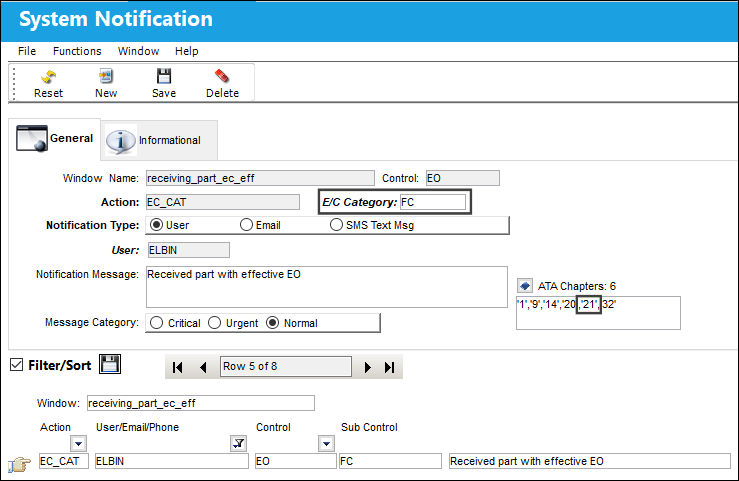
From the System Notification detail window, users must enter an E/C Category and relevant ATA Chapters. Engineering Controls with this E/C Category and any of the Chapters listed will be applicable to receiving the notification.
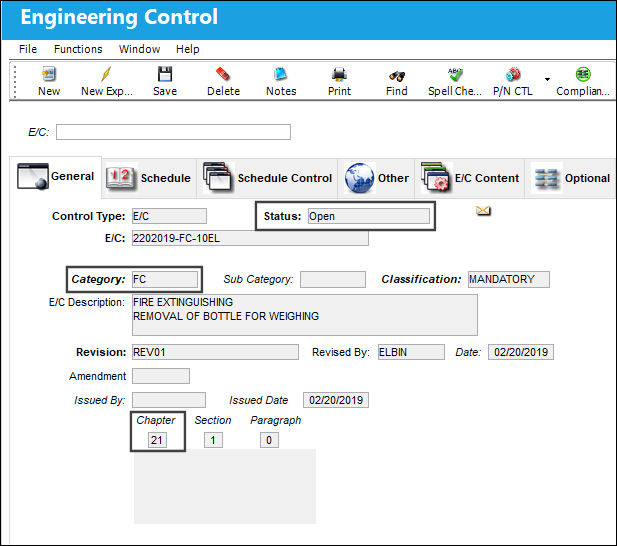
Now notice the following Engineering Control. The status is 'Open' and the Category and ATA Chapter matches the settings in the above system notification.
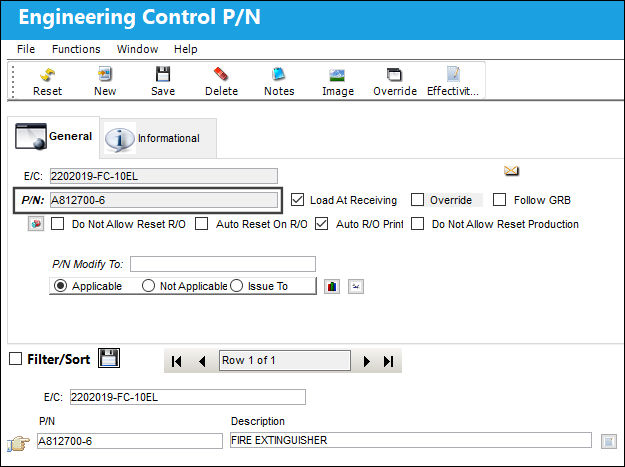
From the P/N CTL  button via the E/C window, notice that the following P/N is linked to the E/C.
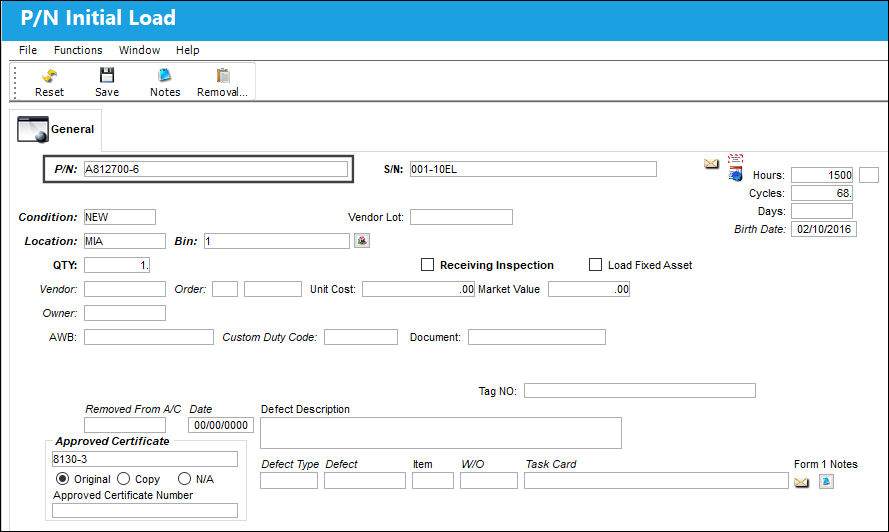
The above P/N is then brought into the system via a P/N Initial Load.
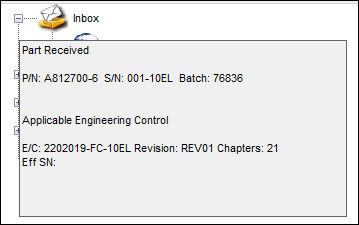
The following system notification is then sent as soon as the part enters inventory. The notification includes the P/N, S/N (if applicable), Batch, E/C, Revision, and Chapter.
 Notification Sent for All Part Entry Transactions
The notification is sent whenever a part enters inventory via any means (not just via Order Receiving, Receiving Inspection, or P/N Initial Load). The following part entry transactions have been added that will trigger this notification:
- A/C Initial P/N Load
- A/C Initial Template Load
- A/C P/N Initial Load Multi
- P/N NLA Creation
- (when adding a new part and when changing existing NLA to another NLA that has effective E/Cs)
- A/C P/N Transaction
- External Exchange (introduces new S/N into system)
- P/N Change (when change introduces new E/Cs)
- via Inventory Transaction P/N S/N Change
- P/N Modify To when receiving
- Inventory Supervisor
- P/N S/N Change in Receiving window
Share
Print
|
©1997-2026 Trax USA Corp. All rights reserved. This manual may not be copied, photocopied, reproduced, translated, or converted to any electronic or machine-readable form, in whole or in part, without prior written approval from Trax USA Corp. |
 |