
 Share
Share
 Print
Print
|
|
|
|
|


Notifications regarding defect reports are sent out as they correspond to Defect Types in the Defect Reports screen:
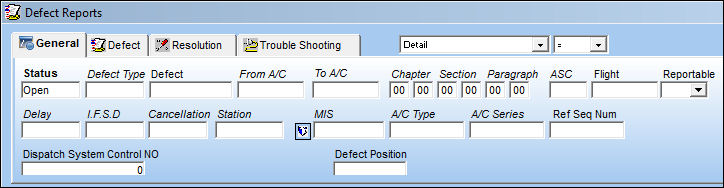
Right-click over the Defect Type field and also right-click over the defect type/description to be selected in the pop-up window that is displayed. TRAX displays the DEFECTTYPE Transaction Code window as follows:
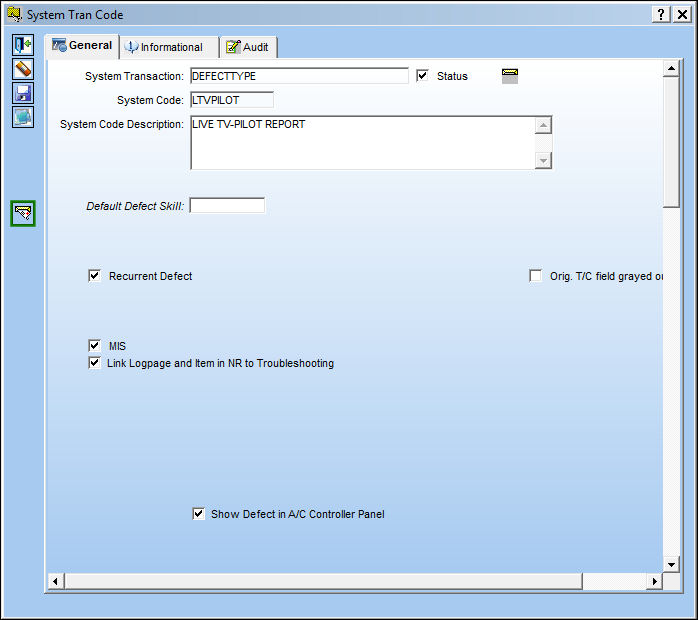
Select the Notification  button and TRAX displays the following:
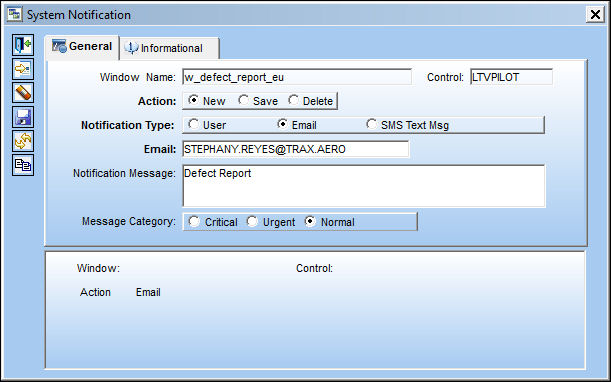
Select the appropriate notification type (User, Email or SMS Text Messaging) as well as the user to be notified.
Also, verify that the notification message is correct according to the Defect Report change/update.
Share
Print
|
©1997-2026 Trax USA Corp. All rights reserved. This manual may not be copied, photocopied, reproduced, translated, or converted to any electronic or machine-readable form, in whole or in part, without prior written approval from Trax USA Corp. |
 |