
 Share
Share
 Print
Print
|
|
|
|
|


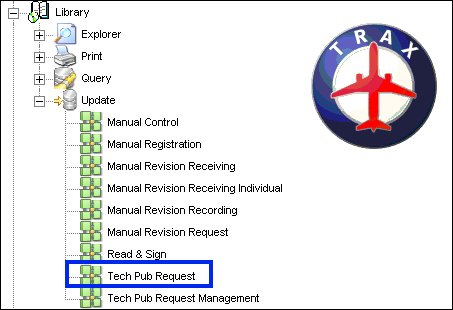
At the TRAX Control Panel Explorer, select Library/Update/Tech Pub Request, as follows:
TRAX displays the Technical Publications Request screen:
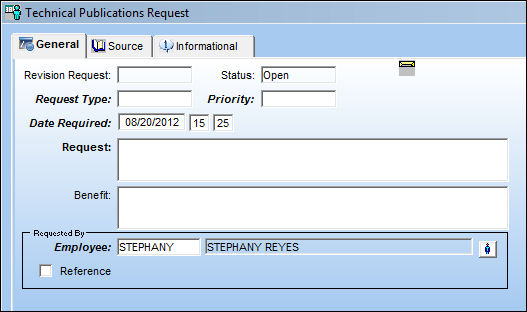
Right-click over the Request Type field to display the pop-up window with request type codes/descriptions.
Right-click over the code/description to be selected and TRAX displays the TECHPUB/REQTYPE Transaction Code window:
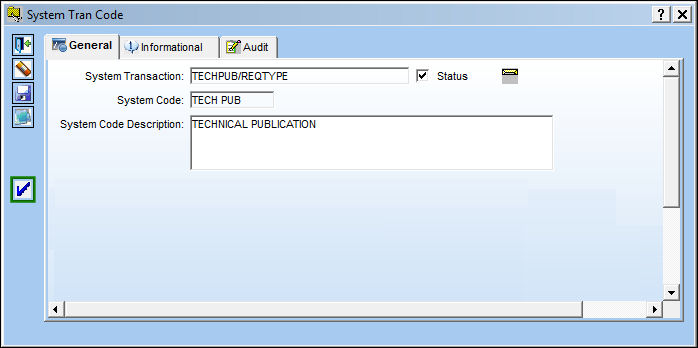
Select the Authorization Steps  button to set up necessary authorization steps.
TRAX displays the following:
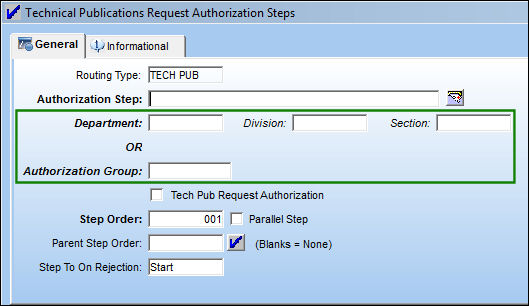
In this screen, enter/update all necessary department, division, and section or authorization group information for the authorization step.
Notifications are sent out to employees affiliated with such department, division, section, or authorization group selections.
This is established within the Employee Master of TRAX.
Share
Print
|
©1997-2026 Trax USA Corp. All rights reserved. This manual may not be copied, photocopied, reproduced, translated, or converted to any electronic or machine-readable form, in whole or in part, without prior written approval from Trax USA Corp. |
 |