
 Share
Share
 Print
Print
|
|
|
|
|


The Read and Sign option enables users to receive notification via TRAX messaging or personal email.
Notification depends upon the Read and Sign first being released for authorization.
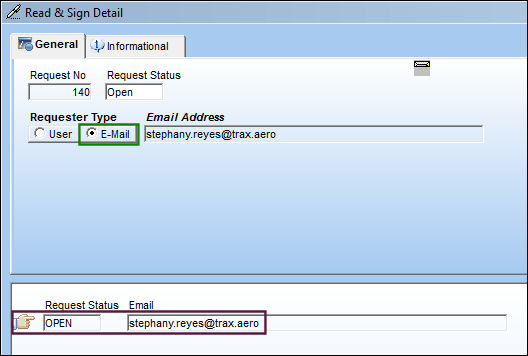
E-mail Notification Setup:
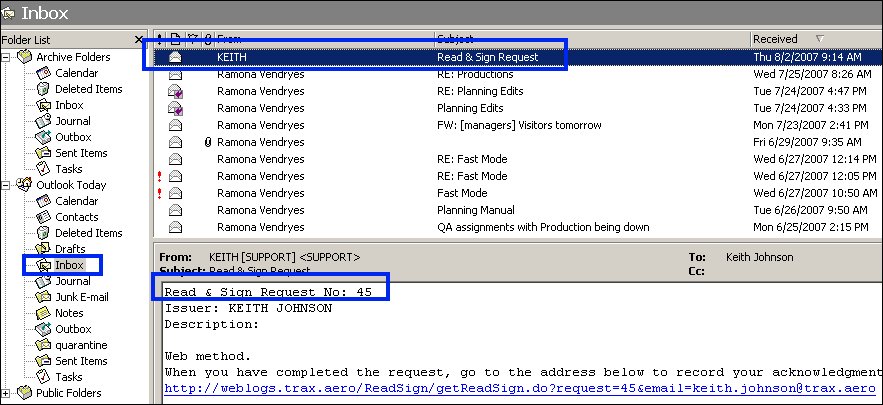
E-mail Notification Received:
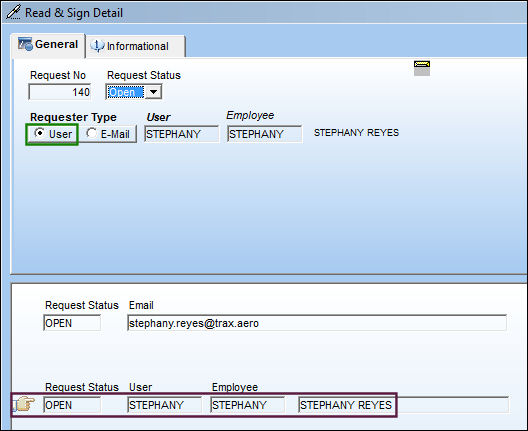
TRAX Messaging Setup:
TRAX Messaging Notification Received:
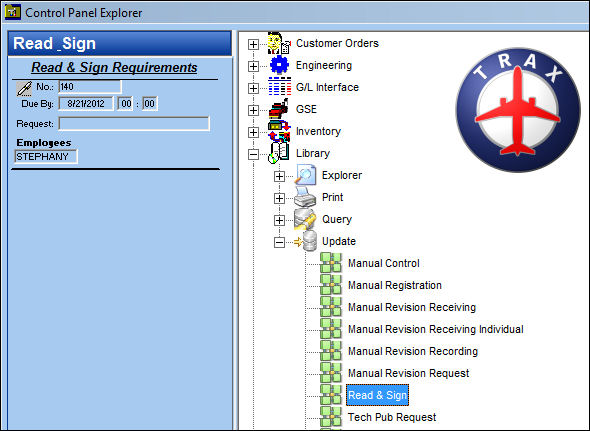
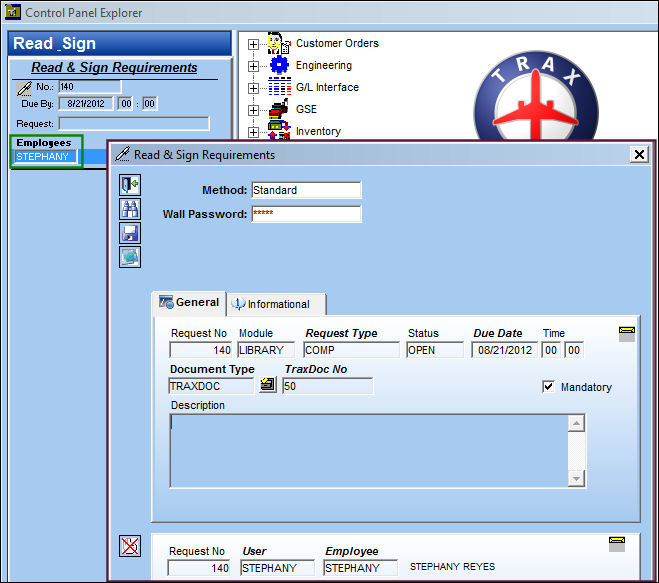
To read the Read and Sign, if Wall Password security has been set up, then double-click on the Employee field.
TRAX displays a pop-up window where the user's Wall Password may be entered. Select the Find  button.
TRAX then displays the details of the Read and Sign:
Share
Print
|
©1997-2026 Trax USA Corp. All rights reserved. This manual may not be copied, photocopied, reproduced, translated, or converted to any electronic or machine-readable form, in whole or in part, without prior written approval from Trax USA Corp. |
 |