
 Share
Share
 Print
Print
|
|
|
|
|


The Skill Expiration Notification allows the user to set up a System Generated Notification prior to the Expiration Date of the Skill using Lead Days and Frequency Days.
Set Up:
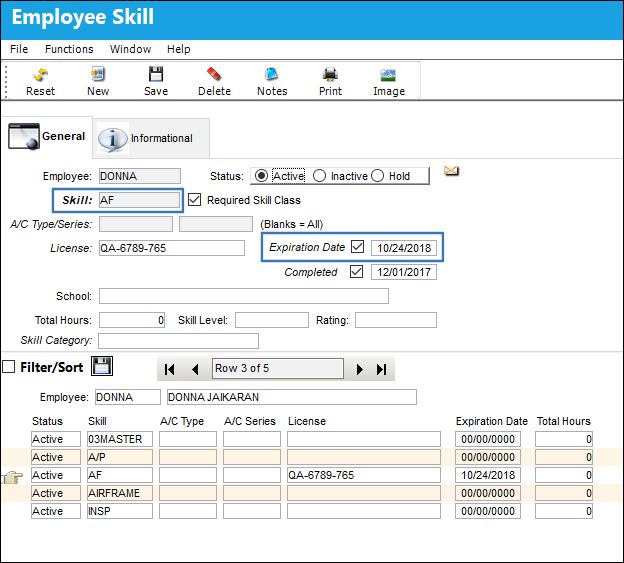
The following Employee is set up with Skill 'AF' that has an Expiration Date of 10/24/2018:
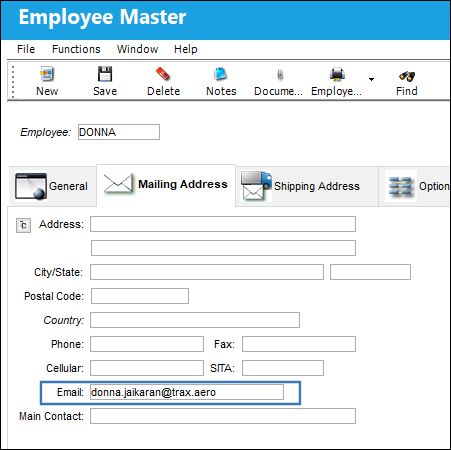
The employee's email address is as follows:
Functionality:
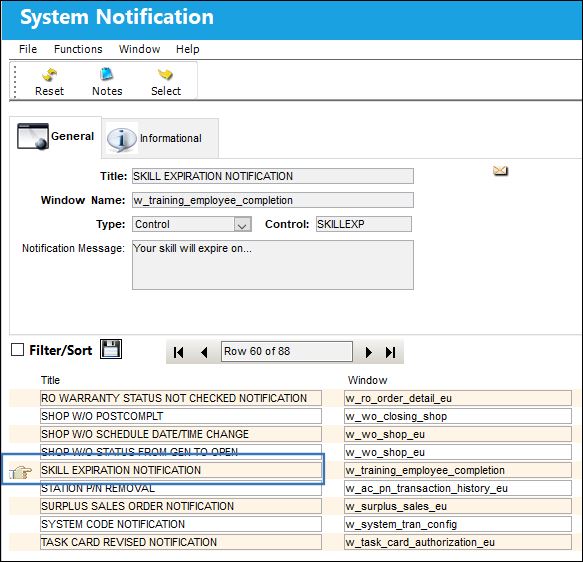
Go to Settings/Update/System Notification
Place the Hand  pointer on the 'SKILL EXPIRATION NOTIFICATION' and select.
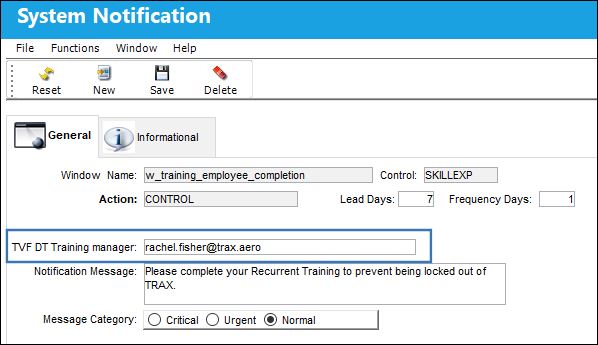
The following Notification is set up to be sent 7 days before the Expiration Date of the Skill, and will be resent 1 day after the Lead Day:
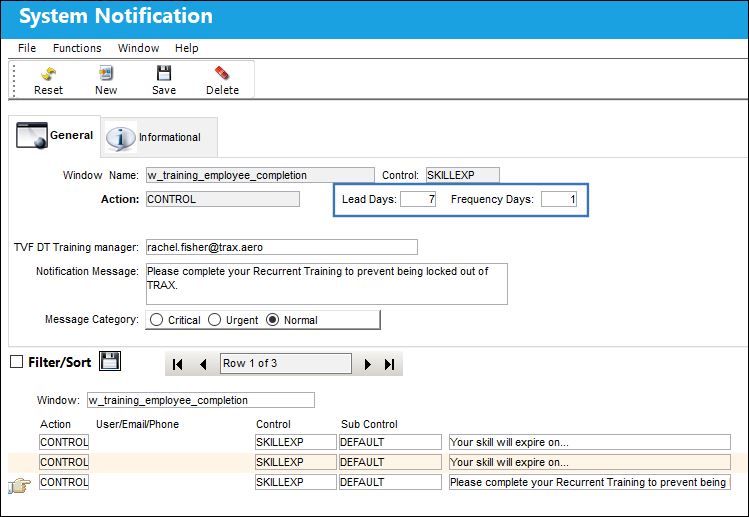
The following information/options are available in this window:
_____________________________________________________________________________________
Lead Days
The number of days prior to a skills expiration date that a notification will be sent.
Frequency Days
The number of days, after the lead day event, that a notification will be re-sent.
TVF DT Training Manager 
The email address of the administrator to be carbon copied in the skill expiration notification sent to a given employee.
_____________________________________________________________________________________
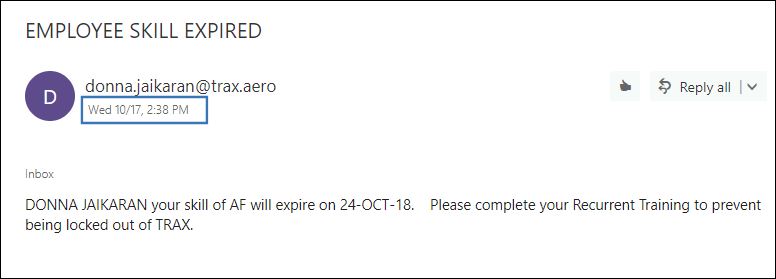
The Notification is sent on 10/17/2018, which is 7 days before the Skill will expire:
The TVF DT Training Manager field allows the user to automatically carbon copy a supervisor or other relevant party when a skill expiration notification is sent.
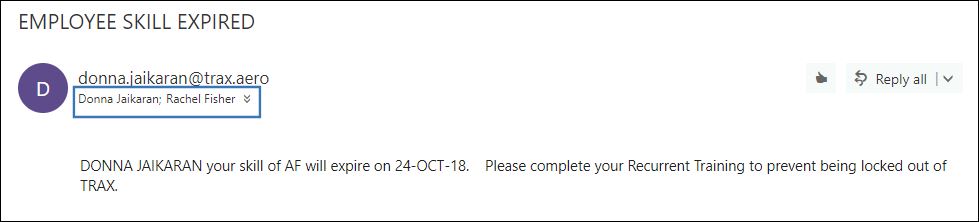
Notice that in the resulting email, the person whose email is entered in this field has been co-copied.
This kind of data modification is traceable in the TRAX Database Jobs window. For more information, please refer to the TRAX Database Jobs section.
Share
Print
|
©1997-2026 Trax USA Corp. All rights reserved. This manual may not be copied, photocopied, reproduced, translated, or converted to any electronic or machine-readable form, in whole or in part, without prior written approval from Trax USA Corp. |
 |