
 Share
Share
 Print
Print
|
|
|
|
|


At the Transaction Code Explorer, locate the Orders Module, and Order Type section, as follows:
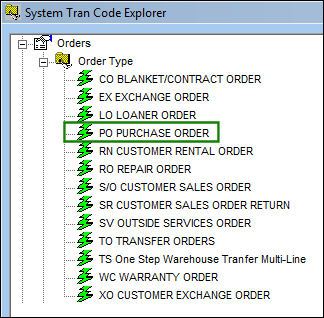
Right click on Purchase Order (under Order Type) and select Update Record.
TRAX displays the following:
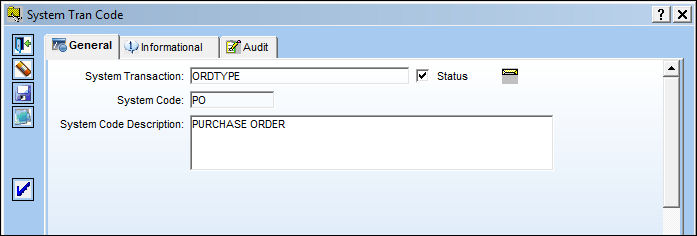
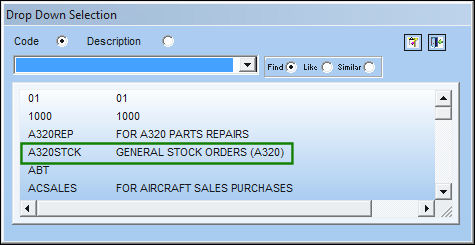
Select the Authorization Steps  button and double-click the appropriate Order Type that is listed in the following pop-up window:
TRAX displays the Order Authorization Steps screen as follows:
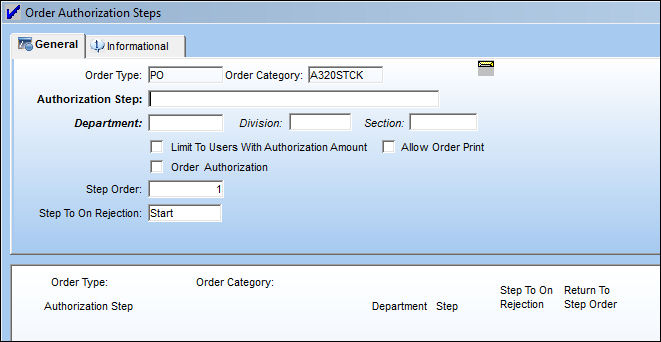
Notification can be set up for Department, Division, and Section for the employee who is listed as part of the Department, Division, and Section (according to these fields in the above screen). It is important to first set up the Employee's authorization levels in the Employee Master as illustrated below:
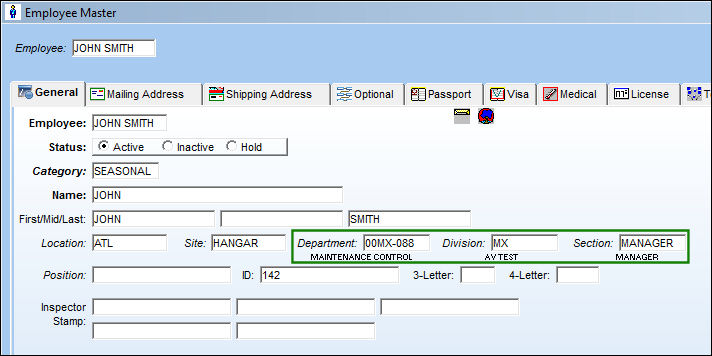
In the above screen, the employee is affiliated with the department, division, and section, so when these codes are entered in the Authorization screen, he/she will be notified of the activity or activities that transpired in such department, division, and/or section.
Share
Print
|
©1997-2026 Trax USA Corp. All rights reserved. This manual may not be copied, photocopied, reproduced, translated, or converted to any electronic or machine-readable form, in whole or in part, without prior written approval from Trax USA Corp. |
 |