
 Share
Share
 Print
Print
|
|
|
|
|


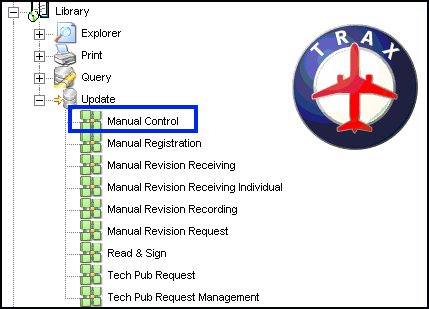
At the TRAX Control Panel Explorer, select Library/Update/Manual Control as follows:
TRAX displays the Manual Master screen where a manual may be selected:
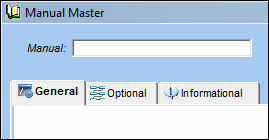
Enter the manual description and select the Find  button to locate an existing manual or select the New
  button to enter a new manual.
TRAX re-displays this screen as follows:
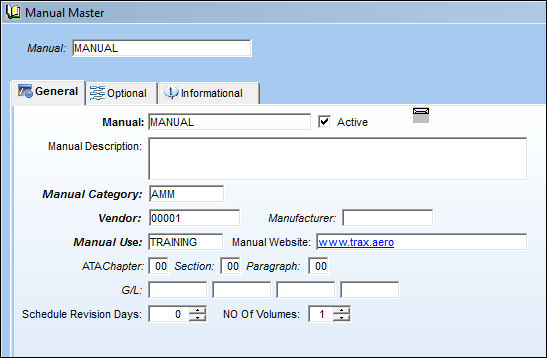
Right-click over the Manual Category field and TRAX displays a pop-up window with manual category codes.
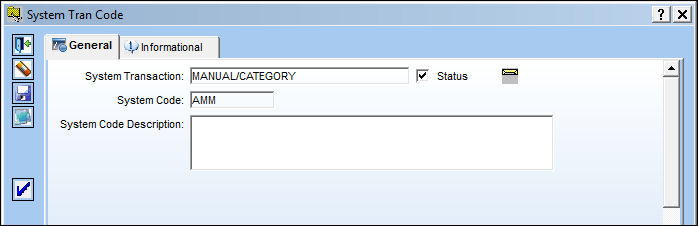
Right-click over the code to be selected and TRAX displays the MANUAL/CATEGORY Transaction Code as follows:
Select the Authorization Steps  button and TRAX displays the Manual Category Authorization Steps screen:
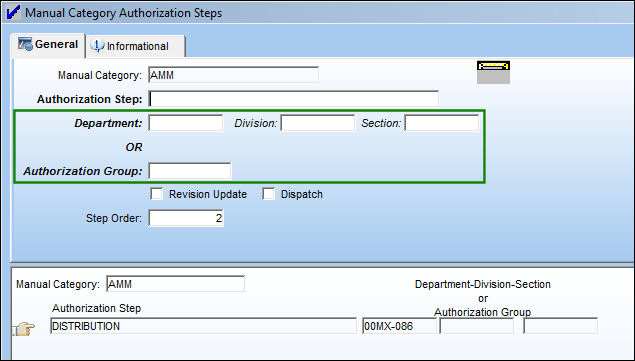
Complete the Department, Division and Section fields or the Authorization Group field.
Notifications regarding activities in the Manual Master by Category are sent to employees that are part of the department, division, section, or authorization group, respectively, according to their profile in the Employee Master.
In the case where the Authorization Steps established through the Manual/Category Transaction Code need to be changed, an override of such authorization can be performed.
At the Manual Master screen, click on the Authorization button as follows:
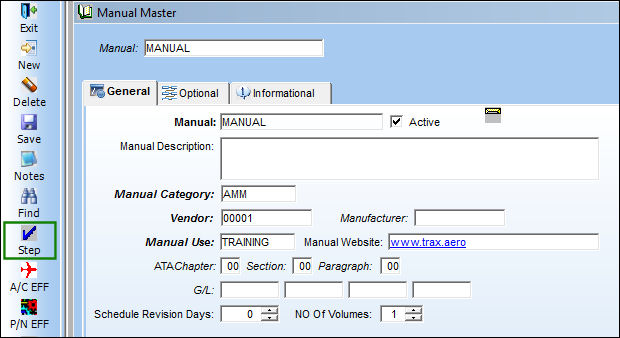
TRAX displays the Manual Authorization Steps screen, where existing authorization steps may be added or modified:
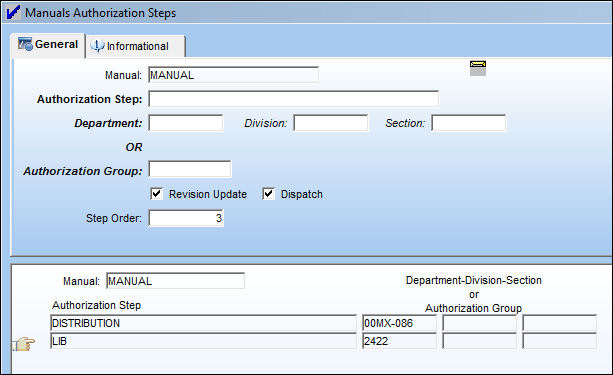
Enter/update all authorization steps information as necessary. When this information is saved, it will replace, hence override, any pre-existing authorizations that were set-up (via the Manual Category Transaction Code/Authorization Steps feature).
Share
Print
|
©1997-2026 Trax USA Corp. All rights reserved. This manual may not be copied, photocopied, reproduced, translated, or converted to any electronic or machine-readable form, in whole or in part, without prior written approval from Trax USA Corp. |
 |