
 Share
Share
 Print
Print
|
|
|
|
|


At the E/C screen, right click in the Category field and then right click over the Category to be selected in the pop-up window.
TRAX displays the EOCATEGORY Transaction Code Window as follows:
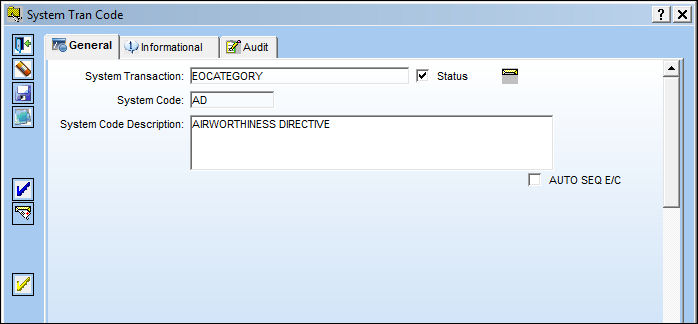
Select the Authorization Steps  button and TRAX displays the following:
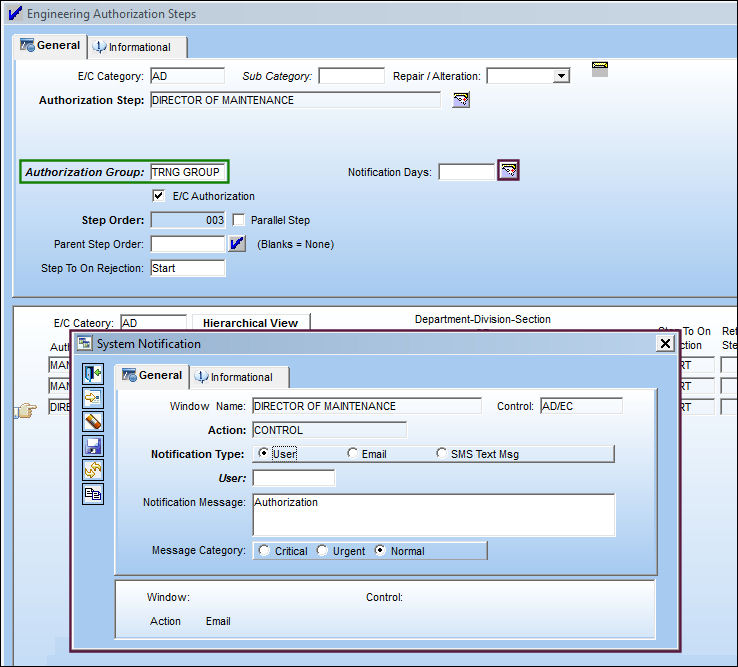
If the user does not select the department, he/she may select the authorization group and then assign notification as necessary as displayed above.
Share
Print
|
©1997-2026 Trax USA Corp. All rights reserved. This manual may not be copied, photocopied, reproduced, translated, or converted to any electronic or machine-readable form, in whole or in part, without prior written approval from Trax USA Corp. |
 |