
 Share
Share
 Print
Print
|
|
|
|
|


LINK/COMPANY/PROTECT - Allows users to manage AP Invoice access via Company Profile window

Allows users to manage AP Invoice access via Company Profile window
Affected Window: w_invoice_header_eu
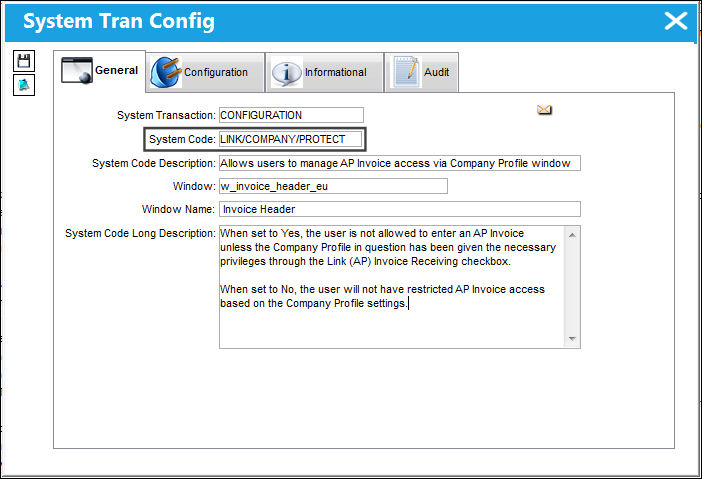
When Set to Yes:
When set to Yes, the user is not allowed to enter an AP Invoice unless the Company Profile in question has been given the necessary privileges through the Link (AP) Invoice Receiving checkbox.
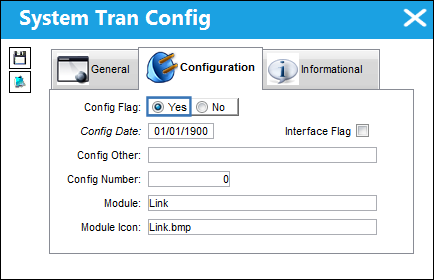
While switch COMPANYMULTI does not necessarily need to be set to Yes in order for this switch to work, this switch is designed to work as part of the COMPANYMULTI functionality.
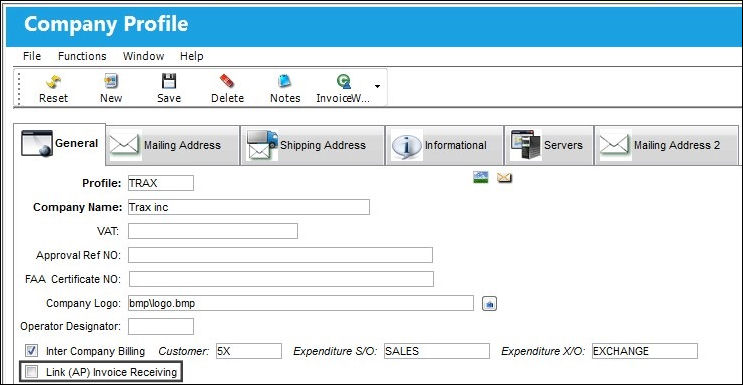
Select the Link (AP) Invoice Receiving checkbox (added by the switch) in the Company Profile window to allow users using the specified Company Code access to AP Invoices.
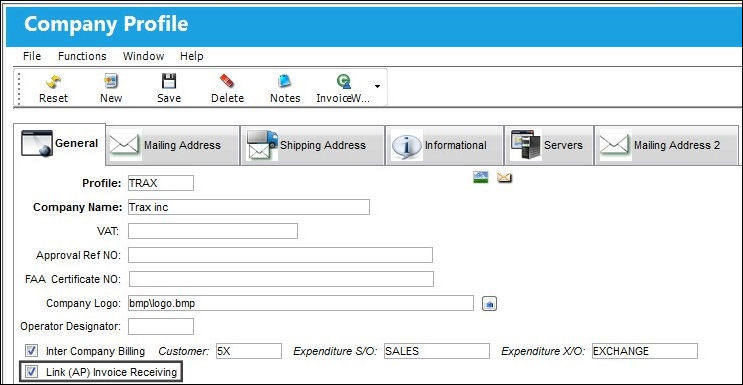
For this particular Company Code, the Link (AP) Invoice Receiving option has been selected. In this case, saving an Invoice Header and entering the AP Invoice is possible.
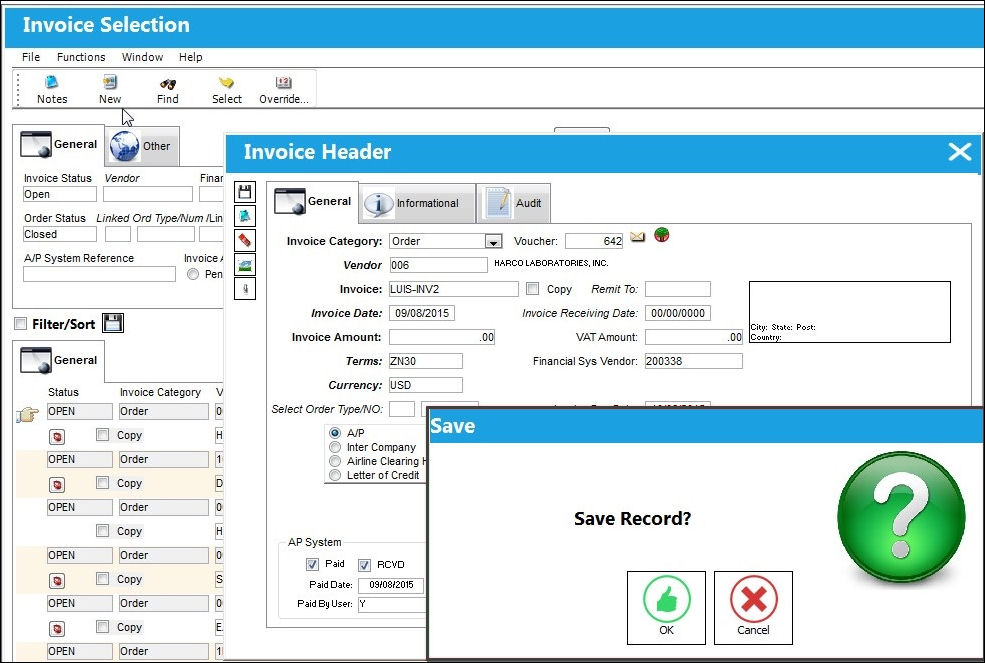
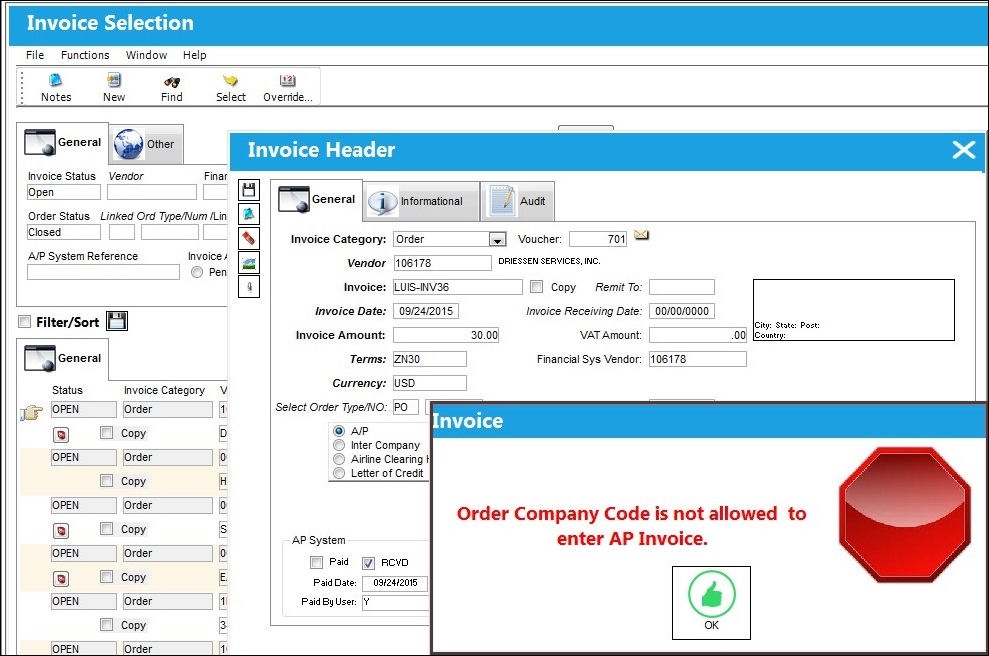
Here, the user has left the checkbox unselected.
As a result, the user using this Company Code receives a hard warning when trying to save and enter the Invoice.
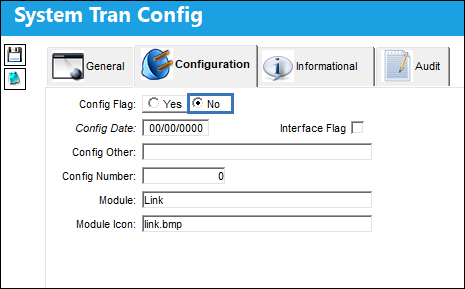
Switch Set to No:
When set to No, the user will not have restricted AP Invoice access based on the Company Profile settings.
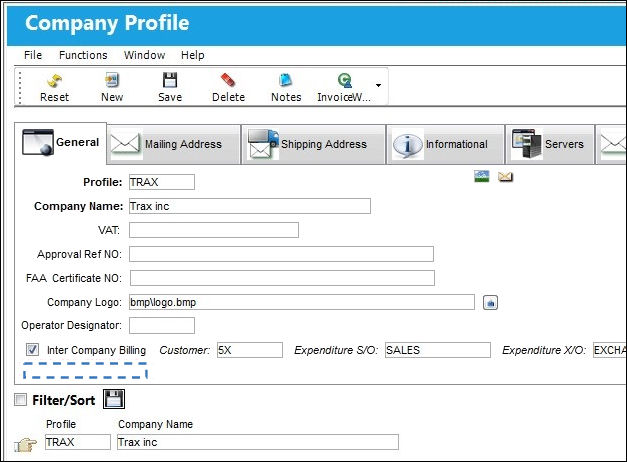
The Company Profile window hides the Link (AP) Invoice Receiving Checkbox when the switch is set to No.
Share
Print
|
©1997-2026 Trax USA Corp. All rights reserved. This manual may not be copied, photocopied, reproduced, translated, or converted to any electronic or machine-readable form, in whole or in part, without prior written approval from Trax USA Corp. |
 |