Publication Date: 8/17/2026 Share Print

Previous Topic

Next Topic

Book Contents

Book Index

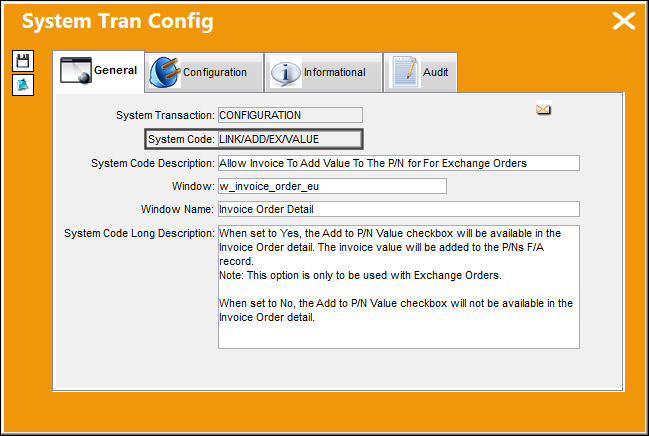
LINK/ADD/EX/VALUE - Allow Invoice To Add Value To The P/N For Exchange Orders

but_X1 big switch

Allow Invoice To Add Value To The P/N For Exchange Orders

Affected Window: w_invoice_order_eu
LINKADDEXVALUE


When Set to Yes:

When set to Yes, the Add To P/N Value checkbox will be available in the Invoice Order detail.

Note: This option is only to be used with Exchange Orders.
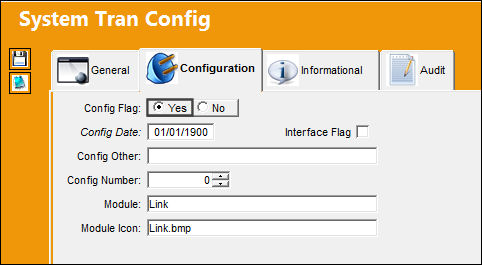
LINK_yes

P/N '100S12' has a Local Fixed Asset Amount of $15,000.00.
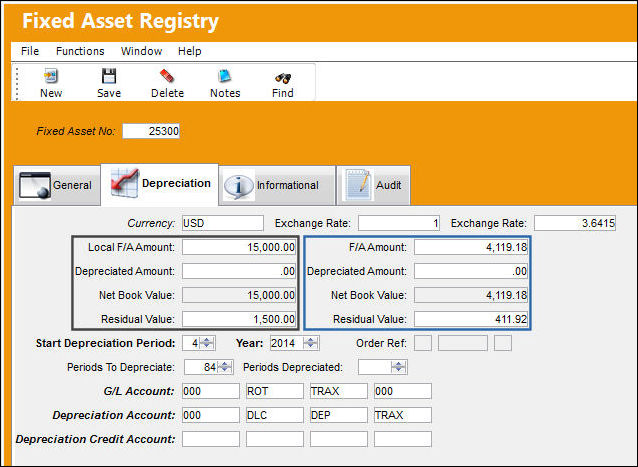
LINKADDEXVALUE_YES1

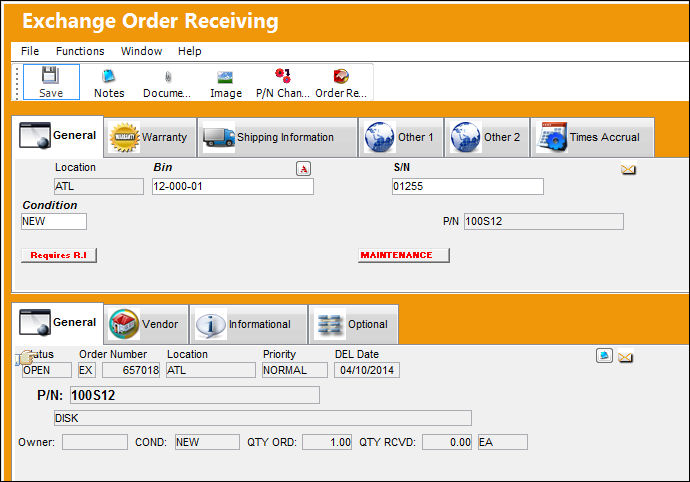
Exchange Order '657018' is created for P/N '100S12'. The Exchange Fee for this order is $5,200.00.
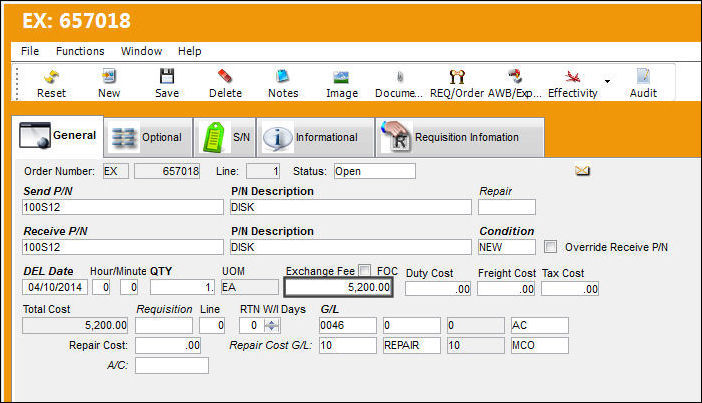
P/N '100S12' with S/N '01255' is received.
LINKADDEXVALUE_YES3

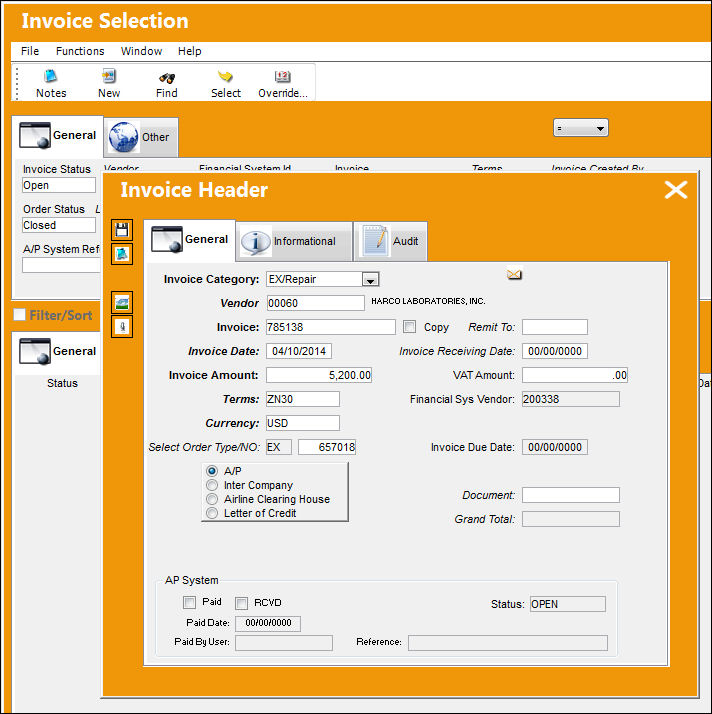
An Invoice is created for the exchange fee amount of $5,200.00.
LINKADDEXVALUE_YES4

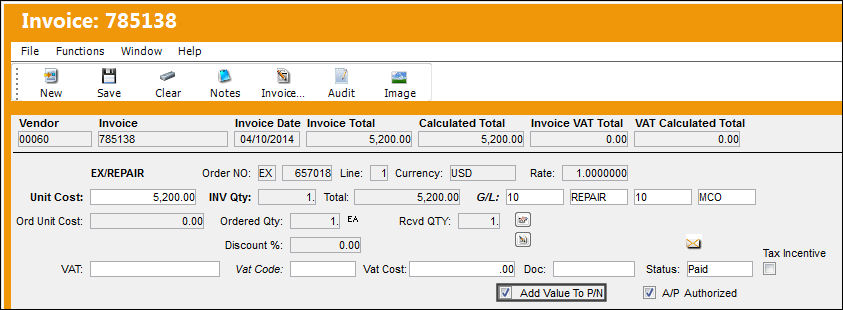
In the detail of the Invoice '785138', select the Add Value To P/N checkbox to add this value to the part number's total value.
LINKADDEXVALUE_YES5

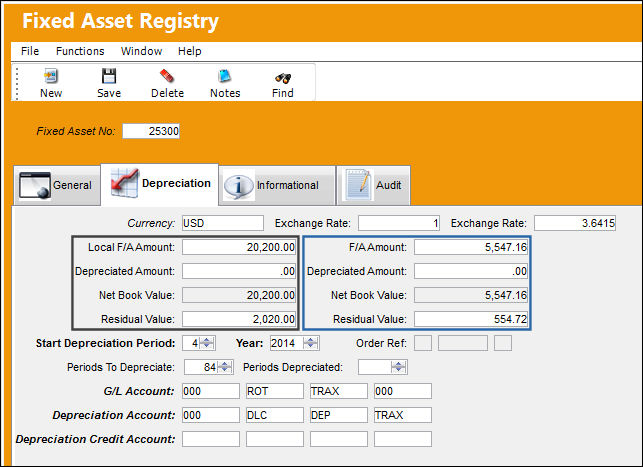
The Local F/A Amount for P/N '100S12' is $20,200.00. This value reflects the original value of the part plus the value of the posted invoice.

Value Calculation: (P/N F/A value) $15,000.00 + (Invoice Order value) $5,200.00 = $20,200.00
LINKADDEXVALUE_YES6


When Set to No:

When set to No, the Add to P/N Value checkbox will not be available in the Invoice detail.
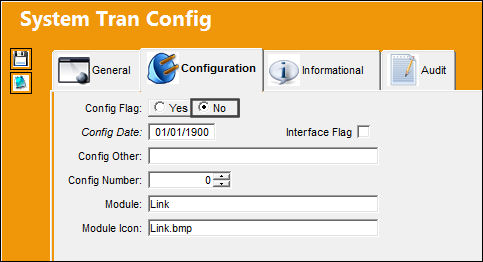
LINK_no

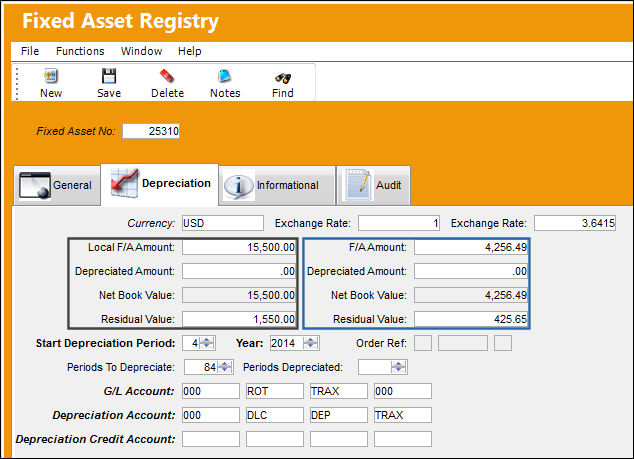
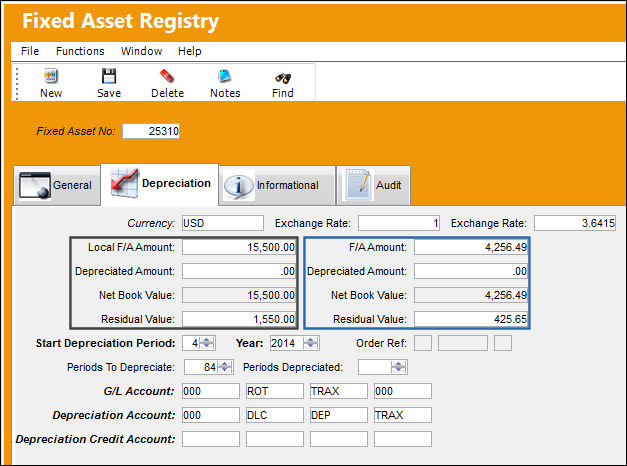
P/N '102S100' has a Local F/A Amount of $15,500.00.
LINKADDEXVALUE_NO1

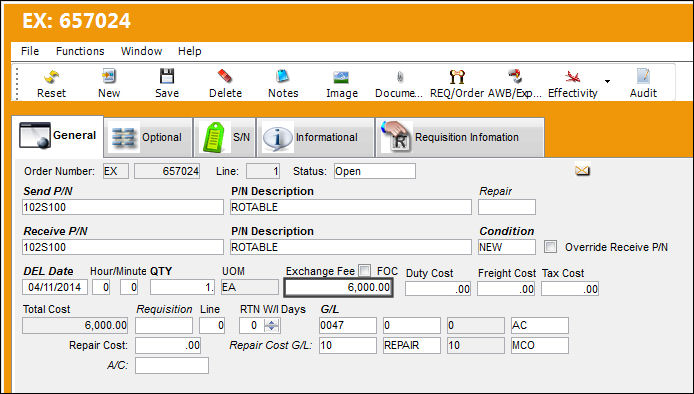
Exchange Order '657024' is created for P/N '102S100'. The Exchange Fee for this order is $6,000.00.
LINKADDEXVALUE_NO2

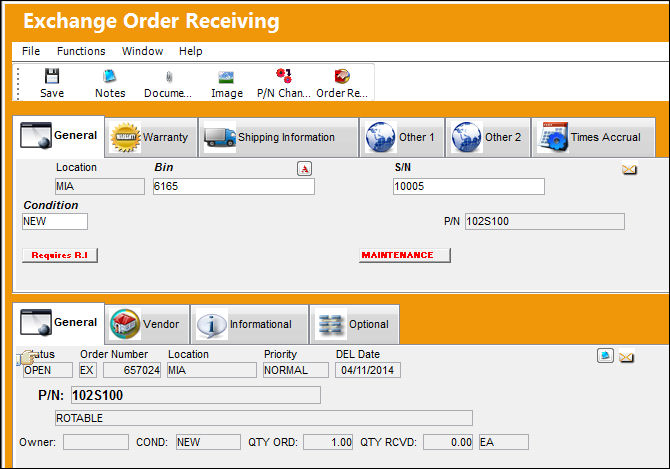
P/N '102S100' with S/N '10005' is received.
LINKADDEXVALUE_NO3

An Invoice is created for the exchange fee amount of $6,000.00.
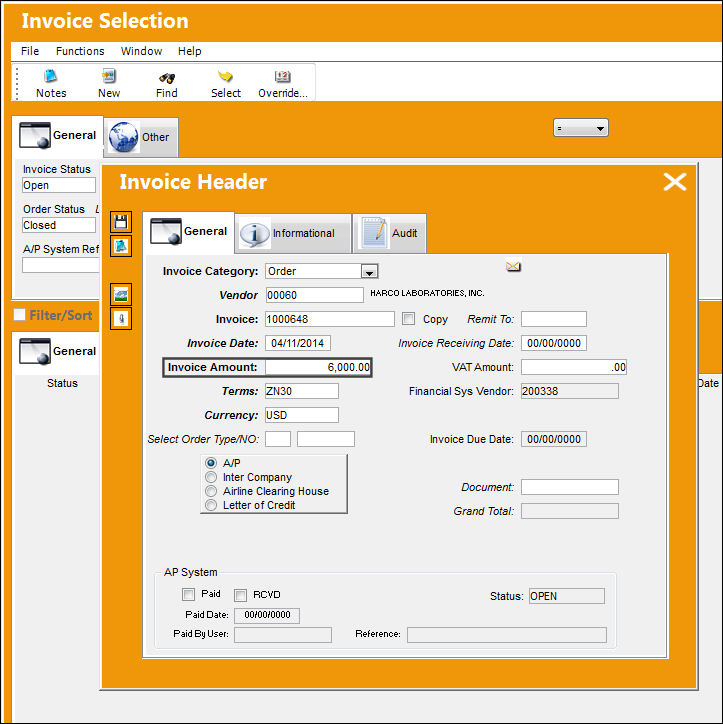
LINKADDEXVALUE_NO4

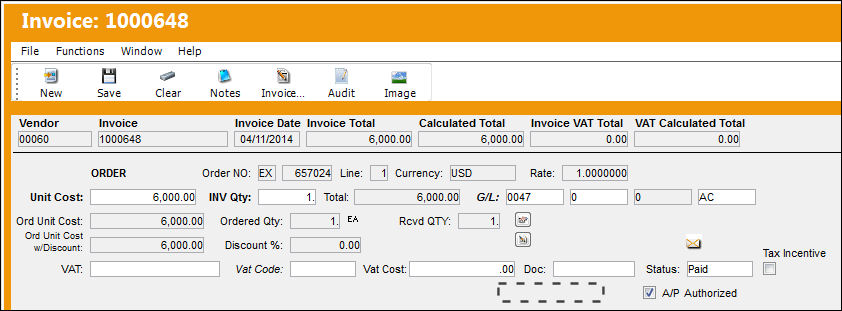
In the detail of the Invoice '1000648', the Add Value to P/N checkbox is not available.
LINKADDEXVALUE_NO5

The Local F/A Amount for P/N '102S100' remains the same at $15,500.00.
LINKADDEXVALUE_NO6

See Also

Link Switches

APGLVBATCH - A/P Invoice Check use Global G/L (expendable) at Batch Level

APINCLST - A/P Invoice Closing Status

APINCLST-RL - A/P Invoice Closing Status Set to Released

APOWNER - All Invoice of Orders with Owner

CRMEMORQ - Credit Memo Request Transaction

DEFAULTINVGL - The Default Inventory GL is Populated on the Invoice Instead of Global Expense GL

FINSYSVENDORWARN - Vendors without Financial Sys Information cannot release Invoices

IMGCTL - Validate if the Invoice has an Image Reference

INVATHREL - Invoice Authorization through Authorization Explorer

INVCURO - A/P Invoice Uses Currency Rate From Order Received Date

INVHDDT - Default Invoice Date to Today

INVRECQTYCHECK - Cannot Save Invoice if INV Qty is greater than Rcvd Qty and Status is PAID

LINK/AUTO/FREIGHT - Auto Populate Freight Fee From PO In Invoice Order Detail

LINK/COMPANY/PROTECT - Allows users to manage AP Invoice access via Company Profile window

LINK/GL/PROTECT - Protect G/L Field Unless Blank

LINK/MEMO/HOLD - Place Invoice Memo On Hold Automatically

LINK/VAT/FREIGHT - This switch is not in use

LKQTYGRT - Prevent Authorization Acceptance if Invoice Qty is greater than Order Qty

LKQTYREC - Only Allow Invoicing if Order has been Received

NTLINKGR - Send Notification to Link Authorization Group at a Return to Vendor

ONESTEPPOST - Do not show the Invoice Rejected interface message on OneStepPost

ORDLINEMULTINV - Multiple Invoices can be Linked to Single Order Lines

OUTBALMSG - Send Invoice Out of Balance Message to Buyer

SHINVOICESUBCAT - Show Invoice Sub Categories in Journal Entry Query

VALTOTALONINVORDER - Validate Invoice Based On Order Total And Invoice Total

VATCODEMAND - Make Vat Code (field) Mandatory in Invoice Order Detail

VOUCHER - Last A/P Link Voucher Sequence

Top of Page Publication Date: 8/17/2026 Share Print