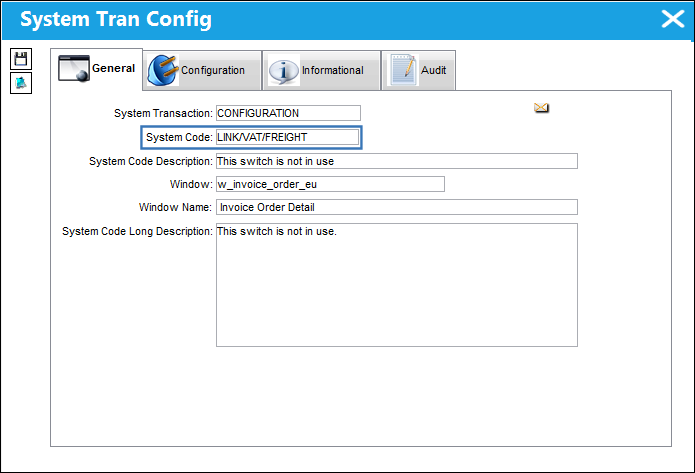
TRAX MANUALS > Link > Link Switches > LINK/VAT/FREIGHT - This switch is not in use
This switch is not in use.
See Also
Link Switches
APGLVBATCH - A/P Invoice Check use Global G/L (expendable) at Batch Level
APINCLST - A/P Invoice Closing Status
APINCLST-RL - A/P Invoice Closing Status Set to Released
APOWNER - All Invoice of Orders with Owner
CRMEMORQ - Credit Memo Request Transaction
DEFAULTINVGL - The Default Inventory GL is Populated on the Invoice Instead of Global Expense GL
FINSYSVENDORWARN - Vendors without Financial Sys Information cannot release Invoices
IMGCTL - Validate if the Invoice has an Image Reference
INVATHREL - Invoice Authorization through Authorization Explorer
INVCURO - A/P Invoice Uses Currency Rate From Order Received Date
INVHDDT - Default Invoice Date to Today
INVRECQTYCHECK - Cannot Save Invoice if INV Qty is greater than Rcvd Qty and Status is PAID
LINK/AUTO/FREIGHT - Auto Populate Freight Fee From PO In Invoice Order Detail
LINK/ADD/EX/VALUE - Allow Invoice To Add Value To The P/N For Exchange Orders
LINK/COMPANY/PROTECT - Allows users to manage AP Invoice access via Company Profile window
LINK/GL/PROTECT - Protect G/L Field Unless Blank
LINK/MEMO/HOLD - Place Invoice Memo On Hold Automatically
LKQTYGRT - Prevent Authorization Acceptance if Invoice Qty is greater than Order Qty
LKQTYREC - Only Allow Invoicing if Order has been Received
NTLINKGR - Send Notification to Link Authorization Group at a Return to Vendor
ONESTEPPOST - Do not show the Invoice Rejected interface message on OneStepPost
ORDLINEMULTINV - Multiple Invoices can be Linked to Single Order Lines
OUTBALMSG - Send Invoice Out of Balance Message to Buyer
SHINVOICESUBCAT - Show Invoice Sub Categories in Journal Entry Query
VALTOTALONINVORDER - Validate Invoice Based On Order Total And Invoice Total
VATCODEMAND - Make Vat Code (field) Mandatory in Invoice Order Detail
VOUCHER - Last A/P Link Voucher Sequence