Publication Date: 8/17/2026 Share Print

Previous Topic

Next Topic

Book Contents

Book Index

APINCLST-RL - A/P Invoice Closing Status Set to Released

A/P Invoice Closing Status Set to Released

Affected Window: w_invoice_order_eu
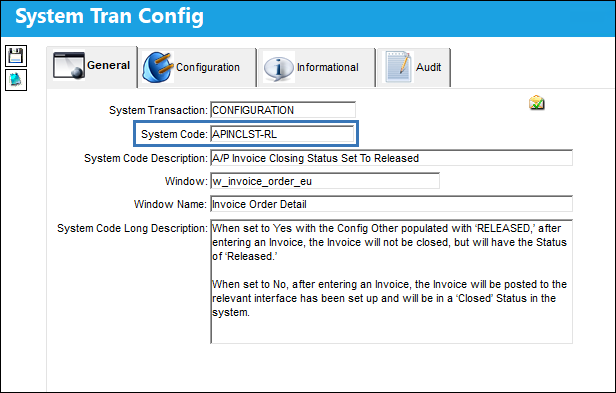
APINCLST-RL_Configuration


Switch Set to Yes:

When set to Yes and the Config Other field is populated with RELEASED, after entering an invoice and saving, the status of the invoice will be Released (not Closed).
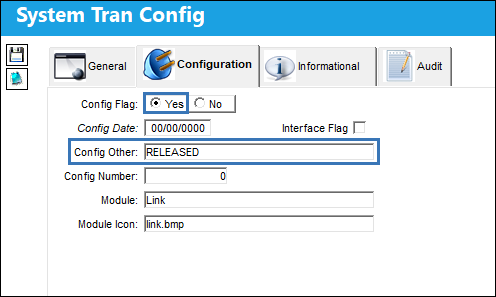
APINCLST-RL_Yes_1

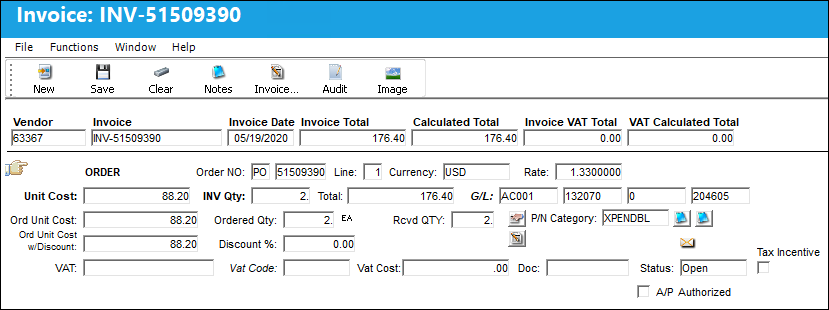
The following invoice is entered.

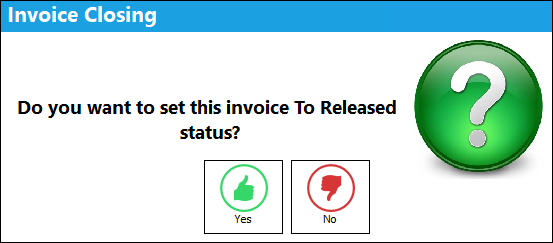
After selecting the Save but_save_small button a pop up appears asking to set the status of the invoice to Released, select Yes.
The invoice status is Released.
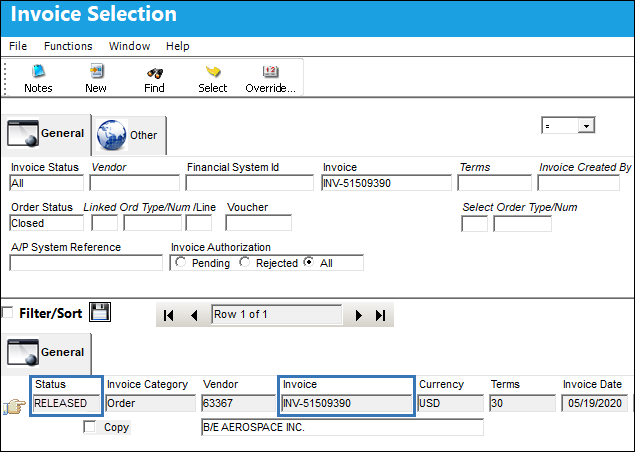
Invoices in a Released status can then be closed or reopened via the Invoice Release Selection window.


Switch Set to No:

When set to No, after entering an invoice and saving, the status of the invoice will be Closed and the invoice will be posted to the relevant interface.
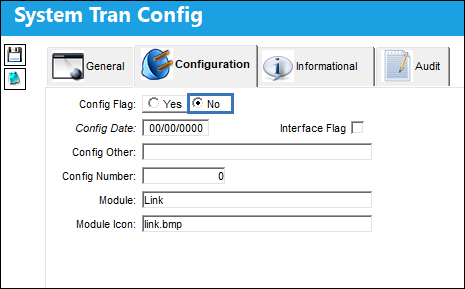
12_Link_No

The following invoice is entered.

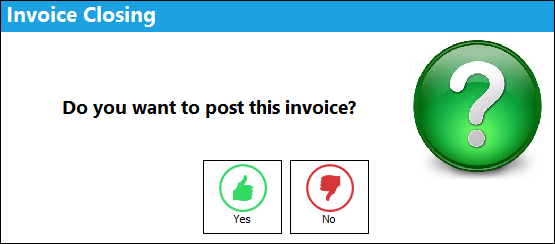
After selecting the Save but_save_small button a pop up appears asking to post the invoice, select Yes.
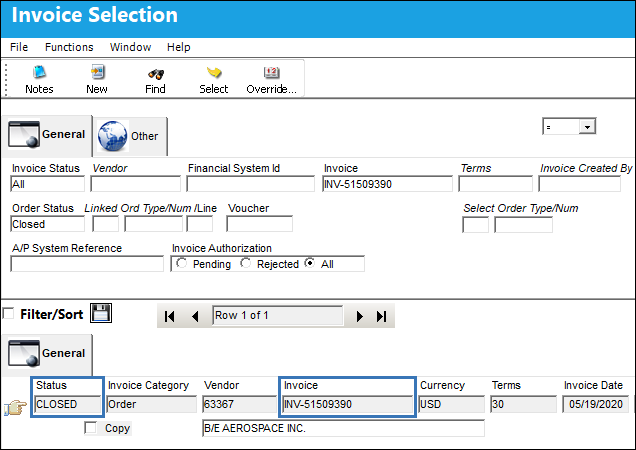
The status of the invoice is Closed and the invoice is posted to the relevant interface.
See Also

Link Switches

APGLVBATCH - A/P Invoice Check use Global G/L (expendable) at Batch Level

APINCLST - A/P Invoice Closing Status

APOWNER - All Invoice of Orders with Owner

CRMEMORQ - Credit Memo Request Transaction

DEFAULTINVGL - The Default Inventory GL is Populated on the Invoice Instead of Global Expense GL

FINSYSVENDORWARN - Vendors without Financial Sys Information cannot release Invoices

IMGCTL - Validate if the Invoice has an Image Reference

INVATHREL - Invoice Authorization through Authorization Explorer

INVCURO - A/P Invoice Uses Currency Rate From Order Received Date

INVHDDT - Default Invoice Date to Today

INVRECQTYCHECK - Cannot Save Invoice if INV Qty is greater than Rcvd Qty and Status is PAID

LINK/AUTO/FREIGHT - Auto Populate Freight Fee From PO In Invoice Order Detail

LINK/ADD/EX/VALUE - Allow Invoice To Add Value To The P/N For Exchange Orders

LINK/COMPANY/PROTECT - Allows users to manage AP Invoice access via Company Profile window

LINK/GL/PROTECT - Protect G/L Field Unless Blank

LINK/MEMO/HOLD - Place Invoice Memo On Hold Automatically

LINK/VAT/FREIGHT - This switch is not in use

LKQTYGRT - Prevent Authorization Acceptance if Invoice Qty is greater than Order Qty

LKQTYREC - Only Allow Invoicing if Order has been Received

NTLINKGR - Send Notification to Link Authorization Group at a Return to Vendor

ONESTEPPOST - Do not show the Invoice Rejected interface message on OneStepPost

ORDLINEMULTINV - Multiple Invoices can be Linked to Single Order Lines

OUTBALMSG - Send Invoice Out of Balance Message to Buyer

SHINVOICESUBCAT - Show Invoice Sub Categories in Journal Entry Query

VALTOTALONINVORDER - Validate Invoice Based On Order Total And Invoice Total

VATCODEMAND - Make Vat Code (field) Mandatory in Invoice Order Detail

VOUCHER - Last A/P Link Voucher Sequence

Top of Page Publication Date: 8/17/2026 Share Print