
 Share
Share
 Print
Print
|
|
|
|
|


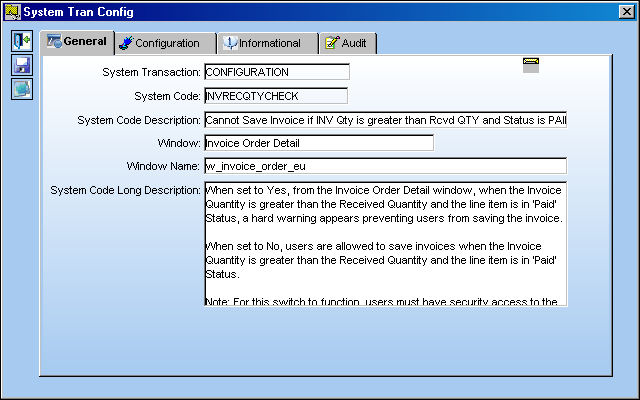
INVRECQTYCHECK - Cannot Save Invoice if INV Qty is greater than Rcvd Qty and Status is PAID
Cannot Save Invoice if INV Qty is greater than Rcvd Qty and Status is PAID
Affected Window: w_invoice_order_eu
Switch Set to Yes:
When set to Yes, from the Invoice Order Detail window, when the Invoice Quantity is greater than the Received Quantity and the line item is in 'Paid' Status, a hard warning appears preventing users from saving the invoice.
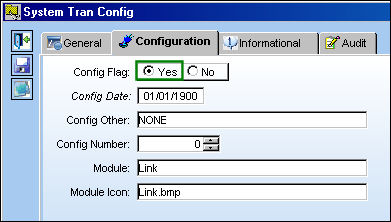
For this switch to function, users must have security access to the 'Invoice Quantity greater than Invoice Received' option via Link/Update/Invoice Entry in the Security Explorer. For more information refer to the Security Explorer via the System Administration Training Manual.
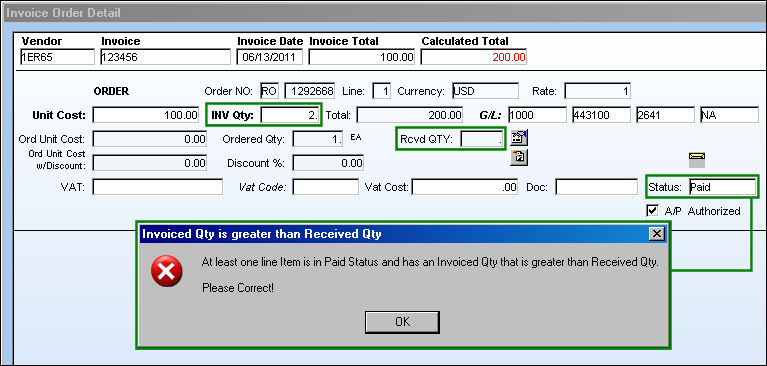
From the Invoice Order Detail window, notice that the following invoice has an Invoice Quantity greater than the Received Quantity. Because the Status is 'Paid', the following hard warning prevents users from saving the invoice.
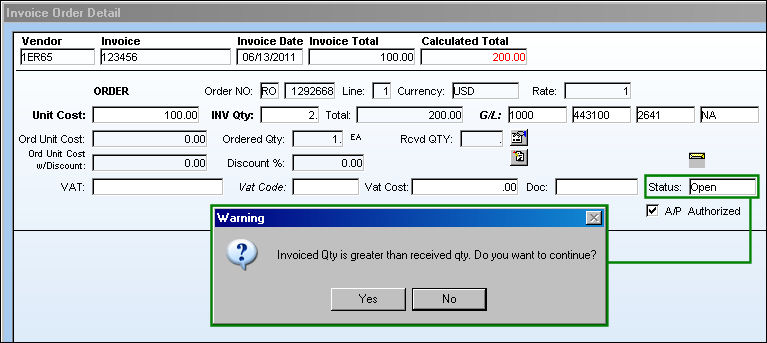
With the same criteria as above, when the 'Open' Status is selected, users will receive a soft warning which will allow them to save the window. Select Yes to proceed.
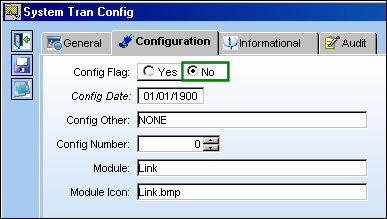
Switch Set to No:
When set to No, from the Invoice Order Detail window, users are allowed to save invoices when the Invoice Quantity is greater than the Received Quantity and the line item is in 'Paid' Status.
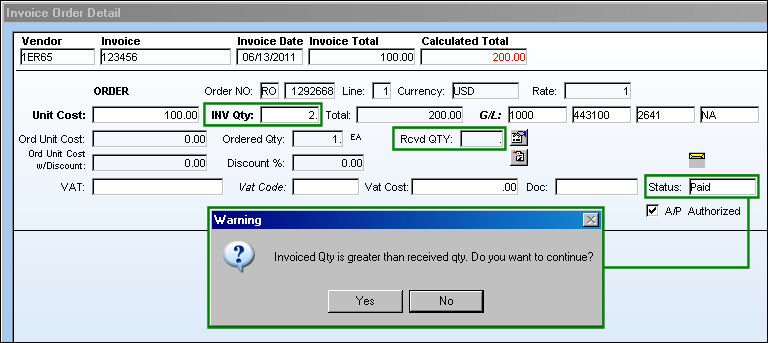
From the Invoice Order Detail window, notice that the following invoice has an Invoice Quantity greater than the Received Quantity an the Status is 'Paid'. Users will receive a soft warning which will allow them to save the window. Select Yes to proceed.
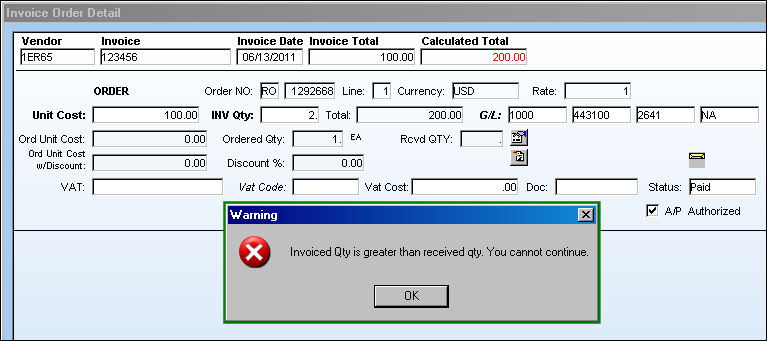
If users do not have security access to the 'Invoice Quantity greater than Invoice Received' option from the Security Explorer mentioned above, the following hard warning will appear regardless of the switch setting.
Share
Print
|
©1997-2026 Trax USA Corp. All rights reserved. This manual may not be copied, photocopied, reproduced, translated, or converted to any electronic or machine-readable form, in whole or in part, without prior written approval from Trax USA Corp. |
 |