
 Share
Share
 Print
Print
|
|
|
|
|


DEFAULTINVGL - The Default Inventory GL is Populated on the Invoice Instead of Global Expense GL

The Default Inventory GL is Populated on the Invoice Instead of Global Expense GL
Affected Window: w_invoice_order_eu
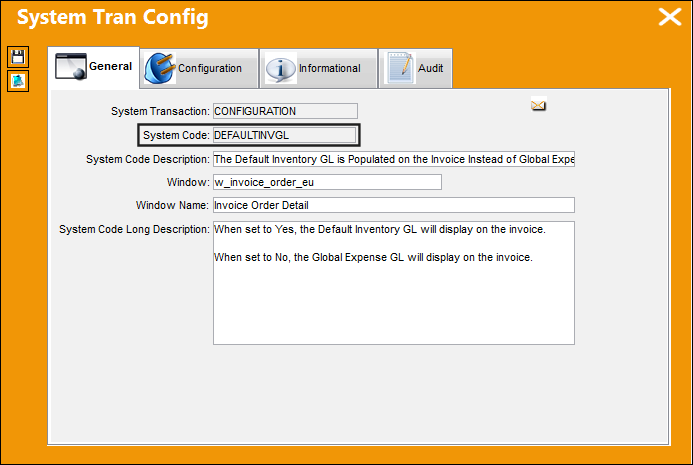
Switch Set to Yes:
When set to Yes, the Default Inventory G/L will display on invoice.
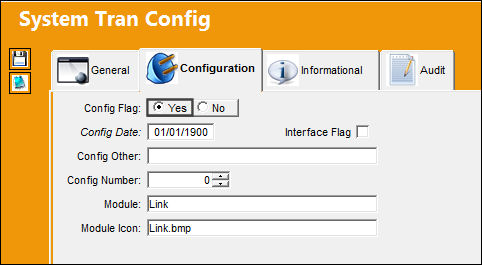
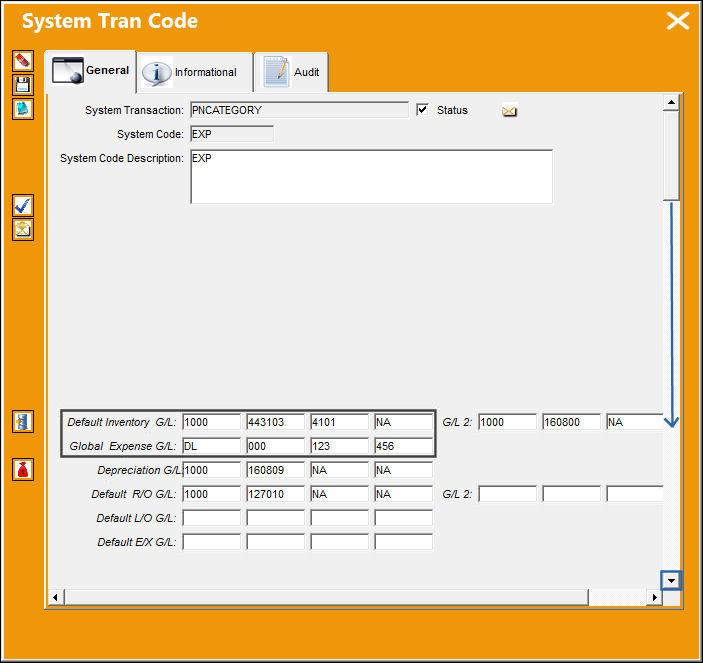
Transaction Code 'EXP' has the following Default Inventory G/L and Global Expense G/L setup.
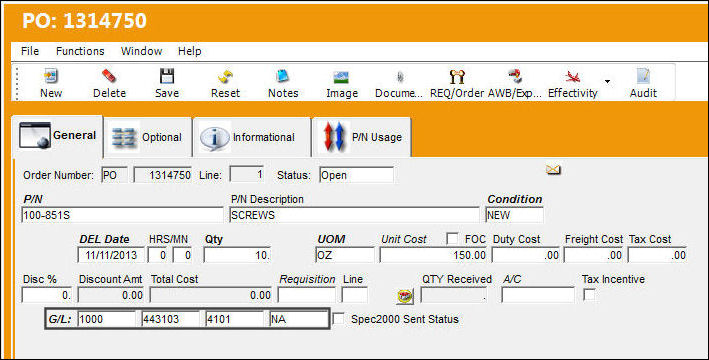
PO '1314750' was created for P/N '100-851S' and the Default Inventory G/L account is the account displayed.
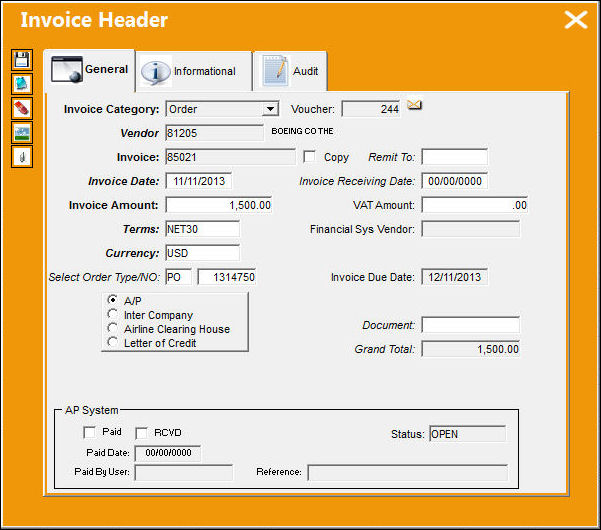
The following invoice was created.
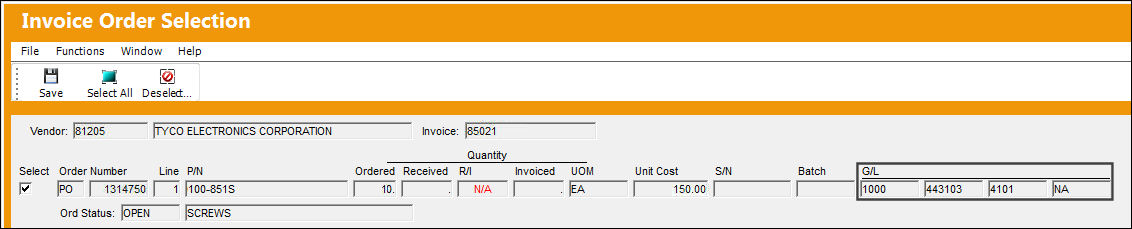
In the Invoice Order Selection window, the Default Inventory G/L is displayed.
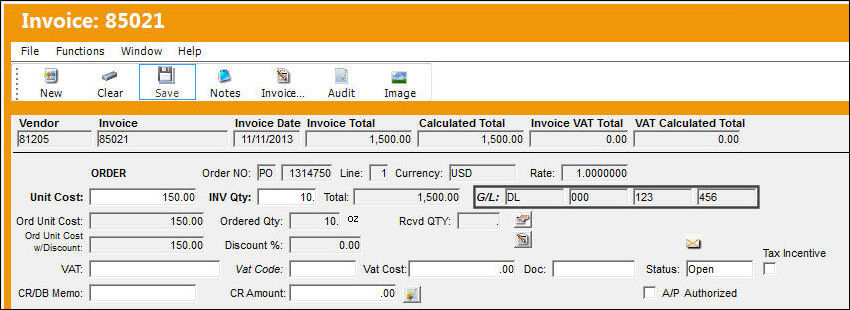
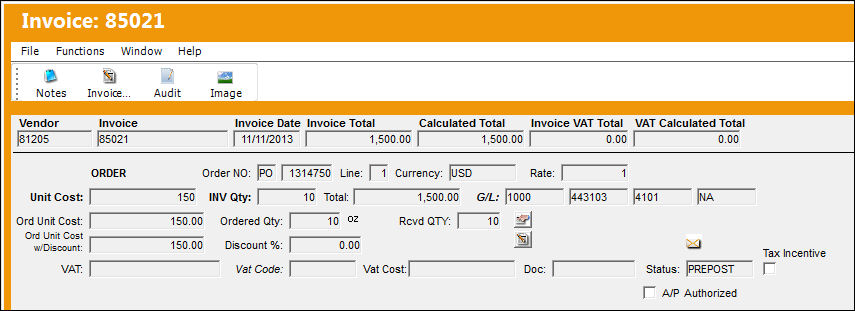
However in the Invoice Detail window, the account used changes to the Global Expense G/L.
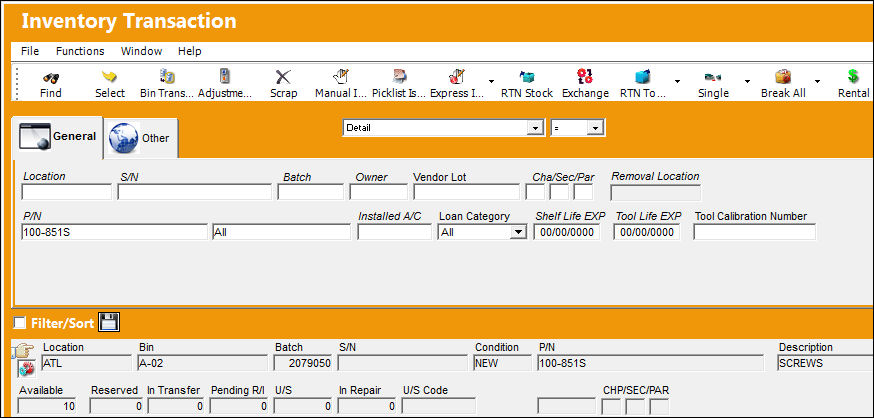
P/N '100-851S' has been received into the system and is now in Inventory.
Invoice '85021' changes to 'PREPOST' status.
Select into the record.
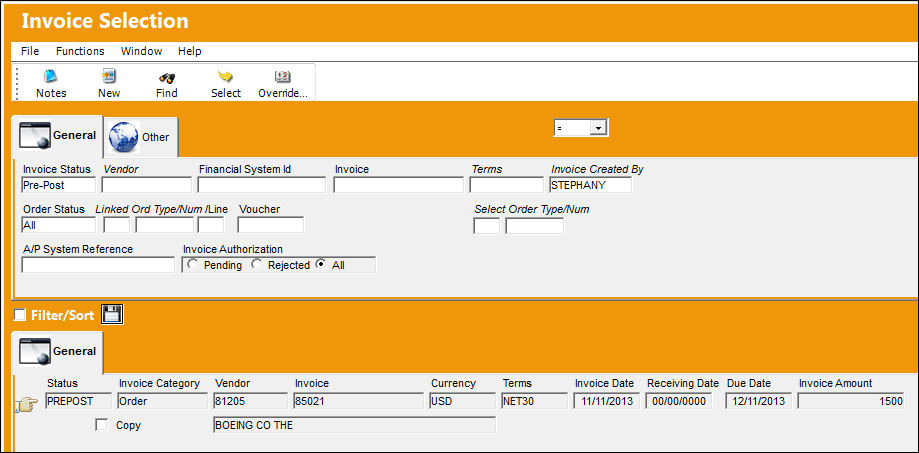
Invoice '85021' is in 'PREPOST' Status and the Default Inventory G/L account is the account displayed on the invoice.
Switch Set to No:
When set to No, the Global Expense G/L will display on invoice.
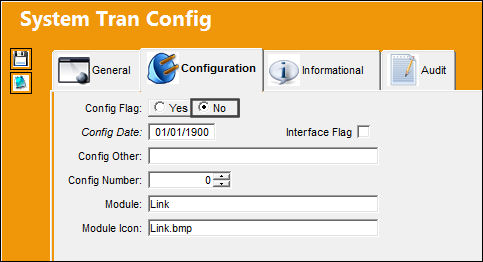
Transaction Code 'EXP' has the following Default Inventory G/L and Global Expense G/L setup.
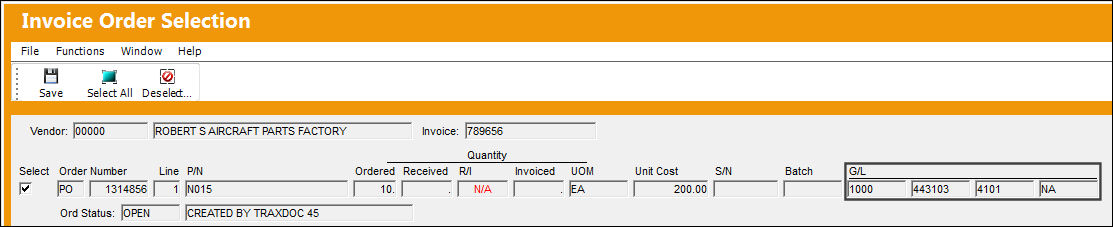
PO '1314856' was created for P/N 'N015' and the Default Inventory G/L is the account displayed.
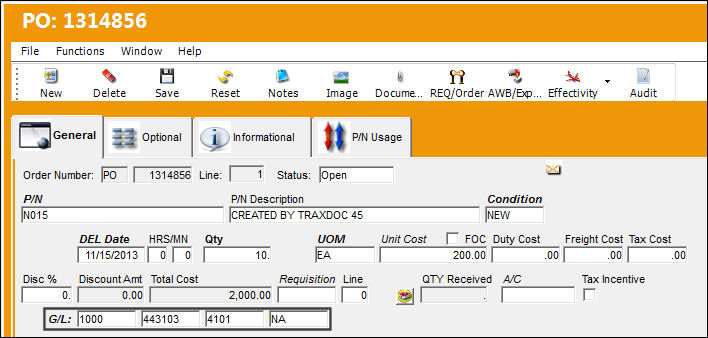
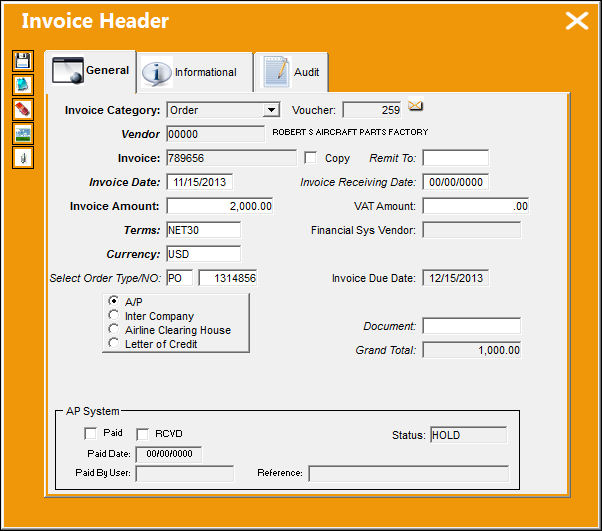
The following invoice was created.
In the Invoice Order Selection window, the Default Inventory G/L is displayed.
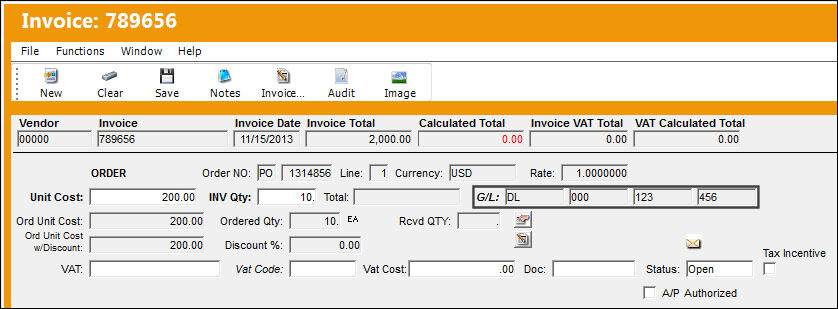
However in the Invoice Detail window, the account used changes to the Global Expense G/L.
P/N 'N015' is received into the system.
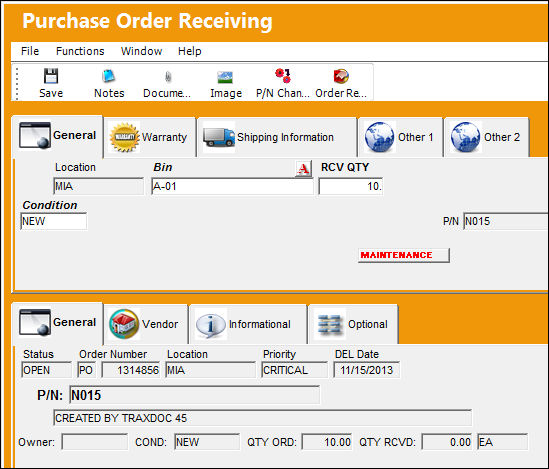
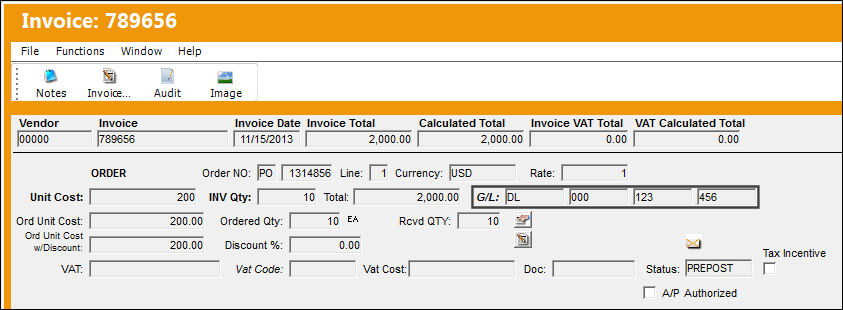
Invoice '789656' is in 'PREPOST' Status and the Global Expense G/L is the account on the invoice.
Share
Print
|
©1997-2026 Trax USA Corp. All rights reserved. This manual may not be copied, photocopied, reproduced, translated, or converted to any electronic or machine-readable form, in whole or in part, without prior written approval from Trax USA Corp. |
 |