
 Share
Share
 Print
Print
|
|
|
|
|


W/O Manual Task Card Closing
The Work Order Manual Task Card Closing option is used to manually close individual Task Cards that are attached to Work Orders.
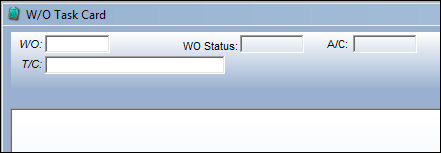
Enter the Work Order number that the Task Card to be closed is associated to. Once entered, press the Enter button on the keyboard.
All Task Cards associated with the Work Order will appear on the list. If need be, users can enter the specific Task Card and press Enter to locate the required T/C.
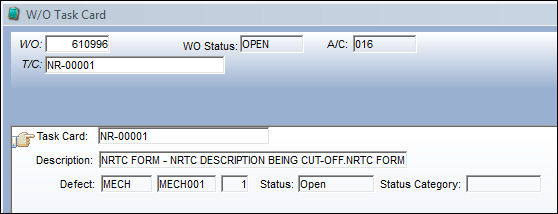
With the Hand  pointer next to the appropriate Task Card, double-click on the Task Card or click the Select
  button.
The W/O Task Card window appears with the Status field defaulted to 'Closed'. Select the Save  button to close the Task Card.
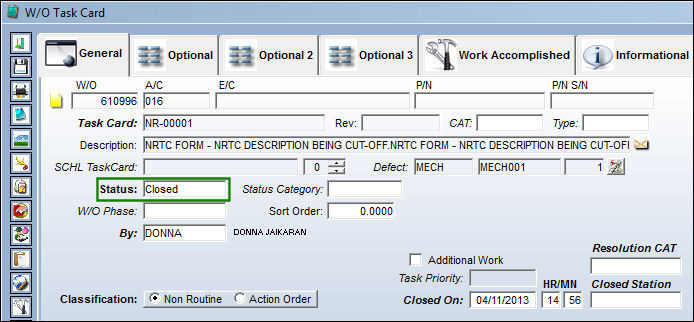
Other Task Cards can be selected and closed as required by following the above procedure.
The following buttons offer additional functionality:
- Notes Button
- N/R Create Button
- Engineering/Request Button
- Labor Manual Button
Share
Print
|
©1997-2026 Trax USA Corp. All rights reserved. This manual may not be copied, photocopied, reproduced, translated, or converted to any electronic or machine-readable form, in whole or in part, without prior written approval from Trax USA Corp. |
 |