
 Share
Share
 Print
Print
|
|
|
|
|


Customer Authorization
The Customer Authorization window is used to query for and authorize pending Non-Routine and/or Part items required for 3rd Party Work Orders based on Customer Contract Authorization requirements. From this window, once the customer communicates whether or not they will be accepting or rejecting a Non-Routine or Part requirement for their 3rd party W/O, the TRAX operator must accept or reject the item based on the customer's input. If the N/R or Part requirement is pending customer authorization as per the authorization thresholds set up in the Customer Contract, the TRAX operator will not be able to action the N/R or Part requirement until the item is authorized via this window.
Enter any of the below search criteria to query for a desired Customer Contract and select the Find  button.
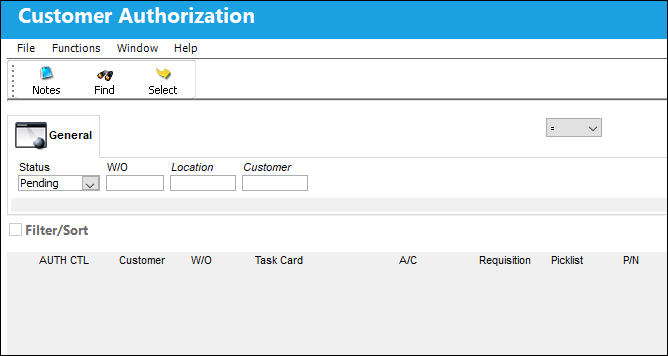
For more information on the setup of Authorization requirements for 3rd Party work, refer to Authorization, via Customer Contract Detail.
For an example of the process on how N/R and Part authorization requirements are set up and actioned in the system, refer to Authorization Requirement Setup, via Customer Contract Authorization.
The following information/options are available in this window:
_____________________________________________________________________________________
Logic drop down 
Select one of the following logic functions to filter for data:
<= Less than or equal to.
<> Not equal to.
= Equal to.
>= Greater than or equal to.
Like Show data like or similar to.
Status drop down
The status of the Customer Contract. The options include:
- Accepted
- All
- Pending
- Rejected
W/O
The Work Order used to categorize, manage, and schedule work requirements for aircraft maintenance.
Location
The Location for maintenance events, inventory stores, orders, transactions, or training events.
Customer
The customer whom the agreed upon terms are for.
_____________________________________________________________________________________
The following results appear. Click on the Select  button.
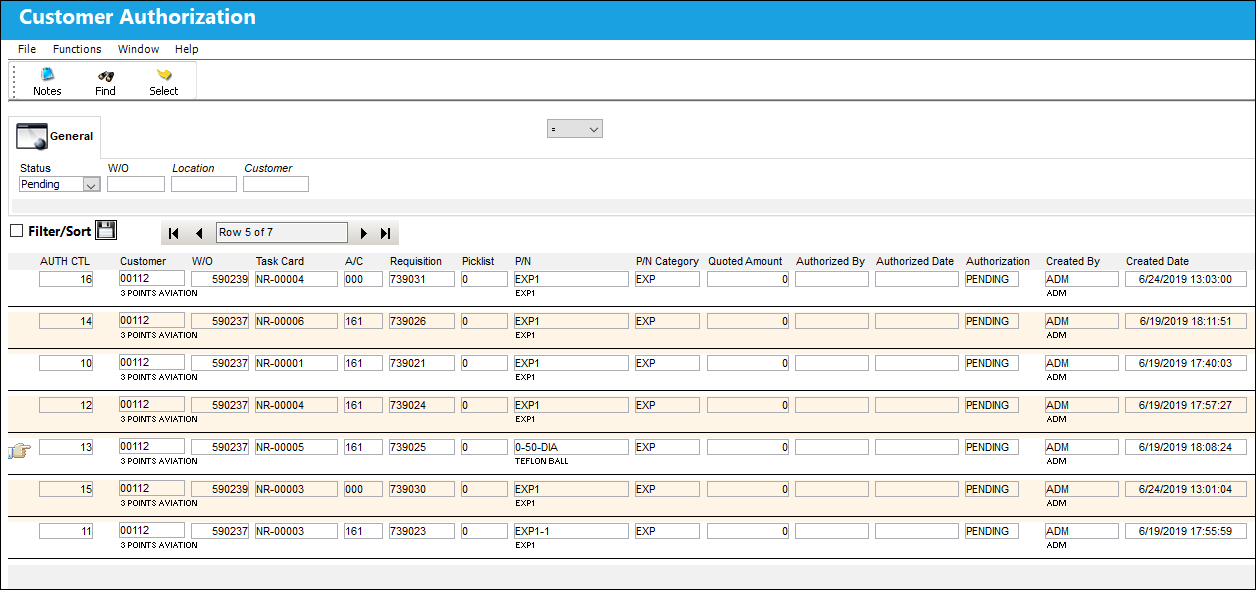
TRAX displays the following window. Select the 'Accepted' radio button, enter the username and password, then select the Save  button.
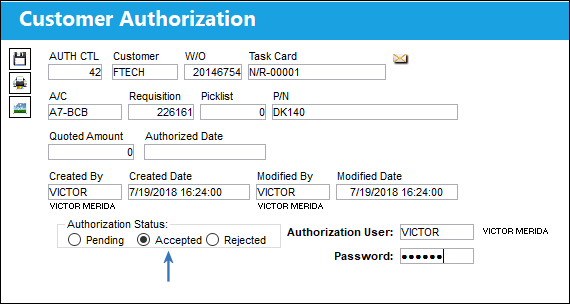
The Save prompt appears. Select 'OK.'
Refresh the Customer Authorization window.
When the user attempts to query for the above Work Order, an information box appears. The Customer Contract is no longer in 'Pending' status. It is now authorized.
The following buttons offer additional functionality:
This update window is also available in query mode where users can view the records provided in this window but cannot create new records or edit existing data. Refer to this module's Query menu.
Share
Print
|
©1997-2026 Trax USA Corp. All rights reserved. This manual may not be copied, photocopied, reproduced, translated, or converted to any electronic or machine-readable form, in whole or in part, without prior written approval from Trax USA Corp. |
 |