
 Share
Share
 Print
Print
|
|
|
|
|


Employee Sign-On/Sign-Off
This tool enables users to sign on and sign off when they arrive or leave their work station. This feature will only work for users who have a wall security password.
For more information about the Wall Security, please refer to the Wall Security section of the System Administration manual.
Go to Production/Update/Employee Sign-On/Sign-Off. A screen will open that will prompt the user to enter their wall password. If the user does not have a wall password, please contact your system administrator for assistance.
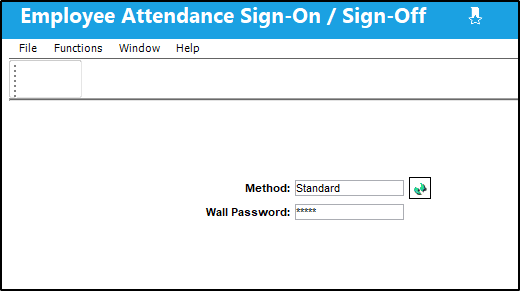
Enter the wall password and select the Login  button. The background of the screen will start flashing in either red or green:
- Red: The user is signing off.
- Green: The user is signing on.
When signing off, TRAX will prompt the user to select a shift ending category for signing off.
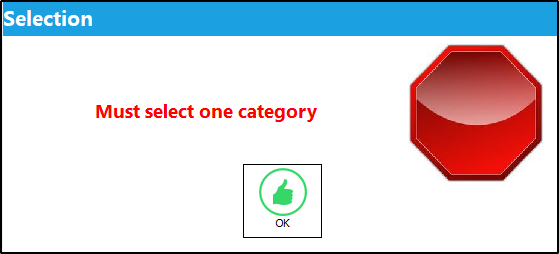
Users must select between 'Break', 'Lunch' and 'E.O.D.' (End of Day).
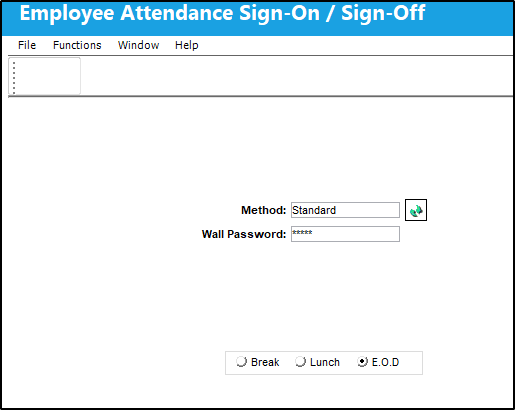
Once selected, click the Continue button to sign off.
Only the user logged into TRAX can sign on or off with his user login code. Other users who also want to sign on or off need to log in individually. To sign off again, repeat the above process and wait for the red background screen to flash.
Users may also sign in using the LDAP and Session option:
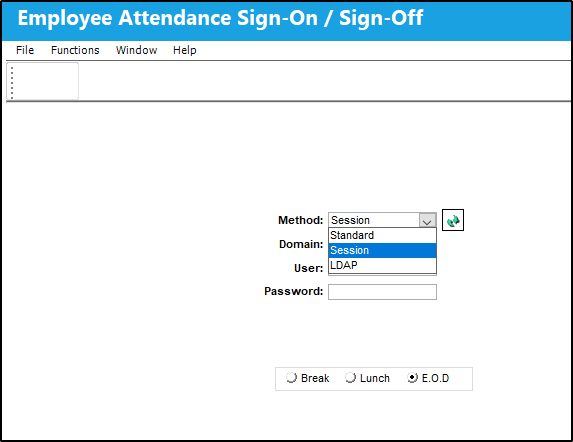
Share
Print
|
©1997-2026 Trax USA Corp. All rights reserved. This manual may not be copied, photocopied, reproduced, translated, or converted to any electronic or machine-readable form, in whole or in part, without prior written approval from Trax USA Corp. |
 |