
 Share
Share
 Print
Print
|
|
|
|
|


Work Order Sweep

The Work Order sweep functionality operates differently depending on the scenario. Three scenarios are provided and explained below.
Scenario 1 - W/O Sweep for overdue items
The Work Order Sweep functionality allows the system to generate open Work Orders for overdue items that are on Work Orders with a status other than 'Open' or 'Completed.'
The pre-requisites for the sweep to function correctly with overdue P/N E/Cs and A/C E/Cs are as follows:
- The 'Sub Category' field, located in the specified E/C, must be null or contain a transaction code that is not marked as excluded from sweep.
E/C Sub Category Transaction Code
The Exclude from SWEEP checkbox, located in the E/C Sub Category field transaction code, is designed to allow Overdue E/Cs that are currently planned on a Work Order with a status other than 'Open' or 'Completed' when the W/O sweep is performed. The E/Cs that have the Sub Category transaction code marked as excluded from sweep will not be placed on a auto generated sweep W/O or a applicable 'Open' W/O in the system that has the same specified aircraft. When the sweep is triggered, the E/C will be excluded.
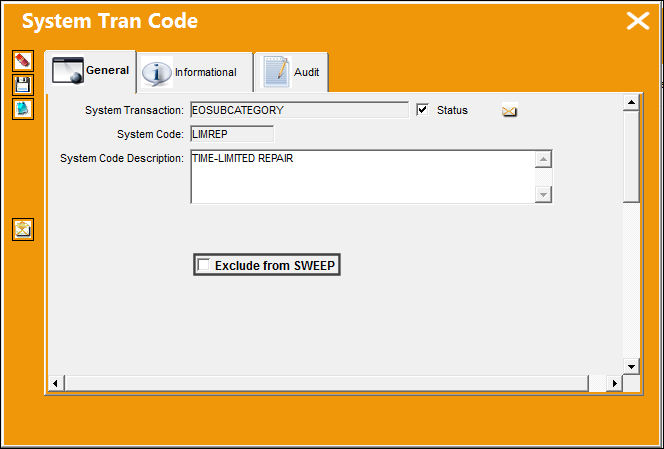
For more information refer to the E/C Sub Category Transaction Code via, the Engineering Transaction Codes Manual.
- The E/C must contain one Task Card that is applicable to the aircraft.
- The E/C must be authorized.
The sweep will not affect overdue items that are on Work Orders with a 'Open' or 'Completed' status.
For the following example a Work Order is created to show the appropriate results. Note that if 'Open' Work Orders are available for the the specified A/C then the system will not create an 'Open' Work Order and the applicable overdue items will be brought over to the available 'Open' Work Order in the system.
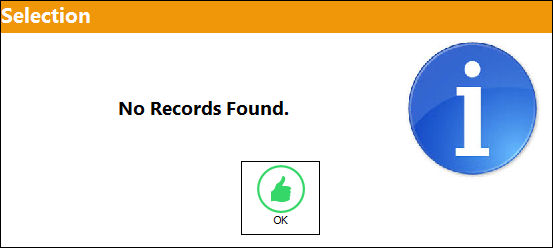
A search for 'Open' Work Orders is performed. The system displays the following message stating that aircraft 'N238' has no open records found.
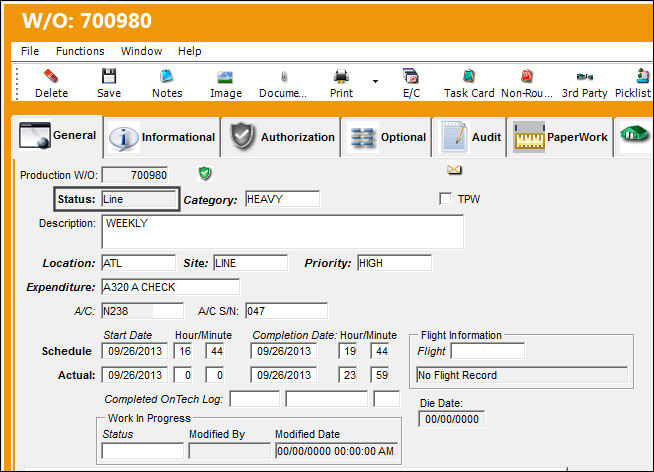
W/O '700980' is created with a status of 'Line.'
Note that W/O Status 'Open' or 'Completed' is not used for this example, a W/O in 'Open' or 'Completed' status will not allow any overdue items to be placed on a new W/O.
The system will not auto generate a new W/O if there is a Work Order with an 'Open' status for the same aircraft. The E/C will then be placed on the 'Open' W/O instead of the auto generated W/O.
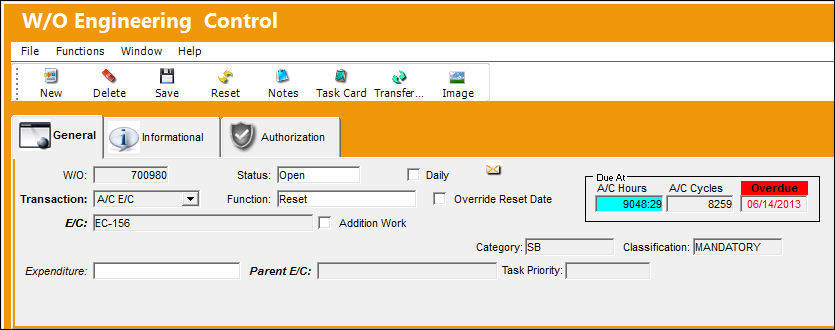
A/C E/C 'E/C-156' is overdue on Work Order '700980.'
After the sweep was performed, the system automatically created a new Work Order '700981'. The Location and/or Site information is auto populated according to the A/C information setup in the A/C Master, Auto W/O tab.
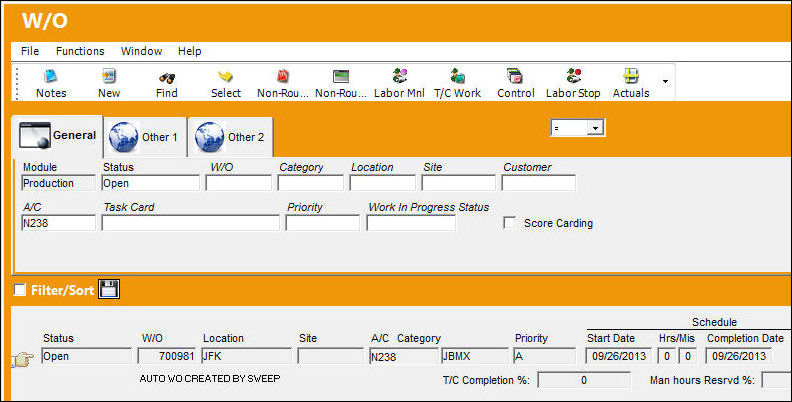
Overdue A/C E/C 'E/C-156' has been brought over to the auto generated Work Order.
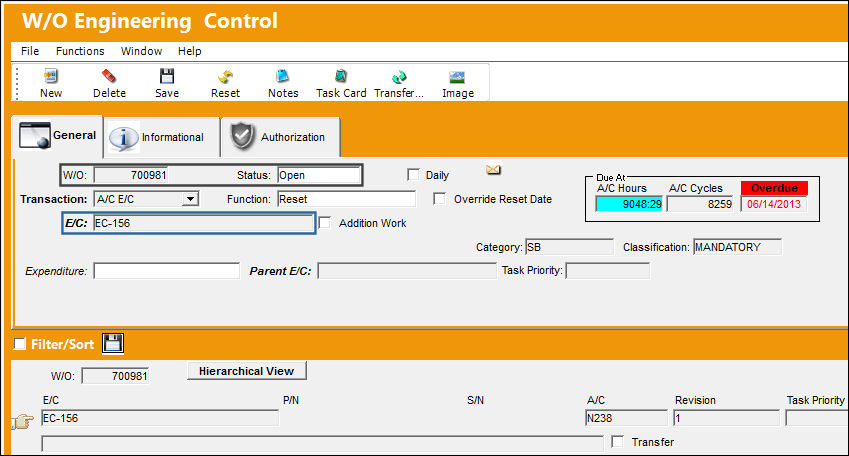
In the A/C Master, Auto W/O tab, A/C 'N238' has the following information set up that will automatically populate the auto generated Work Order upon its creation.
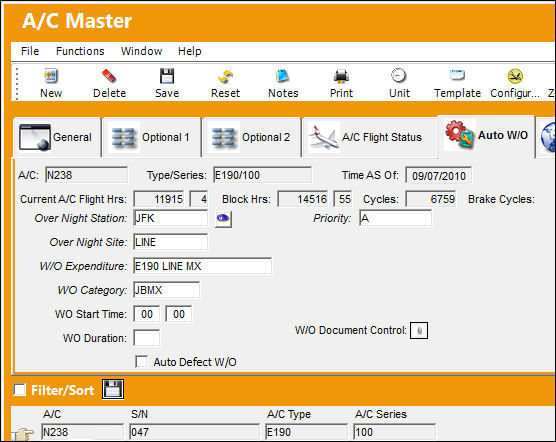
In the A/C Planning window, a planning forecast is done to check for any open or overdue E/Cs for this specific aircraft 'N238'. The four commonly used planning elements are selected to run this check (Defect, E/C, P/N E/C, and P/N Control).
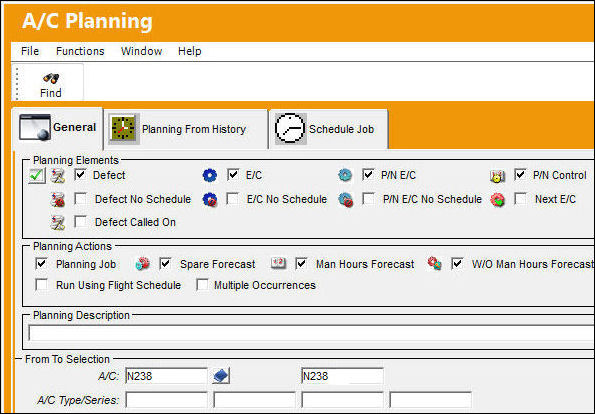
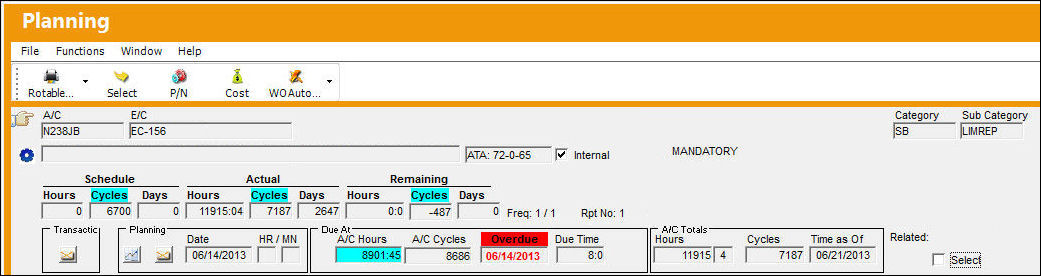
The following E/C is overdue for A/C 'N238.'
Scenario 2 - Work Order Sweep for Date and Day Driven Items
The Work Order Sweep functionality includes items (A/C E/Cs, P/N E/Cs, Defects, and P/N Controls) that have a Due Date that are:
- Less than or equal to zero
- Is less than or equal to the present date
The termination Work Order sweep will include these items as overdue and add them to the auto generated Work Order.
The following is an example of the W/O Sweep for items with zero days left.
For the following example, No 'Open' Work Orders were found therefore the system created a new Work Order.
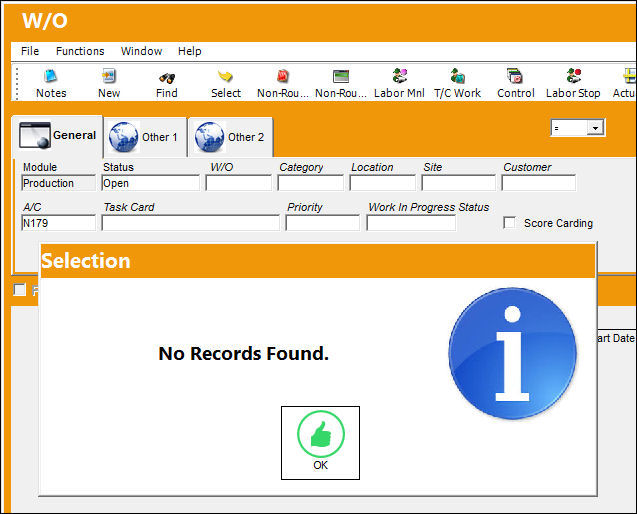
After the system runs the forecast, the following A/C has no open records found.
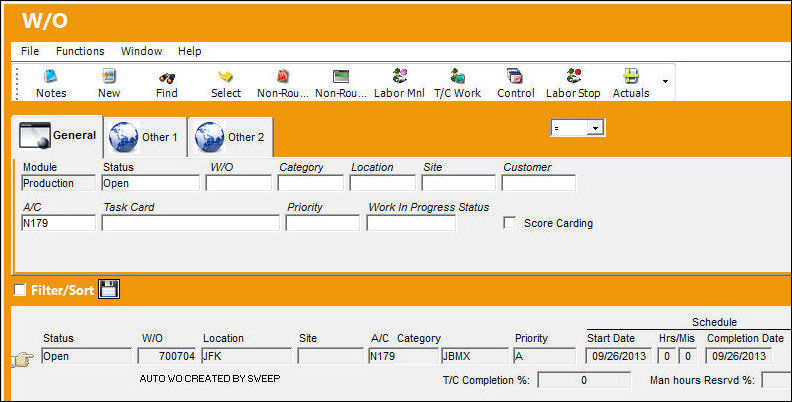
After the sweep was performed, the system automatically created a new Work Order '700704'. The Location and/or Site information is populated according to the A/C information setup in the A/C Master, Auto W/O tab.
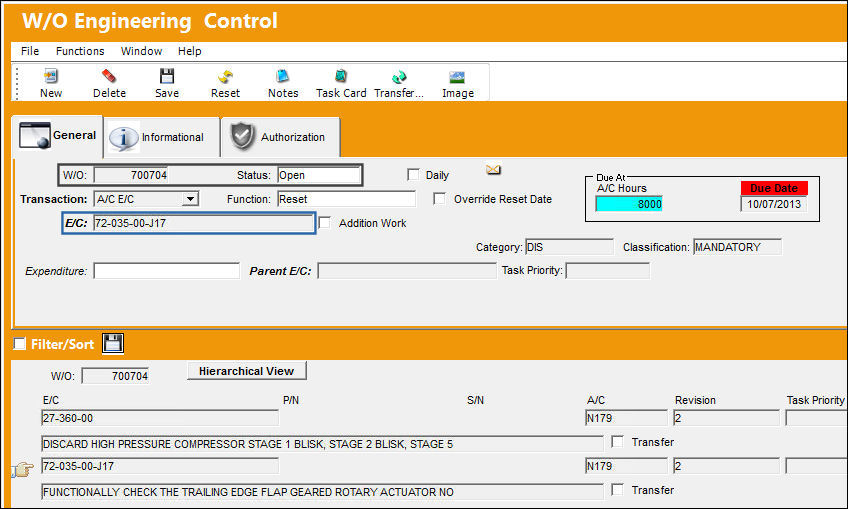
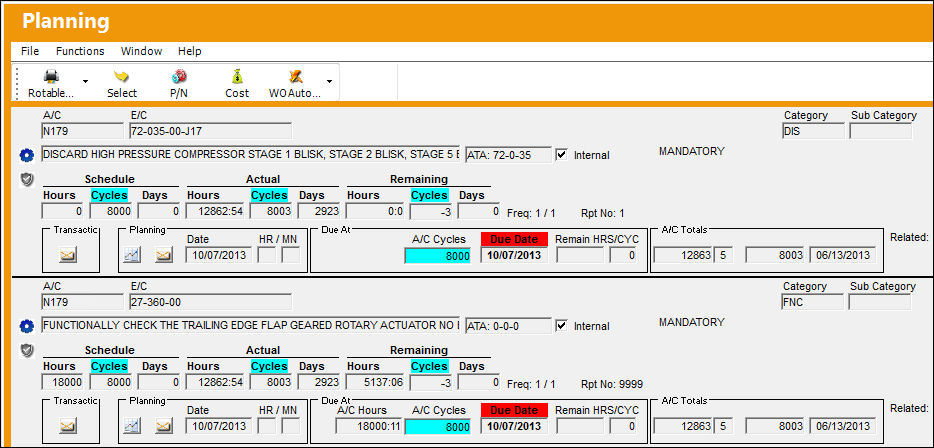
The following E/Cs that have a Due Date of today, E/C '72-035-00-J17' and E/C '27-360-00', have successfully attached to the new auto generated Work Order.
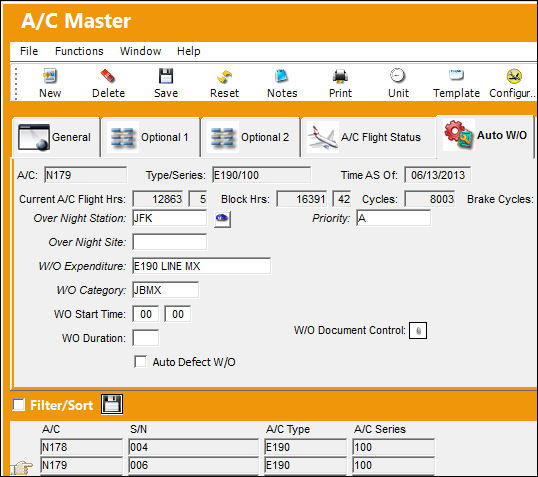
In the A/C Master, Auto W/O tab, A/C 'N238' has the following information setup that will automatically populate the auto generated Work Order upon its creation.
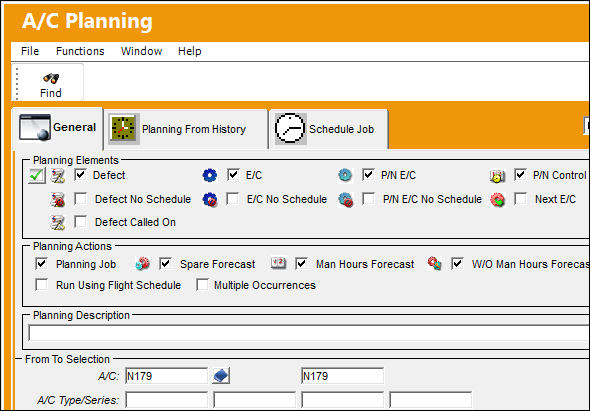
In the A/C Planning window, a planning forecast is performed to check for any open or overdue E/Cs for this specific aircraft 'N179'. The four commonly used planning elements are selected to run this check (Defect, E/C, P/N E/C, and P/N Control).
The following E/C's are Due Today:
Scenario 3 - Work Order Sweep for Items On A/C with Out of Service (OOS) Status
The Work Order Sweep functionality includes items (A/C E/Cs, P/N E/Cs, Defects, and P/N Controls) that are overdue while the aircraft is out of service.
A search for 'Open' Work Orders is performed. The system displays the following message stating that aircraft 'N178' has no open records found.
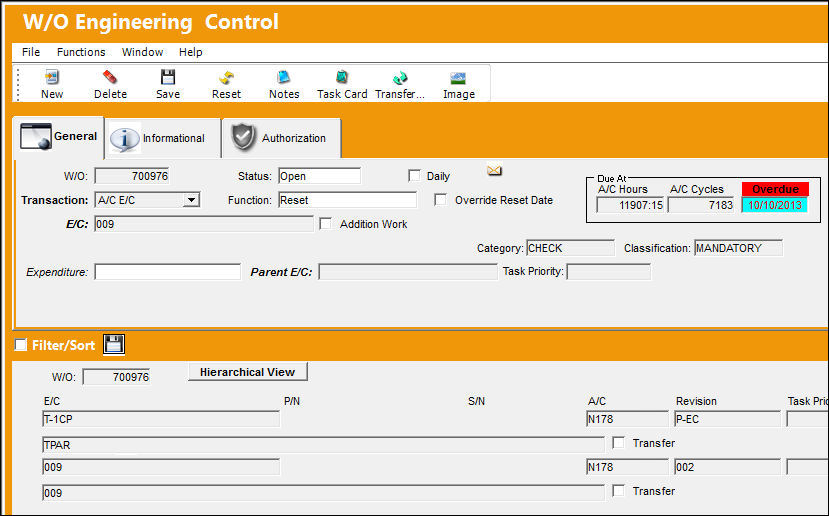
After the sweep was performed, the system automatically created a new Work Order '700976'. The Location and/or Site information is populated according to the A/C information setup in the A/C Master, Auto W/O tab.
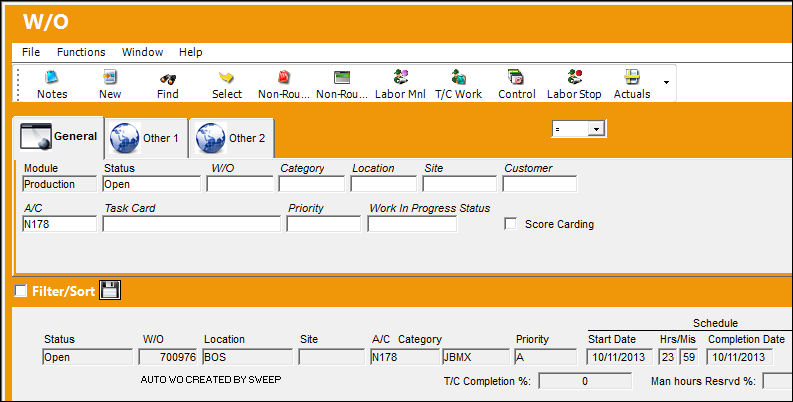
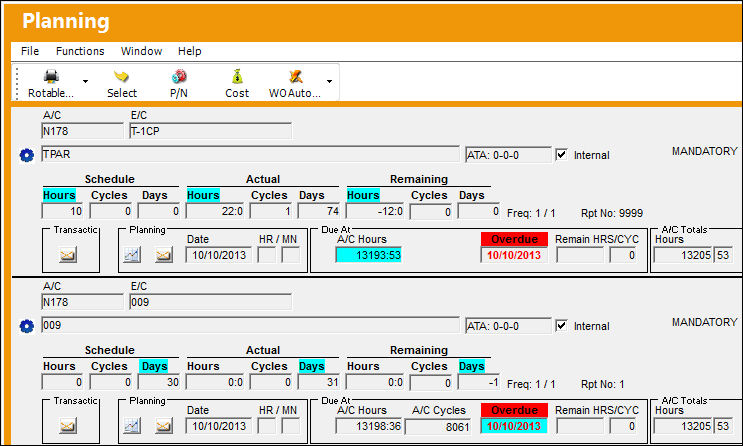
The following E/Cs that are Overdue, E/C '009' and E/C 'T-1CP', have successfully attached to the new auto generated Work Order.
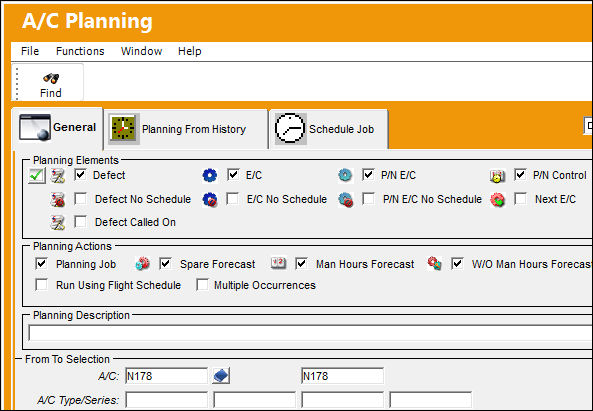
In the A/C Planning window, a planning forecast is performed to check for any overdue E/Cs for aircraft 'N178'. The four commonly used planning elements are selected to run this check (Defect, E/C, P/N E/C, and P/N Control).
The following E/Cs are overdue for A/C 'N178':
Share
Print
|
©1997-2026 Trax USA Corp. All rights reserved. This manual may not be copied, photocopied, reproduced, translated, or converted to any electronic or machine-readable form, in whole or in part, without prior written approval from Trax USA Corp. |
 |