
 Share
Share
 Print
Print
|
|
|
|
|


A 'RETURN/OF/LOAN' takes place when a loaned component is returned to the loaner via Inventory/Update/Inventory Transactions.
For example, locate the loaned component that is to be returned in the Inventory Transaction window.
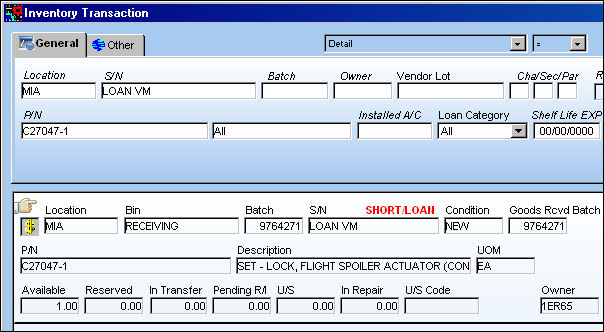
Select the Loan RTN  button then enter any relevant information. Select the Save
  button.
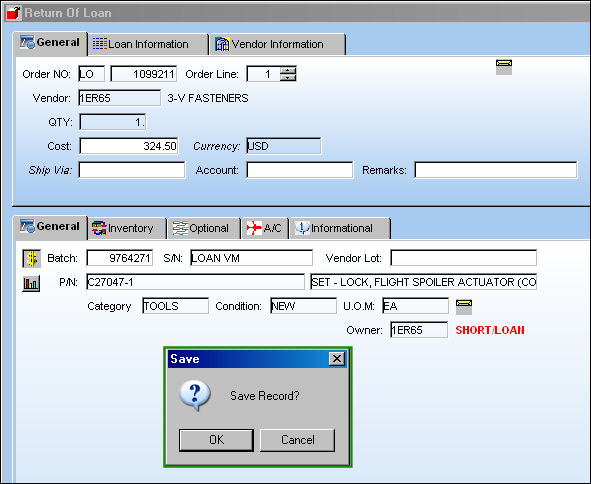
The Cost field above will be auto-populated for loans with a defined cost against the original loan.
When G/L Interface Switch  COMPANYMULTI is set to 'Yes', parts that are owned by parent companies and were ordered through their subsidiary airlines will be reflected in the G/L when returned. The subsidiary airline information is entered through the Company field of the Loan Order header window. For more information regarding the multi-company functionality, refer to Switch COMPANYMULTI via the G/L Interface Switches Manual.
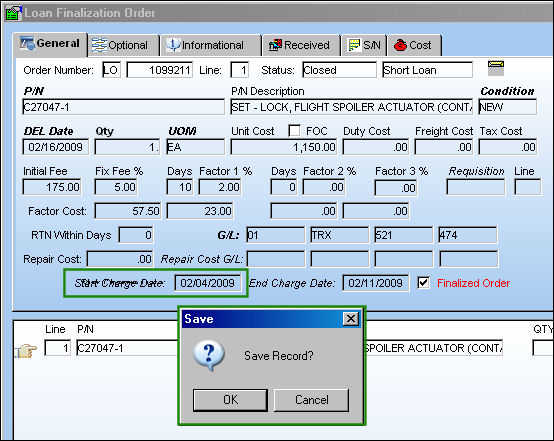
After the loan component has been returned, users can make adjustments to the Loan Order via Order/Update/Loan Order Finalization. The Loan Order Finalization option is used to confirm the start and end dates of the loan for the purpose of calculating the charges incurred for the loan. In the below example the Start Charge Date has been added. This will affect the G/L (as displayed below).
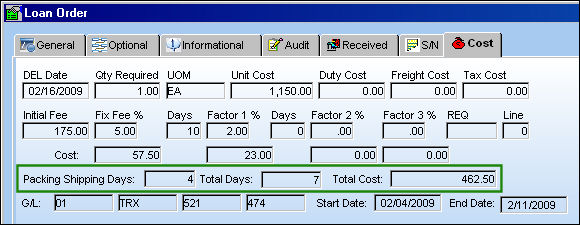
The financial changes made through the Loan Order Finalization can be seen in the Cost tab of the Loan Order detail window via Orders/Query/Order Query. Notice the additional information such as the Packing Shipping Days, Total Days, and Total Cost.
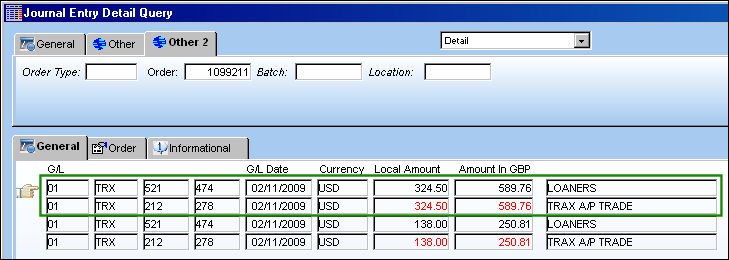
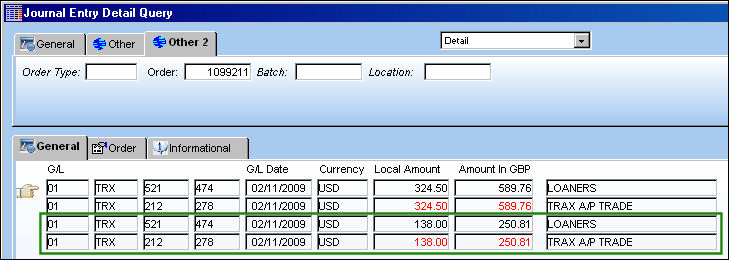
From the Journal Entry Detail Query window, users can see the adjustments against the G/L.
The first transaction refers to the initial Return of Loan.
The second transaction is the adjustment caused by the update to the Start Charge Date made through the Loan Order Finalization function.
Notice the Category Codes in the Order tab read 'RETURN/OF/LOAN'.
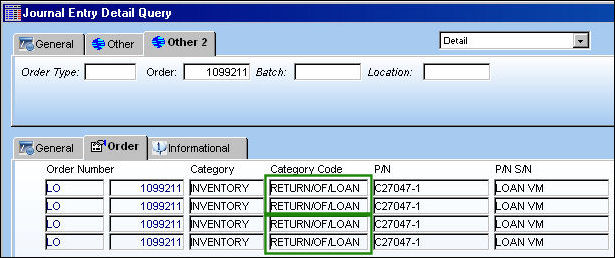
The above screenshot has been altered to highlight the relevant columns for this example.
For more information regarding the Loan Return and Loan Order Finalization functionality, refer to the topics Loan Return Button via the Inventory manual and Loan Order Finalization via the Orders manual.
Share
Print
|
©1997-2026 Trax USA Corp. All rights reserved. This manual may not be copied, photocopied, reproduced, translated, or converted to any electronic or machine-readable form, in whole or in part, without prior written approval from Trax USA Corp. |
 |