
 Share
Share
 Print
Print
|
|
|
|
|


A 'EXP/TO/ROT' takes place when a P/N Category is changed from Expendable (EXP) to Rotable (ROT).
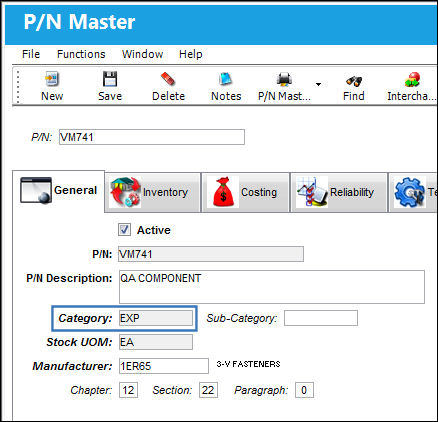
For example, notice the Category field for a P/N via Settings/Update/P/N Master window. This is set when creating a P/N in TRAX.
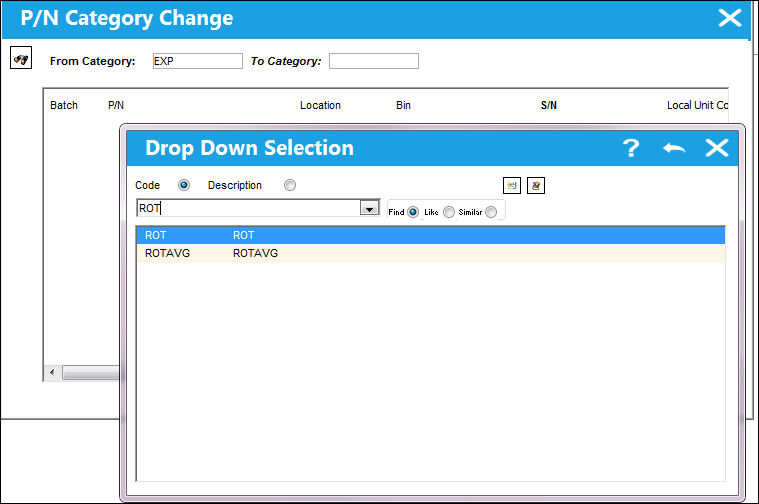
To change the Category of a P/N, select the P/N Category Change  button from the P/N Interchangeability drop down button. From the P/N Category Change window, enter the new category into the To Category field by typing the category code or by right-clicking over the field to select from a list of options.
Users will not be allowed to change the category for specific P/Ns if any of the following scenarios occur: P/N Controls exist against the P/N, a P/N Position exists against the P/N, an un-invoiced order exists against the P/N, there are open orders against the P/N,there the P/N has Batch numbers that are tagged as 'Pending Technical Records'. For more information, refer to the topic on the P/N Category Change Button.
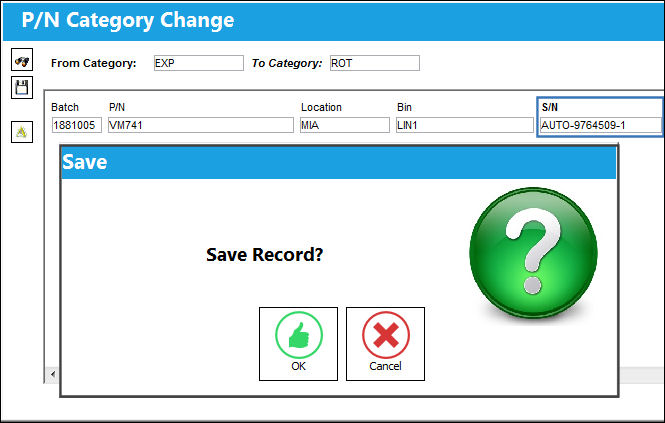
Enter a Serial Number for the affected parts then select the Save button.
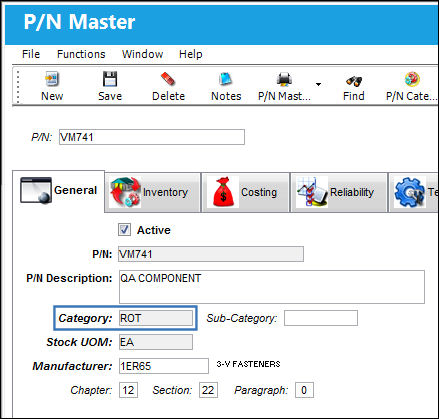
Notice the Category field in the P/N Master reads 'ROT'.
When G/L Interface Switch  COMPANYMULTI is set to 'Yes', parts owned by a parent company and entered into inventory through a subsidized company will be reflected in the G/L when the category is changed from expendable to rotable. For more information regarding the multi-company functionality, refer to Switch COMPANYMULTI via the G/L Interface Switches Manual.
From the Journal Entry Detail Query window users can see the adjustments against the G/L.
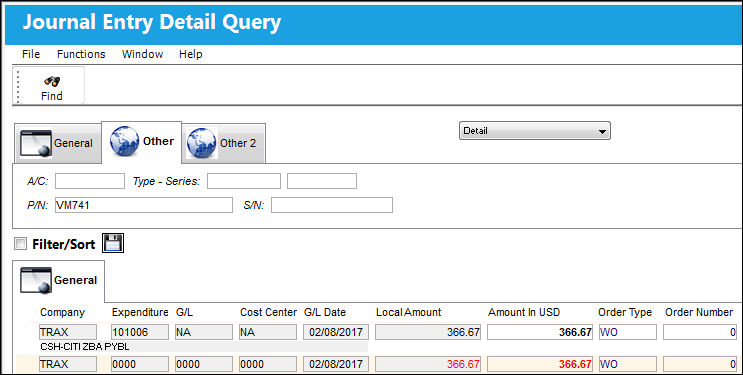
Notice the Category Code in the Order tab reads 'EXP/TO/ROT'.
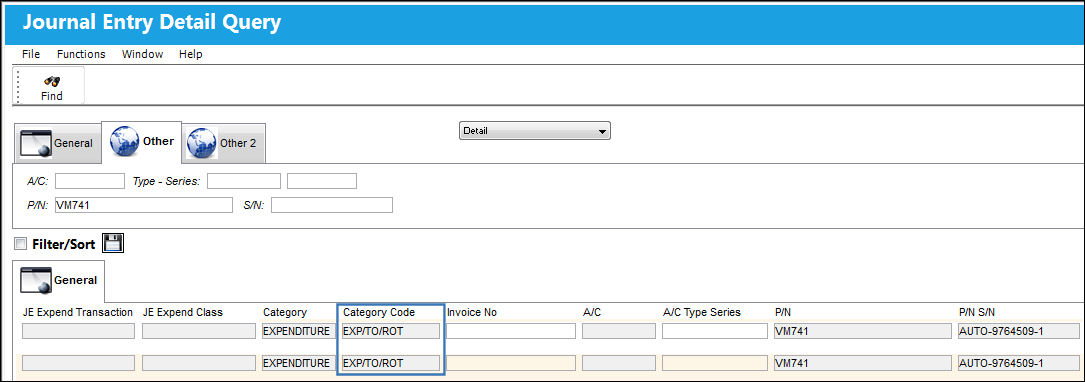
The above screenshot has been altered to highlight the relevant columns for this example.
For more information regarding the changing of a P/N Category, refer to the topic P/N Category Change Button via the Settings manual.
Share
Print
|
©1997-2026 Trax USA Corp. All rights reserved. This manual may not be copied, photocopied, reproduced, translated, or converted to any electronic or machine-readable form, in whole or in part, without prior written approval from Trax USA Corp. |
 |