
 Share
Share
 Print
Print
|
|
|
|
|


Document Control Button, via Standard Buttons
The Document Control  button allows the user to attach an external document to the record. Select the Document Control button to create a “shortcut” from to document. The document must remain in the location specified (address or path). This “shortcut” will not have any functionality and will be linked for reference only.
The Document Control button is a standard button found throughout the system. The following is just one example of the Document Control button.
Select the Document Control button.
The following types of files can be attached:
- Adobe® Portable File Document (.PDF) format
- Microsoft® Word (.DOC)
- Microsoft® Excel (.XLS)
- HTML (HTML, HTM)
- Audio (Wave, MP3, WMA)
- Video (MPEG, MPG), Cmg (CMG)
- Image files (JPEG, TIF, JPG)
After selecting the Document Control button, select the New  button to open a browser window.
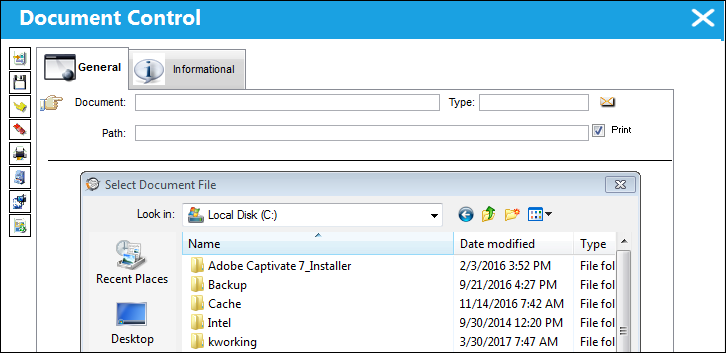
Choose the document and select the  button to attach the file.
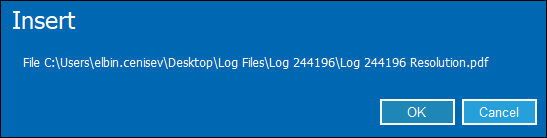
The user will be asked to verify if the file is the correct one to be inserted with a soft warning.
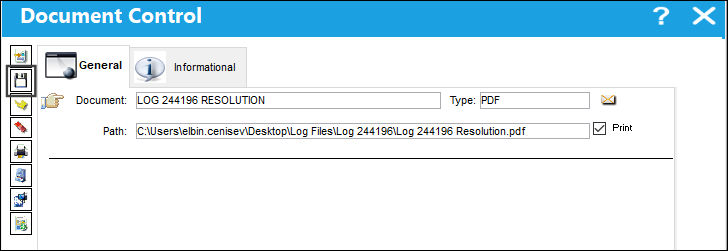
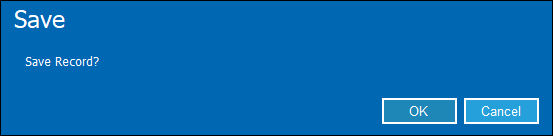
Once inserted, the record can be saved.
If the desired file is already stored in the TraxDoc System, the TraxDoc  button can be utilized.
Select the TraxDoc button and choose the TraxDoc file to attach to the Task Card.
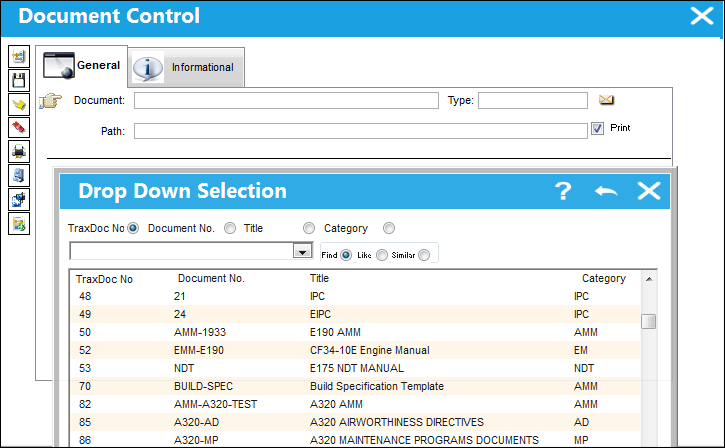
For additional information regarding TraxDoc and a detailed description of the handling of documents in TraxDoc, refer to the TraxDoc Training Manual.
There is no limitation as to the number of files that can be attached by using Document Control.
Share
Print
|
©1997-2026 Trax USA Corp. All rights reserved. This manual may not be copied, photocopied, reproduced, translated, or converted to any electronic or machine-readable form, in whole or in part, without prior written approval from Trax USA Corp. |
 |