
 Share
Share
 Print
Print
|
|
|
|
|


Effectivity Button [pre-11], via Standard Buttons
The Effectivity  button allows the user to view the effectivity details of the part as they were entered via Settings/Update/P/N. Effectivity must be defined for parts that will be issued from the system and then ultimately be installed on aircraft and can be defined at fleet type and tail number level. Go to Inventory/Update/ Inventory Transaction.
Enter the required selection for the item that you wish to modify and click on the Find  Button.
Select the item required so that the Hand  pointer points at it. Click on the Effectivity button. TRAX displays the following screen:
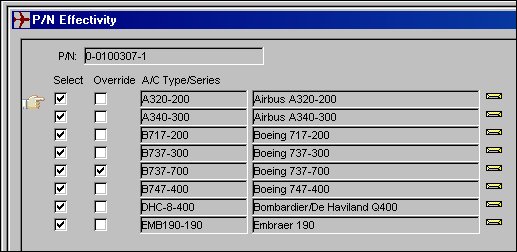
Select the A/C Effectivity button to apply A/C Effectivity to the part.
Select the fleet type/series applicable.
To select only specific Tail Numbers within a fleet Type/Series, select the fleet Type/Series and then click on the Override  button, the applicable Tail Numbers can then be selected. If a part is not effective to an aircraft, it cannot be issued to a Work Order for that aircraft. However, if the Work Order is for a third party, there are no effectivity checks on the part issues.
About Applying P/N Effectivity
P/N Effectivity should be applied at either one of the following two levels.
The P/N level (via Settings/Update/Effectivity button).
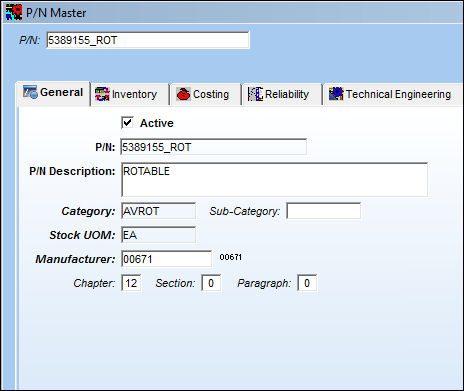
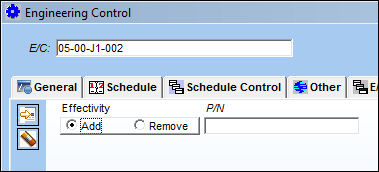
The P/N Effectivity Control Tab (via Engineering/Update/E/C/P/N Effectivity Control Tab) can only be used with Effectivity at the P/N level.
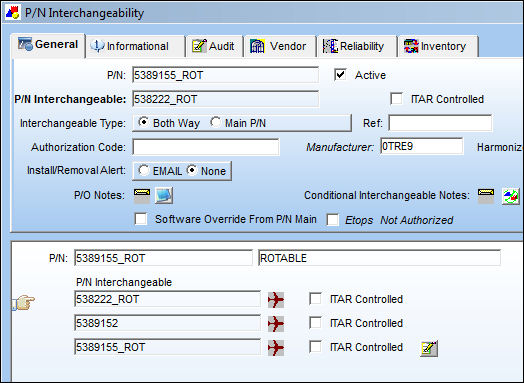
The P/N Interchangeable level (via Settings/ Update/ Interchangeable  button/ A/C Effectivity button).
Share
Print
|
©1997-2026 Trax USA Corp. All rights reserved. This manual may not be copied, photocopied, reproduced, translated, or converted to any electronic or machine-readable form, in whole or in part, without prior written approval from Trax USA Corp. |
 |