
 Share
Share
 Print
Print
|
|
|
|
|


E-mail Button, via Standard Buttons
The Email  button is a standard button found throughout the system. The following is just one example of the Email button as displayed in TRAX.
Select the E-mail button to send the currently selected document to an email recipient.
In the following example, the user will e-mail a Workpack Print.
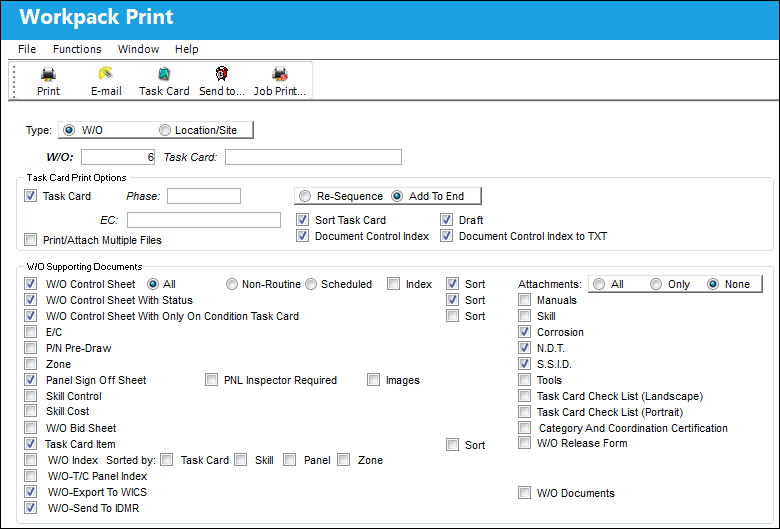
Go to Production/Update/Work Order. Find a Work Order and select the Print button. TRAX displays the Workpack Print. Select W/O Supporting Documents and select the E-mail button.
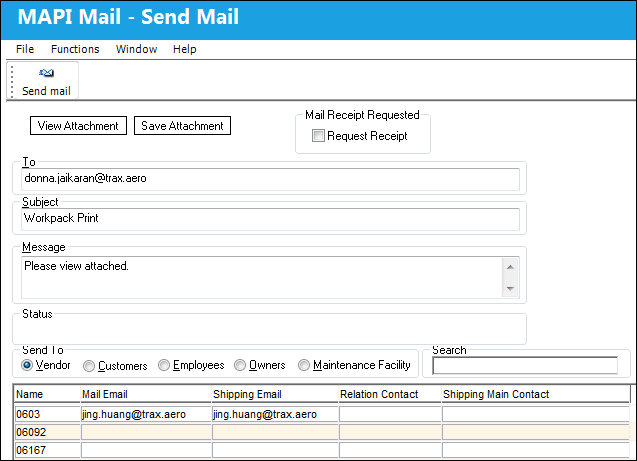
TRAX will display the following window. Select one or more e-mail recipients and select the Send Mail  button.
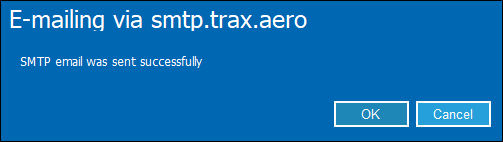
The following information box will appear. Select 'OK.'
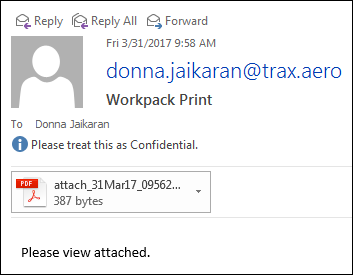
The e-mail was sent successfully, as shown below:
Share
Print
|
©1997-2026 Trax USA Corp. All rights reserved. This manual may not be copied, photocopied, reproduced, translated, or converted to any electronic or machine-readable form, in whole or in part, without prior written approval from Trax USA Corp. |
 |