
 Share
Share
 Print
Print
|
|
|
|
|


Auto S/N Button, via Standard Buttons
The Auto S/N  button allows the user to automatically assign Serial Numbers to NLAs (Next Lower Assemblies). The Auto S/N button can be found throughout the system in many windows where NLAs are being loaded into the system. This button can be found in the following windows:
- A/C Initial P/N Load
- P/N Initial
- P/N N/L/A Creation (via Technical Records and Receiving)
This button is an independent functionality and has its own tracking number and it does not use the "PREFIX" via the Auto S/N Creation checkbox via P/N Master, Inventory tab. There is an option to assign a PREFIX via the Switch  NLATBDSN via Receiving.
In the following example, the user will access the Auto S/N button by initial loading an assembly to an aircraft.
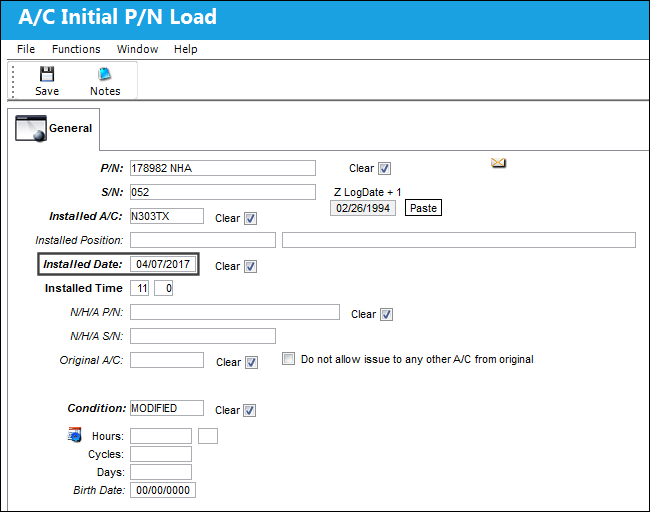
Enter an NHA component to be installed onto an aircraft. Once all mandatory and preferred information is entered, select the Save  button.
Note the Installed Date:
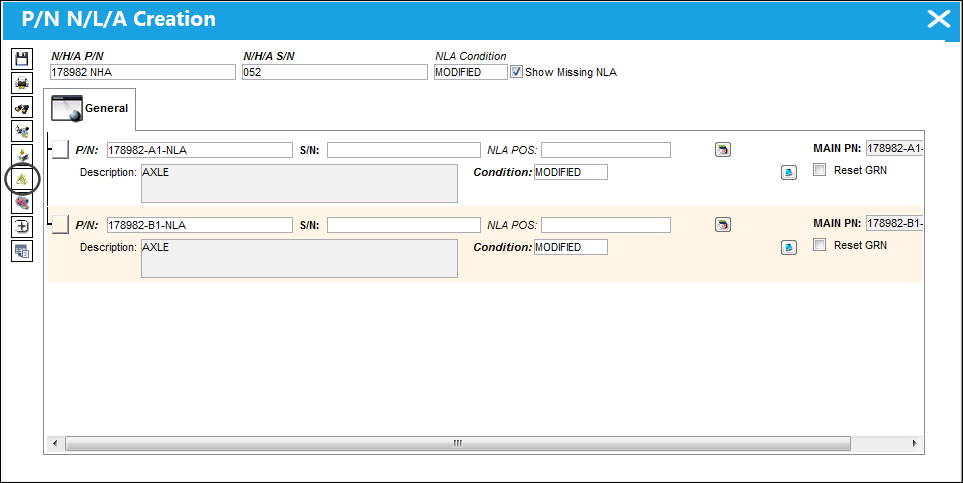
Upon save, the system will display the P/N N/L/A Creation window. The NLAs for the NHA appear as shown below. Select the Auto S/N button.
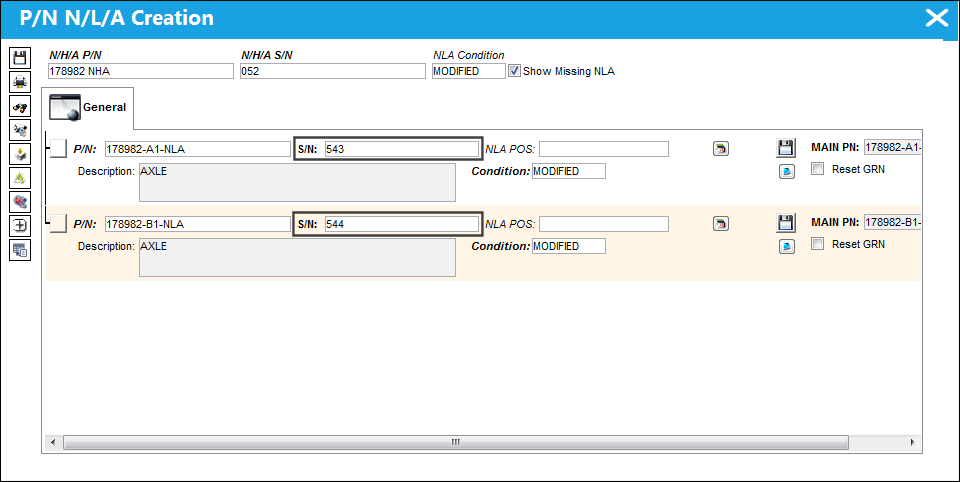
The Serial Numbers are auto populated by the system.
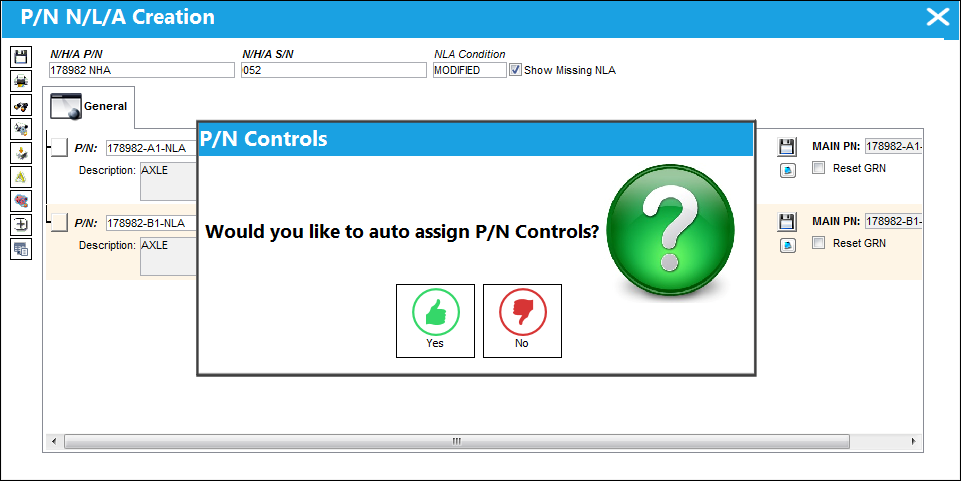
The following prompt appears asking the user if they would like to auto assign P/N Controls. If 'Yes' is selected, the P/N Controls will be assigned. If 'No' is selected, the P/N Controls will be pending.
In this example, the user will select No. Select the Save button.
 This prompt was added in TRAX 11.
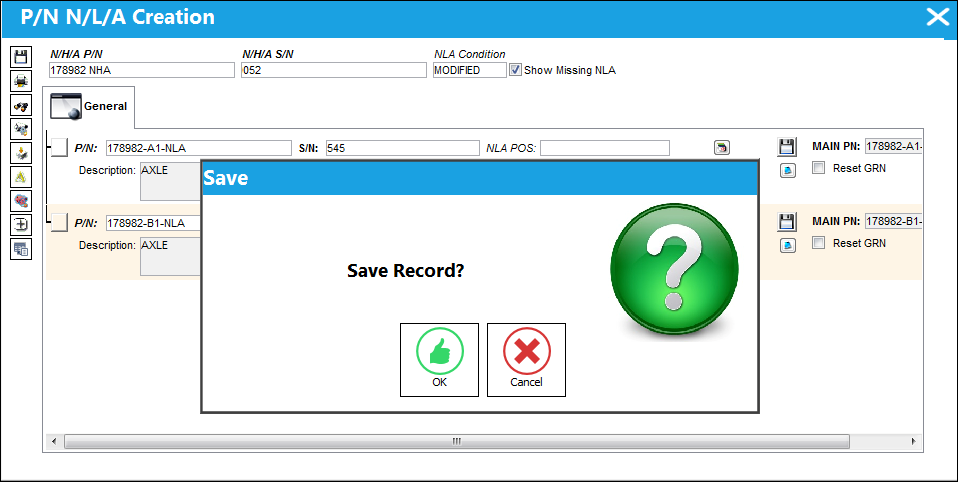
The Save prompt appears. Select 'OK' to save the Serial Numbers that were auto populated.
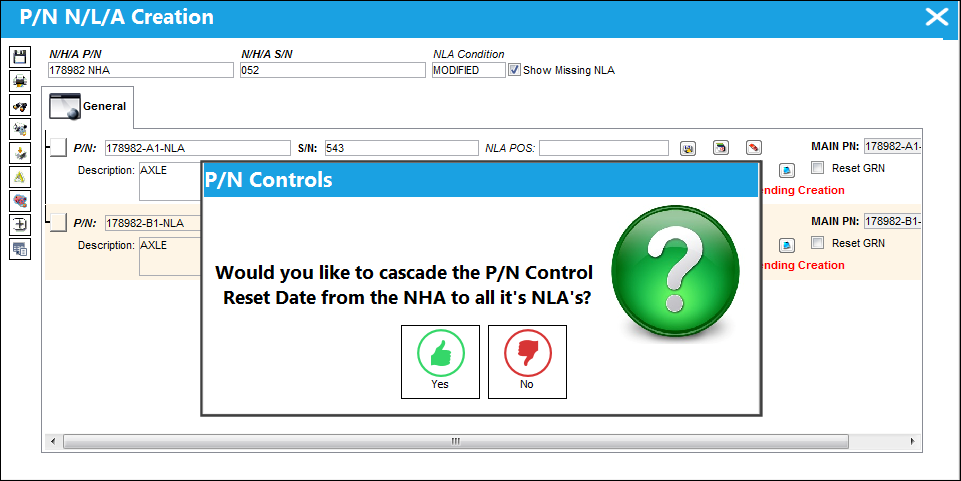
The following prompt appears asking the user if they would like the Installed Date from the NHA to be cascaded down to the Reset Date of the NLAs. In this example, the user will select 'Yes.'
This prompt was added in TRAX 11.
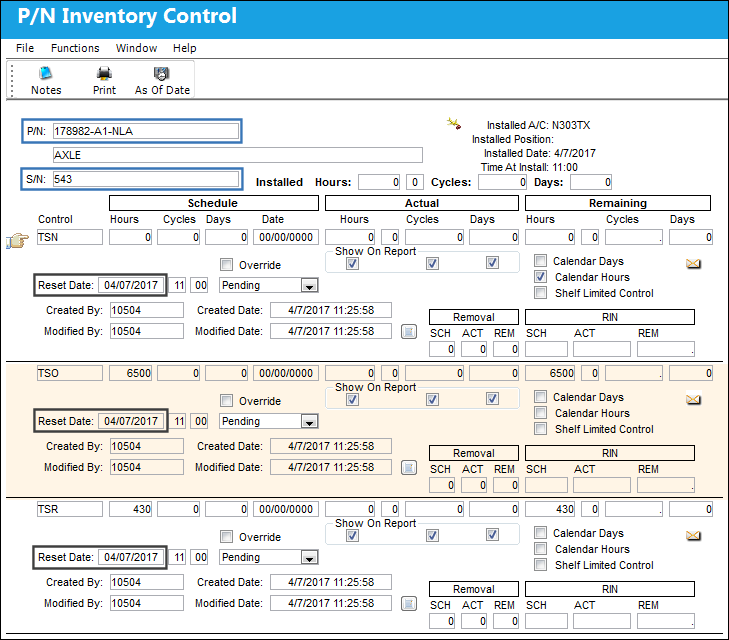
From the P/N Inventory Control window, the Installed Date of the NHA has been cascaded down to the Reset Date for the NLA (S/N 543).
Note that the P/N Controls are pending.
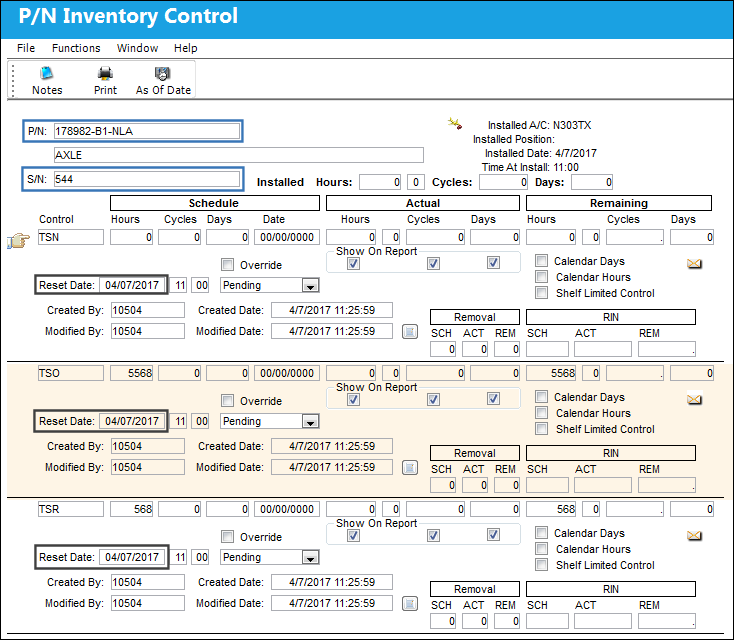
The Reset Date has also cascaded for S/N 544. The P/N Controls are also pending.
Share
Print
|
©1997-2026 Trax USA Corp. All rights reserved. This manual may not be copied, photocopied, reproduced, translated, or converted to any electronic or machine-readable form, in whole or in part, without prior written approval from Trax USA Corp. |
 |