
 Share
Share
 Print
Print
|
|
|
|
|


POMINQTY - Validate Order Levels With Less Than Minimum ORD QTY
Validate Order Levels With Less Than Minimum ORD QTY
Affected windows: w_po_order_detail_eu
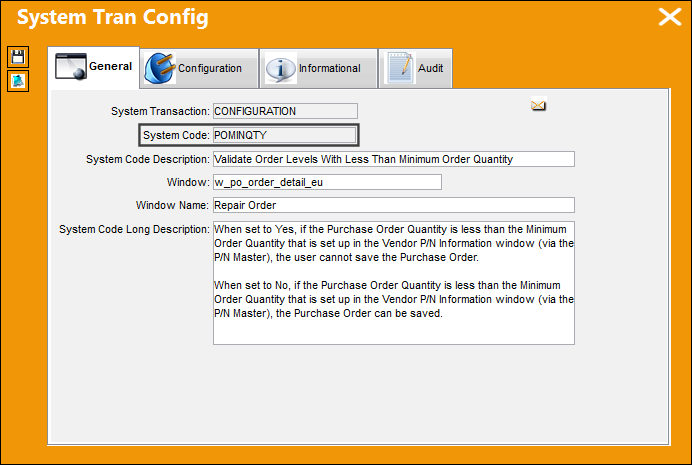
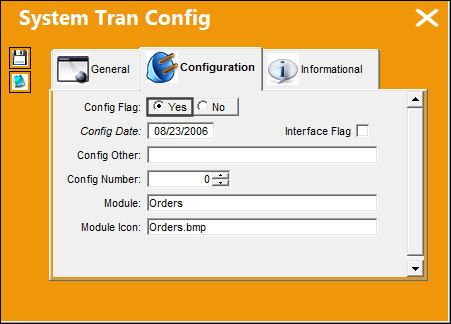
Switch Set to Yes:
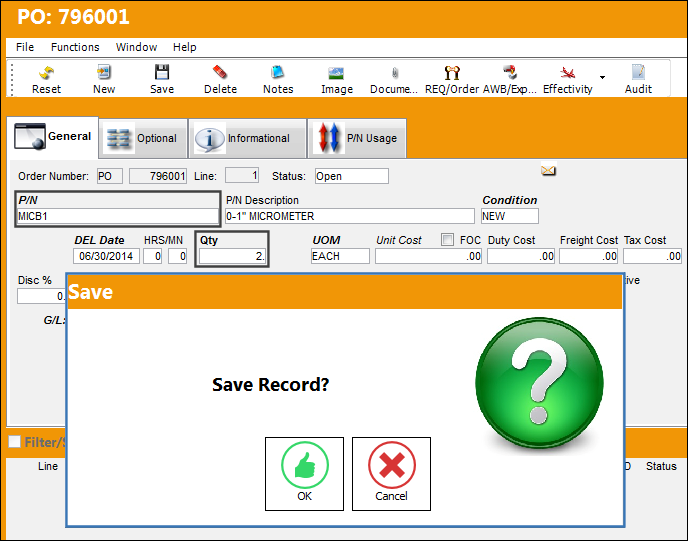
When set to Yes, if the Purchase Order Quantity is less than the Minimum Order Quantity that is set up in the Vendor P/N Information window (via the P/N Master), the user cannot save the Purchase Order.
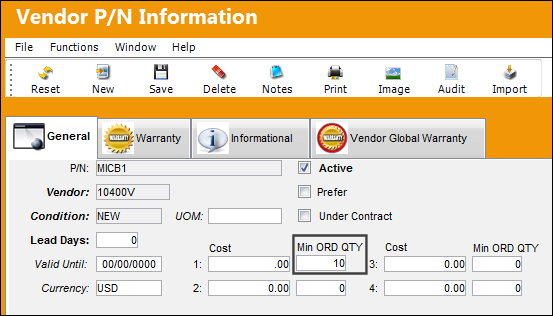
Note the Min Order Quantity set up in the Vendor P/N Information tab for the Part Number.
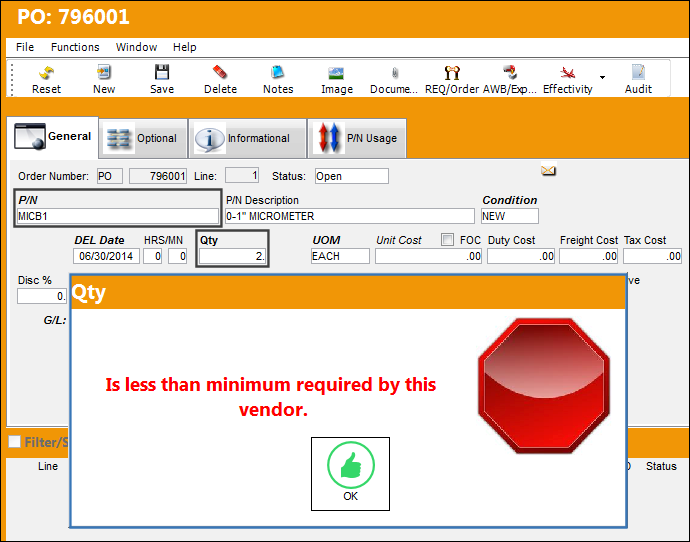
When a Purchase Order is created with less than the Minimum Order Quantity, the following warning message will appear and the window cannot be saved.
Switch Set to No:
When set to No, if the Purchase Order Quantity is less than the Minimum Order Quantity that is set up in the Vendor P/N Information window (via the P/N Master), the Purchase Order can be saved.
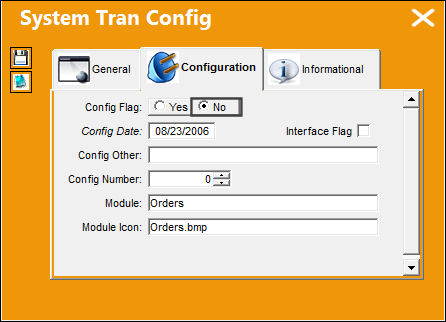
Upon creating a Purchase Order, the system will validate the Purchase Order Quantity against the Minimum Order QTY set up in the Vendor P/N Information window. The user is able to save the Purchase Order.
Share
Print
|
©1997-2026 Trax USA Corp. All rights reserved. This manual may not be copied, photocopied, reproduced, translated, or converted to any electronic or machine-readable form, in whole or in part, without prior written approval from Trax USA Corp. |
 |