
 Share
Share
 Print
Print
TRAX MANUALS > Orders > Orders Switches > ROADDGL2 - Default R/O GL 2 values auto-populate on Repair Order creation
|
|
|
|
|


ROADDGL2 - Default R/O GL 2 values auto-populate on Repair Order creation

Default R/O GL 2 values auto-populate on Repair Order creation
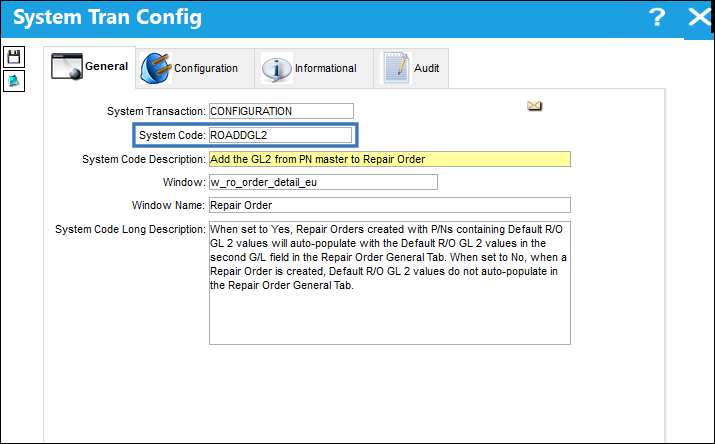
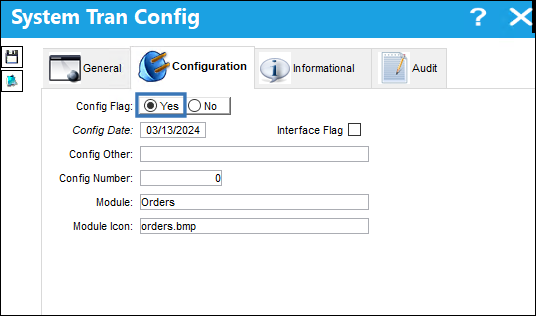
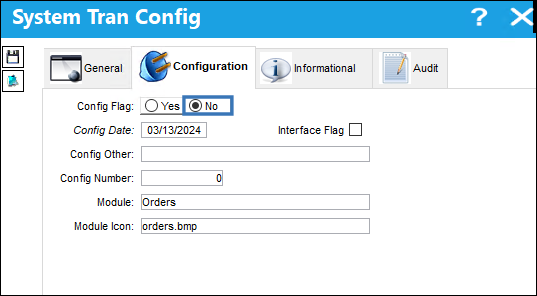
Switch Set to Yes:
When set to Yes, Repair Orders created with P/Ns containing Default R/O GL 2 values will auto-populate with the Default R/O GL 2 values in the second G/L field in the Repair Order General Tab.
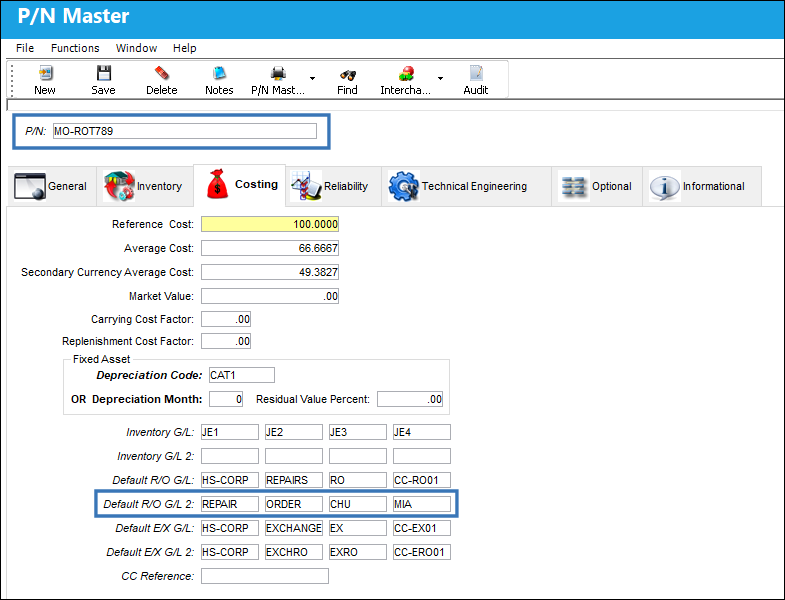
The following P/N lists Default R/O GL 2 values in the P/N Master Costing Tab:
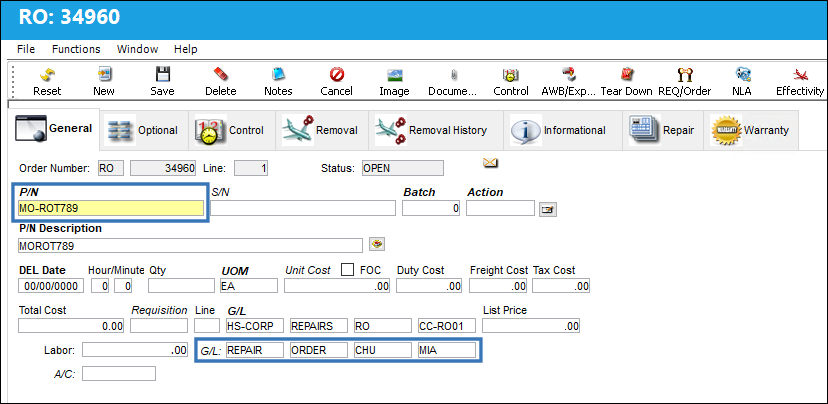
A Repair Order is created for this part. Notice that the Default R/O GL 2 values corresponding to the part in question populate within the Repair Order General Tab:
Switch Set to No:
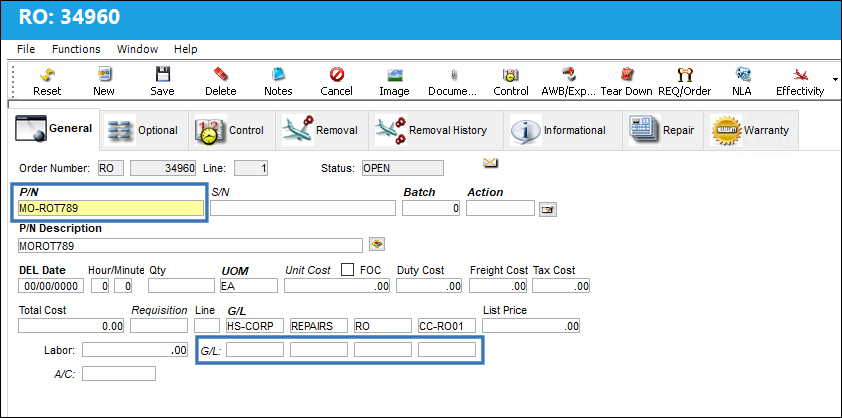
When set to No, when a Repair Order is created, Default R/O GL 2 values do not auto-populate in the Repair Order General Tab.
The Repair Order below has not been auto-populated with Default R/O GL 2 values:
Share
Print
|
©1997-2026 Trax USA Corp. All rights reserved. This manual may not be copied, photocopied, reproduced, translated, or converted to any electronic or machine-readable form, in whole or in part, without prior written approval from Trax USA Corp. |
 |