
 Share
Share
 Print
Print
|
|
|
|
|


SAMEINTERC - E/X Send/Receive P/Ns have to be the Same, One-Way Interchangeable, or Both-Way Interchangeable
E/X Send/Receive P/Ns have to be the Same, One-Way Interchangeable, or Both-Way Interchangeable
Affected Window: w_ex_order_detail_eu
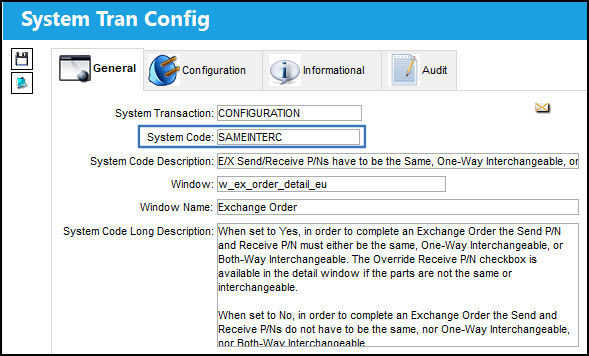
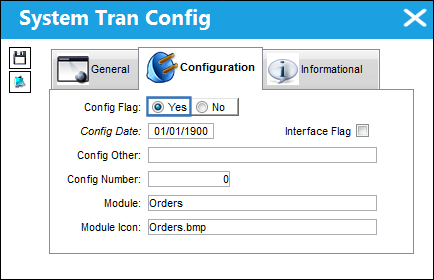
Switch Set to Yes:
When set to Yes, in order to complete an Exchange Order the Send P/N and Receive P/N must either be the same, One-Way Interchangeable, or Both-Way Interchangeable. The Override Receive P/N checkbox via the Exchange Order Detail, General tab becomes available to allow users to bypass the restriction.
 : The Override Receive P/N checkbox is security controlled via the Security Explorer/ Orders/ Update/ Exchange Order/ Exchange Order Override Receive P/N. For additional information, refer to the Security Explorer, via the System Administration Training Manual.
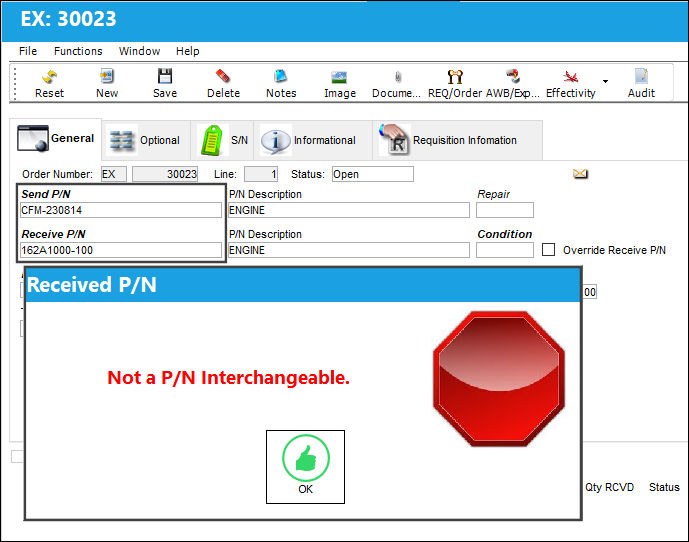
In this example, the user attempts to create an Exchange Order where the Send P/N and a Receive P/N are neither the same, nor One-Way Interchangeable, nor Both-Way Interchangeable. When the Save  button is selected, a hard warning will prevent the creation of the Exchange.
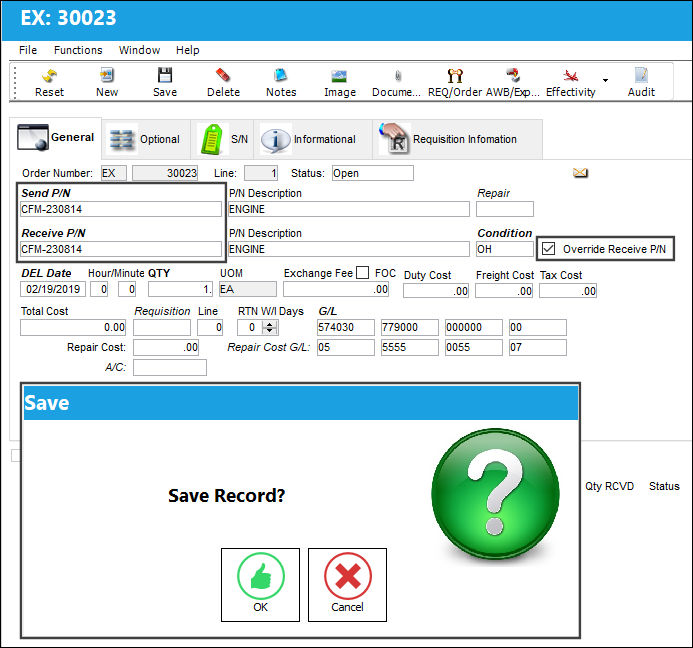
For the exchange of these two parts to be allowed, the user can select the Override Receive P/N checkbox to the right of the window which is now available.
Additionally, the system will not allow the user to issue this part for the Exchange.
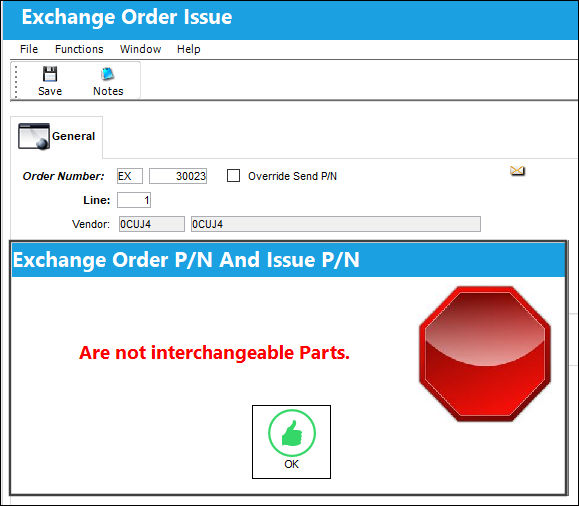
 Note: The Override Send P/N checkbox will also become available to the user inside the Exchange Issue window. Checking it will allow for the transaction to go through. For more information, refer to Exchange Button, via Inventory Transaction.
 Note: The Override Send P/N checkbox is security controlled via the Security Explorer/ Inventory/ Update/ Inventory Transaction/ Override Send P/N. For additional information, refer to the Security Explorer, via the System Administration Training Manual.
Switch Set to No:
When set to No, in order to complete an Exchange Order the Send and Receive P/Ns do not have to be the same, One-Way Interchangeable, or Both-Way Interchangeable.
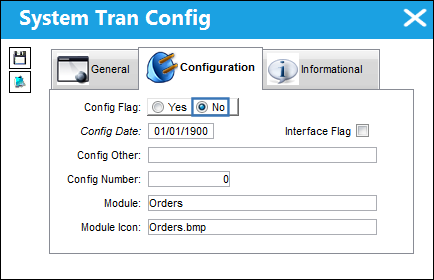
Note: When the switch is set to No, the parts being issued to the Exchange Order do not have to be the same, One-Way interchangeable, or Both-Way interchangeable after the order has been received. A warning message will appear when attempting this transaction.
In the following example, the two parts are not the same, One-Way Interchangeable, or Both-Way interchangeable. The system allows the user to create the Exchange Order.
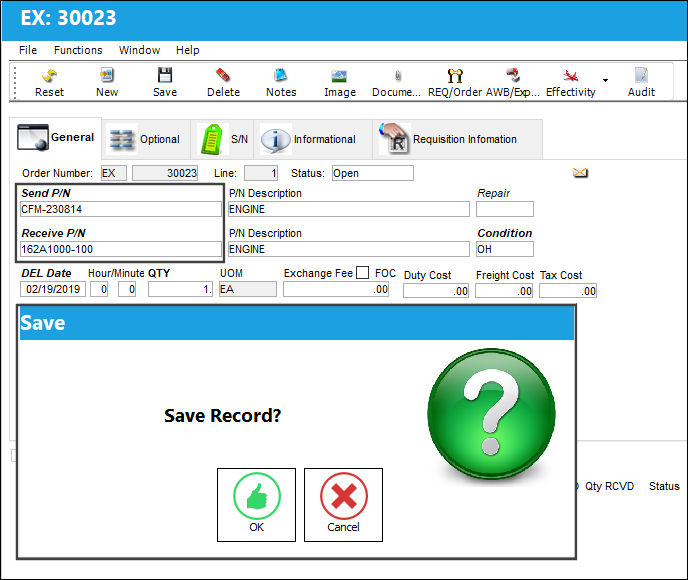
The Override Receive P/N checkbox will not appear when the switch set to No because the exchange is allowed without needing to override the Receive P/N.
Share
Print
|
©1997-2026 Trax USA Corp. All rights reserved. This manual may not be copied, photocopied, reproduced, translated, or converted to any electronic or machine-readable form, in whole or in part, without prior written approval from Trax USA Corp. |
 |