
 Share
Share
 Print
Print
|
|
|
|
|


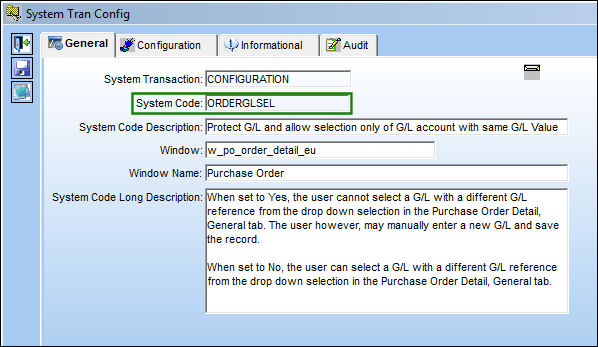
ORDERGLSEL - Protect G/L and allow selection only of G/L account with same G/L Value
Protect G/L and allow selection only of G/L account with same G/L Value
Affected Window: w_po_order_detail_eu
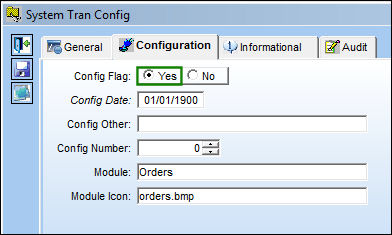
Switch Set to Yes:
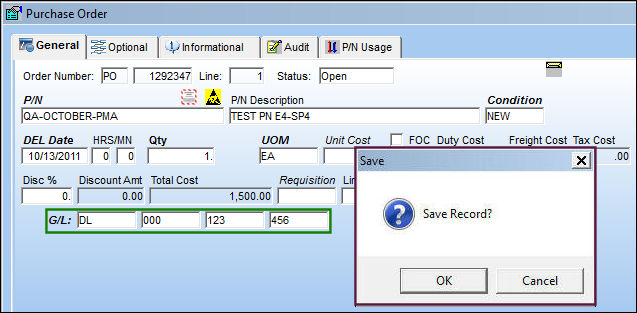
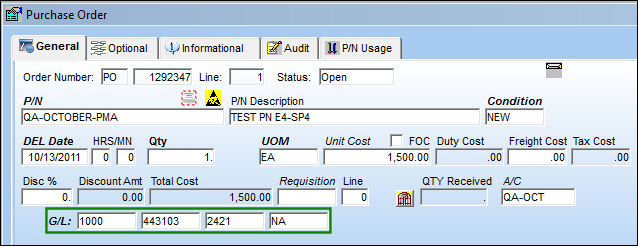
When set to Yes, the user cannot select a G/L with a different G/L reference from the drop down selection in the Purchase Order Detail, General tab. The user however, may manually enter a new G/L and save the record.
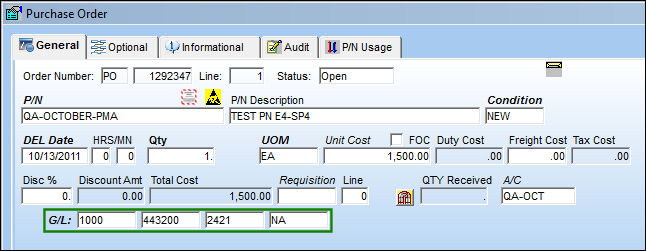
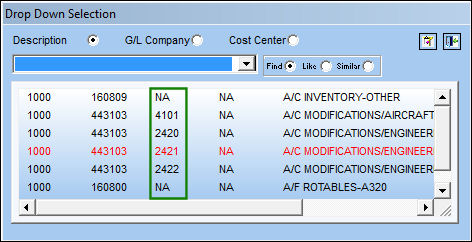
Go to the Purchase Order Detail, General tab. Right click in the G/L field.
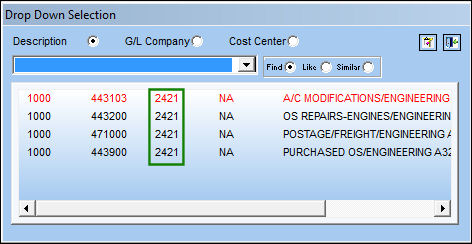
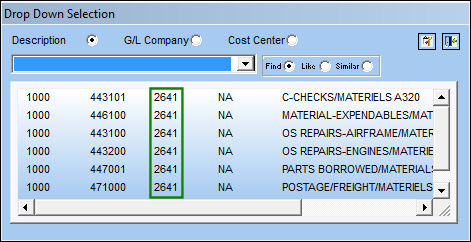
Only G/Ls with the same G/L reference (third field) will appear in the Drop Down Selection.
However, the user may manually enter a new G/L and save the record.
This option also works for Repair Orders, Exchange Orders, and Invoice Order Detail window.
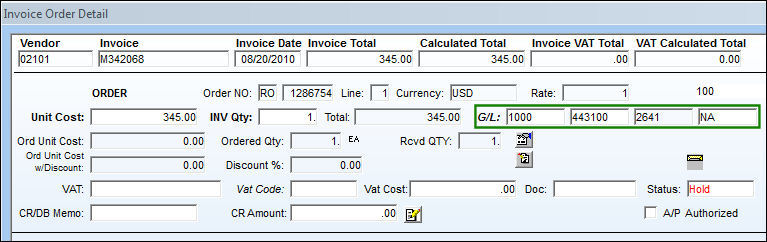
The third field is protected.
Create a second line item.
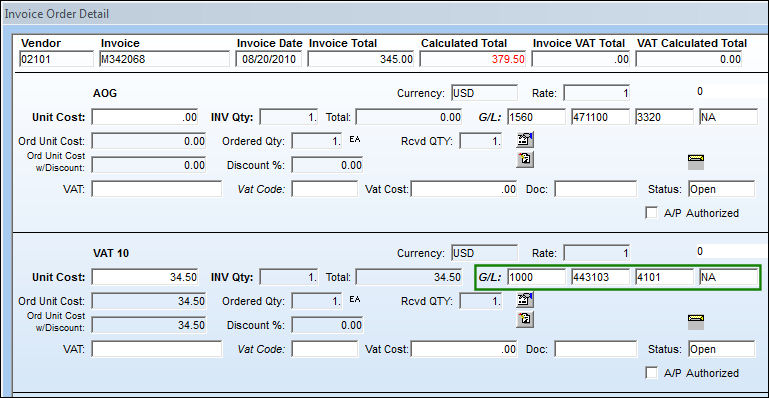
The G/L reference is not protected.
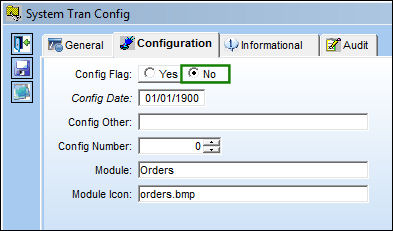
Switch Set to No:
When set to No, the user can select a G/L with a different G/L reference from the drop down selection in the Purchase Order Detail, General tab.
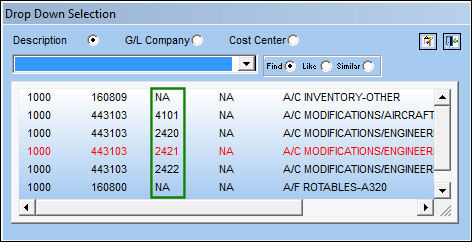
Go to the Purchase Order Detail, General tab. Right click in the G/L field.
All G/Ls appear in the Drop Down Selection.
Share
Print
|
©1997-2026 Trax USA Corp. All rights reserved. This manual may not be copied, photocopied, reproduced, translated, or converted to any electronic or machine-readable form, in whole or in part, without prior written approval from Trax USA Corp. |
 |