
 Share
Share
 Print
Print
|
|
|
|
|


TOFIFOBATCH - Transfer Order Auto-Select FIFO Batch

Transfer Order Auto-Select FIFO Batch
Affected Window: w_to_order_detail_eu
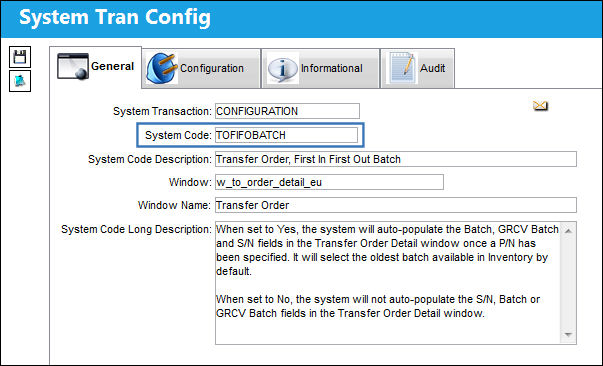
Switch Set to Yes:
When set to Yes, the system will auto-populate the Batch, GRCV Batch and S/N fields in the Transfer Order Detail window once a P/N has been specified. It will select the oldest batch available in Inventory by default.
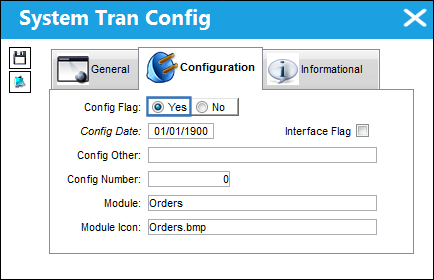
Note that more than one batch of the specified P/N is available in Inventory.
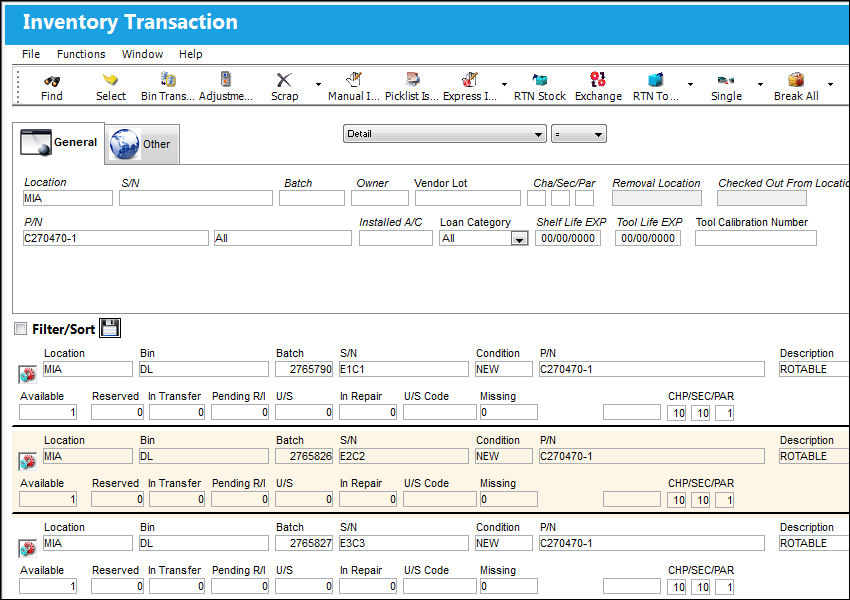
Navigate to the Transfer Order window and create a new T/O for that P/N.
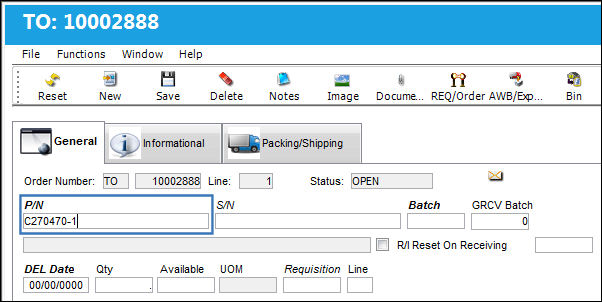
In the Transfer Order Detail window, the system will automatically select the oldest available batch of the specified part by default and auto-populate the S/N, Batch and GRCV Batch fields.
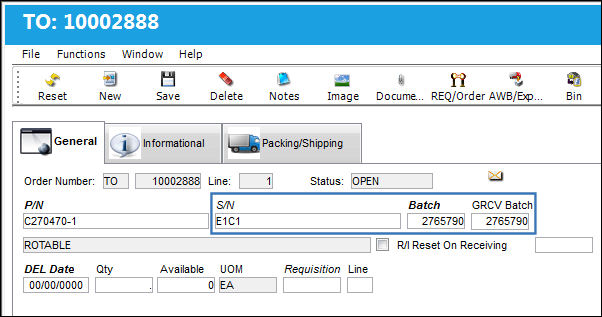
Note: The value of each field can still be manually adjusted.
Switch Set to No:
When set to No, the system will not auto-populate the S/N, Batch or GRCV Batch fields in the Transfer Order Detail window.
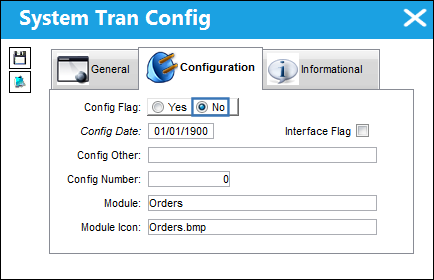
Navigate to the Transfer Order window and create a new T/O for a P/N.
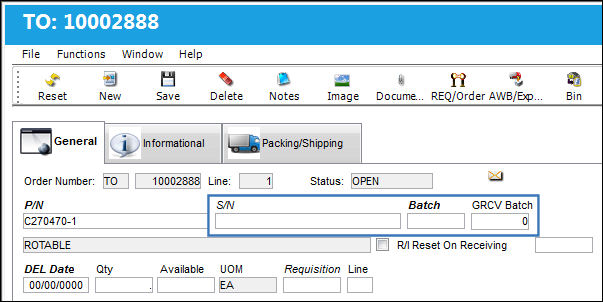
Even though a part has been selected, the S/N, Batch and GRCV Batch fields remain unpopulated by default. The user has to manually specify which batch is to be used for the Transfer Order.
Share
Print
|
©1997-2026 Trax USA Corp. All rights reserved. This manual may not be copied, photocopied, reproduced, translated, or converted to any electronic or machine-readable form, in whole or in part, without prior written approval from Trax USA Corp. |
 |